Understanding Kahoot’s player limits can feel like deciphering ancient hieroglyphics, especially when you’re trying to plan an event or classroom activity. The truth is, how many people can play Kahoot depends entirely on which plan you’re using, ranging from a modest 10 participants on basic free accounts to an impressive 2,000 players on premium business and education tiers.
Let’s break down exactly what you get with each plan type, so you never have to turn eager participants away again.
- Understanding Kahoot Player Limits by Plan Type
- Free vs. Paid Plans: What’s the Real Difference?
- Education Plans: Built for Classrooms and Institutions
- Business Plans: Scaling Up for Corporate Training
- When to Upgrade (And When You Don’t Need To)
- OnlineExamMaker: A Powerful Alternative for Large-Scale Assessments
- Creating Your Next Quiz with OnlineExamMaker AI
Understanding Kahoot Player Limits by Plan Type
Here’s where things get interesting. Kahoot doesn’t believe in one-size-fits-all, which is great for customization but can be confusing when you’re just trying to figure out if your team will fit in a single game.
The player limit structure works like a ladder—each rung gets you higher capacity, but it’ll cost you. According to Kahoot’s official support documentation, limits can range from approximately 10 players all the way up to 2,000, depending on your subscription level.
| Plan Type | Typical Player Limit | Best For |
|---|---|---|
| Basic/Free (Personal) | 10-40 players | Small classrooms, casual use |
| Bronze/Silver Paid Plans | 50-100 players | Medium-sized classes, workshops |
| Gold/Premium Plans | 200-400 players | Large lectures, company-wide training |
| Education Pro Plans | Up to 2,000 players | School assemblies, university courses |
| Kahoot! 360 (Business) | Up to 2,000 players | Corporate events, conferences |
Free vs. Paid Plans: What’s the Real Difference?
Let’s talk money. Or rather, let’s talk about what you get when you choose not to spend money.
The free Kahoot Basic plan is perfectly functional for intimate settings. Think tutoring sessions, small study groups, or that family game night where Uncle Bob insists he knows everything about 90s pop culture. With around 10 to 40 players (the exact number varies based on the specific Basic tier you access), you’re covered for most personal and small classroom scenarios.
But here’s the kicker: once you need to accommodate 50 or more participants, you’re looking at a paid subscription. The jump from free to paid isn’t just about numbers, though. Paid plans typically unlock advanced features like detailed analytics, customizable branding, and the ability to export results—features that HR managers and corporate trainers often find indispensable.
Education Plans: Built for Classrooms and Institutions
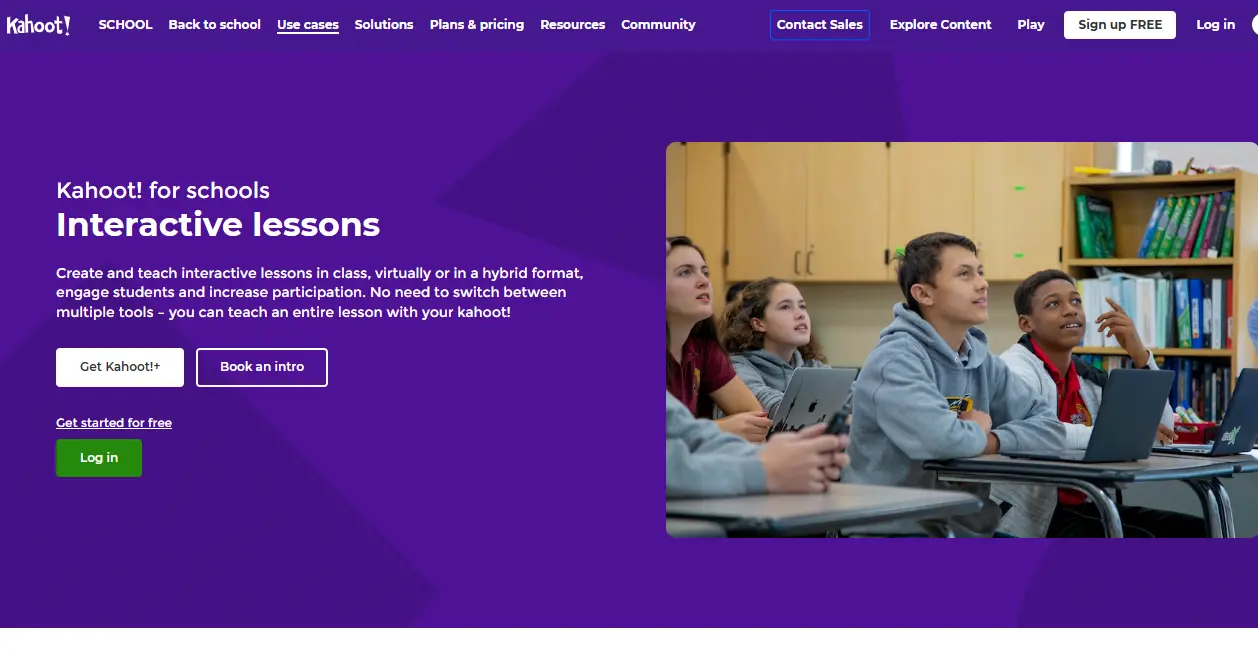
Teachers, this one’s for you. Kahoot knows that education isn’t a one-size-fits-all endeavor, which is why their EDU plans scale impressively.
Starting at around 50 to 100 participants for entry-level education subscriptions, these plans are designed with classroom dynamics in mind. Need to run a quiz for an entire grade level? The mid-tier education plans can handle it. Planning a school-wide trivia competition? Top-tier EDU plans support up to 2,000 simultaneous players, according to Kahoot’s support resources.
Why Education Plans Matter
- Scalability: From a single classroom to an entire school district, there’s a tier that fits your needs.
- Student-Friendly Features: Many education plans include age-appropriate content filters and enhanced privacy controls.
- Institutional Support: Access to dedicated support teams who actually understand the chaos of managing 200 eighth-graders in a virtual quiz.
The beauty of education-specific plans lies in their flexibility. Whether you’re teaching a community college course with 30 students or coordinating a university lecture hall with 500 attendees, there’s a Kahoot tier that won’t leave anyone standing outside the virtual classroom door.
Business Plans: Scaling Up for Corporate Training
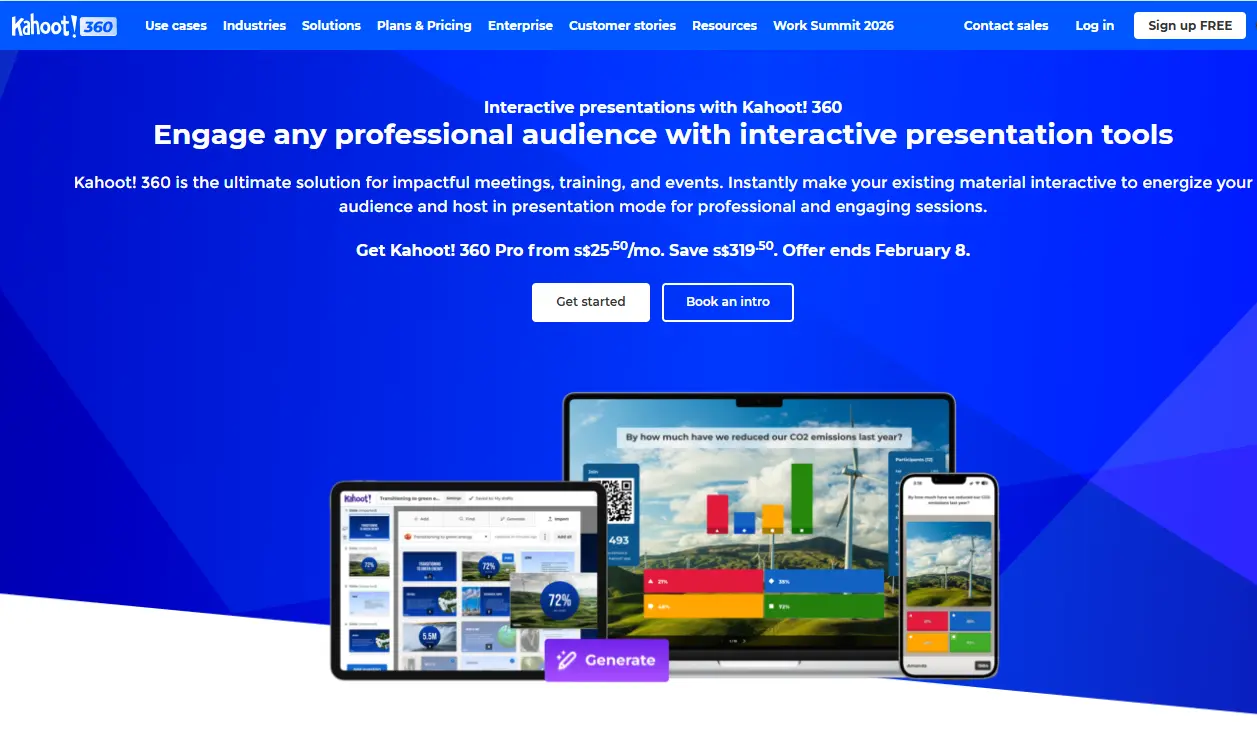
Corporate trainers and HR managers, let’s be honest—you need tools that work at scale without breaking the budget or your sanity. This is where Kahoot! 360 and similar business-tier plans come into play.
Business plans, particularly the “Pro Max” and premium tiers, can accommodate up to 2,000 participants per session. That’s enough for company-wide onboarding, regional sales conferences, or those mandatory compliance training sessions that everyone dreads but you’ve somehow made engaging with Kahoot.
What Business Users Get
- Advanced Analytics: Detailed performance metrics that go beyond “who got the most points” to help you identify knowledge gaps.
- Custom Branding: Because nothing says “professional” like having your company logo on every question slide.
- Team Collaboration: Multiple team members can create and edit quizzes, essential for distributed training teams.
- Priority Support: When you’ve got 500 employees waiting to start and the quiz won’t load, priority support becomes worth its weight in gold.
When to Upgrade (And When You Don’t Need To)
Here’s where strategic thinking comes into play. Upgrading costs money, but being stuck with insufficient capacity costs you credibility and wastes everyone’s time.
Clear Signs You Need to Upgrade:
- You’re regularly turning away participants because you’ve hit your limit
- You find yourself running the same quiz multiple times to accommodate everyone
- Your audience size is growing consistently (think expanding departments or increasing class enrollment)
- You need features beyond basic quizzing, like advanced reporting or white-labeling
Signs You’re Fine Where You Are:
- Your typical session size is 20-30% below your current limit
- You only occasionally need higher capacity (consider this carefully—occasional frustration adds up)
- The basic features meet all your needs, and you’re not drowning in “I wish Kahoot could…” thoughts
Remember, the cost of upgrading should be weighed against the cost of limited functionality. If you’re an HR manager running quarterly training for 150 employees but stuck on a 100-player plan, those 50 people you’re leaving out represent wasted training time and potential compliance issues. The upgrade pays for itself in efficiency alone.
OnlineExamMaker: A Powerful Alternative for Large-Scale Assessments
Now, while Kahoot excels at engagement and gamification, let’s talk about what happens when you need something more robust for serious assessment purposes.
Enter OnlineExamMaker, an AI-powered exam creation platform specifically designed for large-scale testing scenarios. Unlike Kahoot’s game-show format, OnlineExamMaker focuses on comprehensive assessment capabilities that trainers, educators, and HR professionals increasingly need.
What makes OnlineExamMaker particularly compelling? It’s built from the ground up for high-stakes testing environments where you need more than just engagement—you need security, detailed analytics, and the ability to handle thousands of simultaneous test-takers without breaking a sweat.
Create Your Next Quiz/Exam Using AI in OnlineExamMaker
Why Consider OnlineExamMaker?
- True Large-Scale Capacity: Designed to handle enterprise-level assessments without player limits causing headaches
- AI-Powered Question Generation: Leverage artificial intelligence to create diverse, high-quality questions faster than manual creation
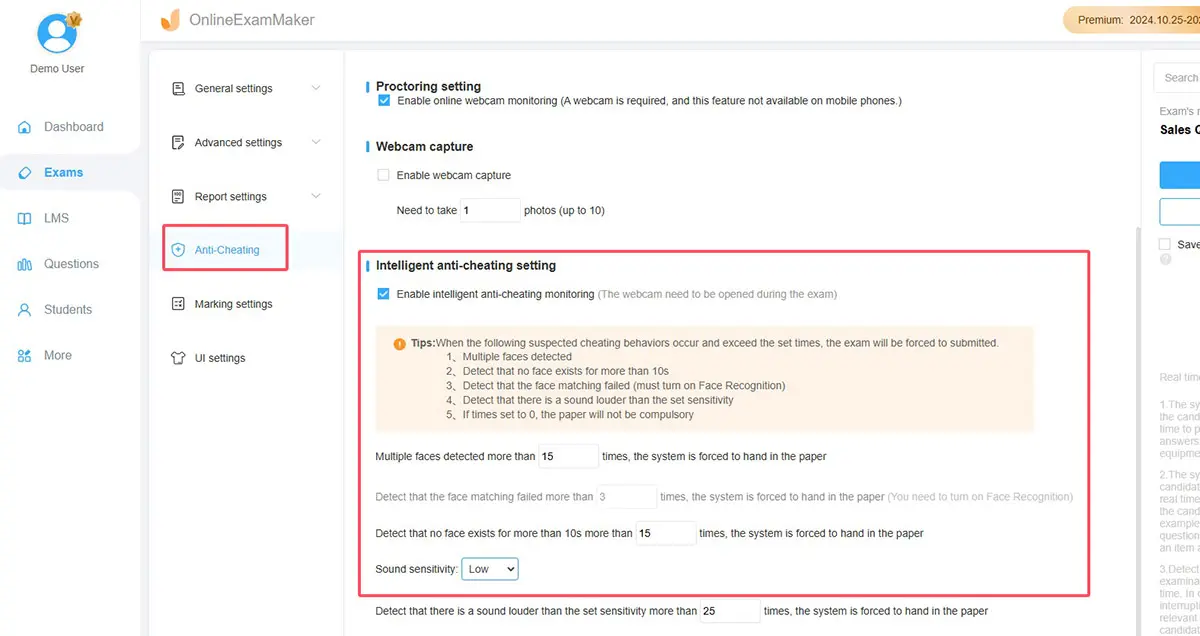
- Advanced Security Features: Anti-cheating measures, randomized questions, and proctoring capabilities for high-stakes exams
- Comprehensive Analytics: Deep-dive reporting that goes beyond simple scores to identify learning gaps and training needs
- Professional Assessment Tools: Support for various question types, partial credit, and complex scoring rules
Think of it this way: Kahoot is your go-to for making learning fun and competitive. OnlineExamMaker is your powerhouse for when certification, compliance, or formal assessment is on the line. Both have their place in a modern training toolkit.
Creating Your Next Quiz with OnlineExamMaker AI
So you’ve decided to explore OnlineExamMaker for your next assessment project. Smart move. Here’s how to leverage its AI capabilities to create professional quizzes without spending hours on question development.
The AI-Assisted Quiz Creation Process:
Step 1: Define Your Learning Objectives
Before touching the platform, clarify what you’re actually testing. Are you assessing knowledge retention, practical application, or critical thinking? The AI works best when you give it clear direction.
Step 2: Input Your Content or Topics
OnlineExamMaker’s AI can generate questions based on text you provide—training materials, presentations, even policy documents. Upload your content or specify the topics you want to cover.
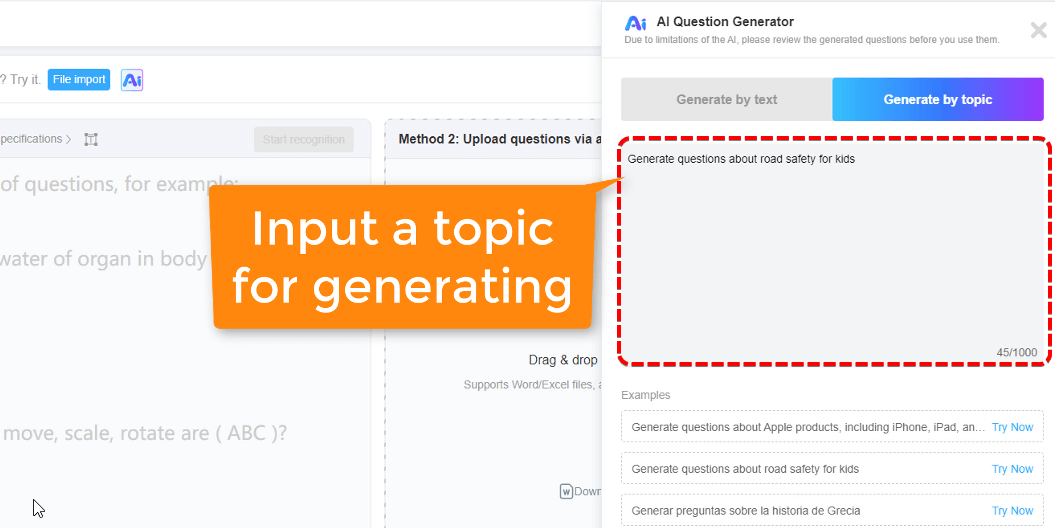
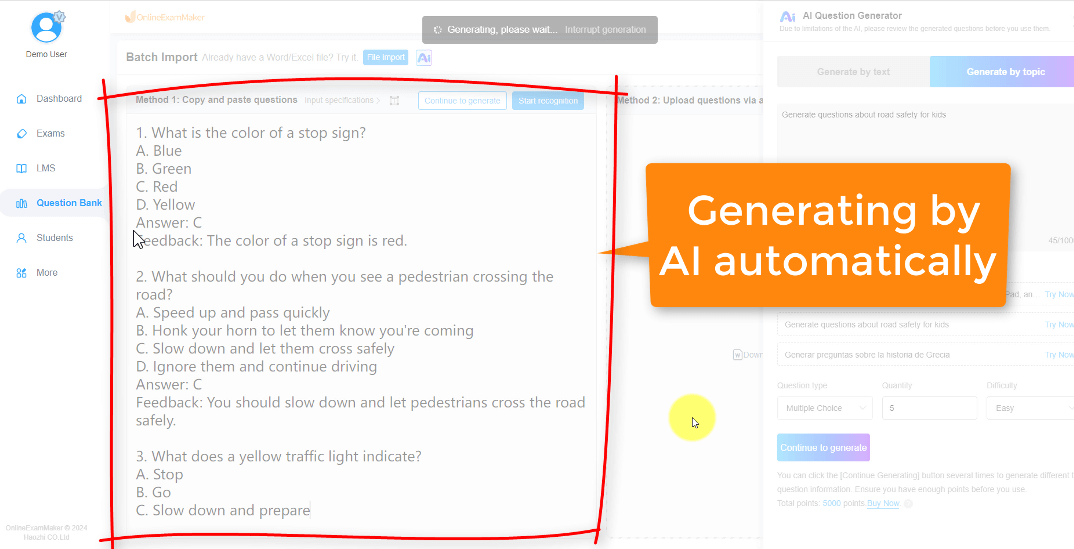
Step 3: Let AI Generate Initial Questions
Here’s where the magic happens. The AI analyzes your content and suggests questions across various difficulty levels and formats. You’re not just getting multiple choice—think true/false, matching, fill-in-the-blank, and essay questions.
Step 4: Review and Refine
AI is impressive, but it’s not infallible. Review the generated questions for accuracy, relevance, and appropriate difficulty. This is where your expertise as a trainer or educator adds the human touch that makes assessments truly effective.
Step 5: Configure Advanced Settings
Set time limits, randomize question order, establish passing scores, and configure any security features you need. OnlineExamMaker gives you granular control over the testing experience.
Step 6: Test and Deploy
Always preview your quiz before sending it to learners. Run through it yourself, check the scoring logic, and ensure everything functions as intended.
Time-Saving Tip: Use OnlineExamMaker’s AI to generate 150% of the questions you need, then select the best ones. This approach is faster than trying to write everything manually and gives you a quality buffer.
