Onlinne assessments, and online proctoring can involve facial recognition, continuous video monitoring, eye tracking, audio analysis and behavioural analytics. These technologies may create significant privacy and fairness concerns.
That’s what GDPR data retention for remote proctoring is really about. Not paperwork for its own sake. Just one question: how long do we keep these boxes, and why?
This guide shows teachers, trainers, and HR managers how to answer that question in six steps, without needing a law degree.
- Why Proctoring Data Needs Retention Rules
- What the GDPR Says About Storage Limitation
- How to Set Retention Rules in 6 Steps
- Sample Retention Periods at a Glance
- How OnlineExamMaker AI Exam Proctoring Helps
- Common Mistakes to Avoid
Why Proctoring Data Needs Retention Rules?
Remote proctoring collects personal data. Not a little, either. Video recordings, audio, and biometrics are all in the mix, and all of them count as personal data under the GDPR.
Here’s the catch. The more you collect, the more you must protect, and the longer you keep it, the bigger the risk. A leaked recording from last month is bad. A leaked recording from five years ago, kept for no reason, is worse. And much harder to explain.
What the GDPR Says About Storage Limitation?
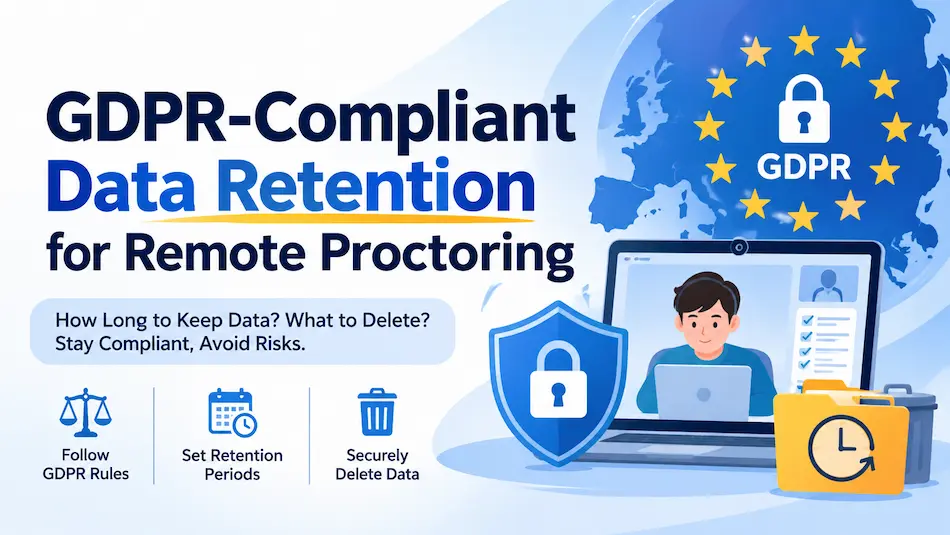
The key rule is Article 5(1)(e) of the GDPR. In plain words: don’t keep personal data longer than you need it for the reason you collected it. For a proctored exam, that reason is usually checking exam integrity or handling an appeal. ThinkExam explains that once that job is done, the data should go.
Note what the law does not say. It gives no magic number of days. You choose the period, and you must be able to defend it. Many proctoring providers use 30 to 180 days after the exam, but that’s common practice, not a legal rule.
Why care? Because the stakes are real. Breaking core GDPR principles can lead to fines of up to €20 million or 4% of global turnover. Expensive boxes, those.
How to Set Retention Rules in 6 Steps
Here’s the whole process. Short, on purpose.
Step 1: Name the purpose
Write one sentence for each type of data. Example: “We keep webcam video to review flagged exams and handle appeals.” No purpose, no retention period. The two go together.
Step 2: Collect less
This is called data minimization. Do you need the full two-hour video, or just the flagged clips and the event log? Keep only the essential clips or logs. Less data means less to lose.
Step 3: Run a risk check (DPIA)
Proctoring is often high-risk, so exam organizers (the “controllers”) should do a Data Protection Impact Assessment. Use it to ask: what could go wrong with this data, and is there a gentler way to do the job?
Step 4: Fix the retention period and write it down
Pick a period for each data type and record it. Need to hold something longer, like a legal dispute? That’s allowed, but you must document the reason.
Step 5: Sign the right contracts and tell test-takers
Your vendor contract (a Data Processing Agreement) should state retention limits, security, and deletion duties. Then put the timeline in your privacy notice. Test-takers should never have to guess.
Step 6: Automate deletion and handle erasure requests
Manual deleting fails the day someone goes on holiday. Set automatic deletion once the purpose ends. Also plan for Article 17, the right to erasure. Test-takers may ask you to delete their data, though exceptions exist for ongoing security needs.
Sample Retention Periods at a Glance
These are examples to start your thinking. Your own periods depend on your purpose, your country, and your legal advice.
| Data type | Why you keep it | Example period | After that |
|---|---|---|---|
| Full webcam video | Review flagged behavior | 30 days after results | Auto-delete |
| Flagged clips and event logs | Appeals and disputes | Up to 180 days | Auto-delete |
| Audio recordings | Check for outside help | 30 days after results | Auto-delete |
| Exam scores | Records and certificates | Set by your own policy or local law | Archive or delete |
| Data under legal hold | Active dispute | Until the case closes | Delete, then log it |
How OnlineExamMaker AI Exam Proctoring Helps
Good rules need good tools. OnlineExamMaker is an online exam platform that lets you build, run, and grade tests in one place, with AI proctoring built in. Here’s how its main features fit a privacy-first setup:
Create Your Next Quiz/Exam Using AI in OnlineExamMaker
- AI Webcam Proctoring: watches for suspicious behavior during the exam and flags it. Flags mean you can review short moments instead of hours of video, which fits the “keep only what’s needed” idea.
- AI Question Generator: builds question sets fast, so you can use varied questions and cut the need for heavy monitoring.
- Automatic Grading: scores answers right away, so results can be finalized sooner, and the clock on your retention period starts sooner too.
A fair warning: no tool makes you compliant on its own. The software helps, but you still set the retention periods, sign the vendor agreement, and update your privacy notice. Ask any vendor, including us, how long data is stored and how deletion works.
Common Mistakes to Avoid
- “Just in case” storage. Keeping everything forever is the most common slip. “Just in case” is not a purpose.
- No written periods. If it isn’t written down, you can’t prove it.
- Forgetting the vendor. Your provider holds copies too. Check their deletion duties in the contract.
- Silent test-takers. People should know how long their video lives before they sit the exam.
- Manual deletion only. Humans forget. Schedulers don’t.
Think of it as spring cleaning, but with a calendar reminder.
FAQs
How long should I keep remote proctoring recordings under GDPR?
The GDPR gives no fixed number. Keep them only as long as needed for your stated purpose, such as finalizing results and handling appeals. Many providers use 30 to 180 days, but you must justify your own choice.
Can a test-taker ask me to delete their proctoring data?
Yes. Under Article 17 they can request erasure, though some exceptions apply, such as ongoing security needs or legal claims.
Do I need a DPIA for online proctoring?
Often, yes. Proctoring can be high-risk because it uses video, audio, and sometimes biometrics. A DPIA helps you weigh the risks and look for gentler options. Check with your data protection officer or legal adviser.
Is this legal advice?
No. This article is general information for teachers, trainers, and HR managers. Talk to a qualified privacy professional before you finalize your policy.
Ready to try it? Explore OnlineExamMaker AI Webcam Proctoring and build your next secure exam, with a retention plan to match.
