Economics is a funny subject to assess. One question wants a definition, the next wants a supply-and-demand shift, and the last asks students to evaluate a tax policy. An AI exam generator handles that variety surprisingly well, as long as you steer it properly. Let’s walk through how.
- Why Use AI for Economics Exams?
- Question-Design Tips Before You Hit “Generate”
- How to Create an Economics Exam Using AI in OnlineExamMaker
- Quick Reference: Matching Command Words to Skills
Why Use AI for Economics Exams?
Let’s be honest: writing a good economics question bank is slow. AI doesn’t replace your judgment, but it removes the grunt work.
- Save time. Build question banks, quizzes and practice papers in minutes instead of evenings.
- Differentiate easily. Generate beginner, intermediate and advanced versions of the same topic, so your GDP unit works for the whole class.
- Reuse what you already have. Turn lecture slides, textbook chapters, past papers and notes into assessment items.
Question-Design Tips Before You Hit “Generate”
AI is only as good as the brief you give it. A vague prompt gets you vague questions (“What is inflation?” again, really?). A few habits make a big difference.
Match command words to the skill
Use define, explain, calculate, compare, evaluate and discuss deliberately. “Define opportunity cost” tests recall; “Evaluate the impact of a minimum wage” tests judgment. Tell the AI which one you want.
Mix the thinking levels
Include recall, application, numerical analysis and evaluation in one paper. A good rule of thumb is a few quick recall items, a solid middle of applied and numerical questions, and one or two evaluation prompts to separate the A students from the rest.
Make distractors earn their place
The best wrong answers mirror real misconceptions, such as confusing a movement along a demand curve with a shift of it. If a distractor is obviously silly, it teaches nothing.
How to Create an Economics Exam Using AI in OnlineExamMaker?
Here’s the whole process in six steps. No coding, no spreadsheets.
Create Your Next Quiz/Exam Using AI in OnlineExamMaker
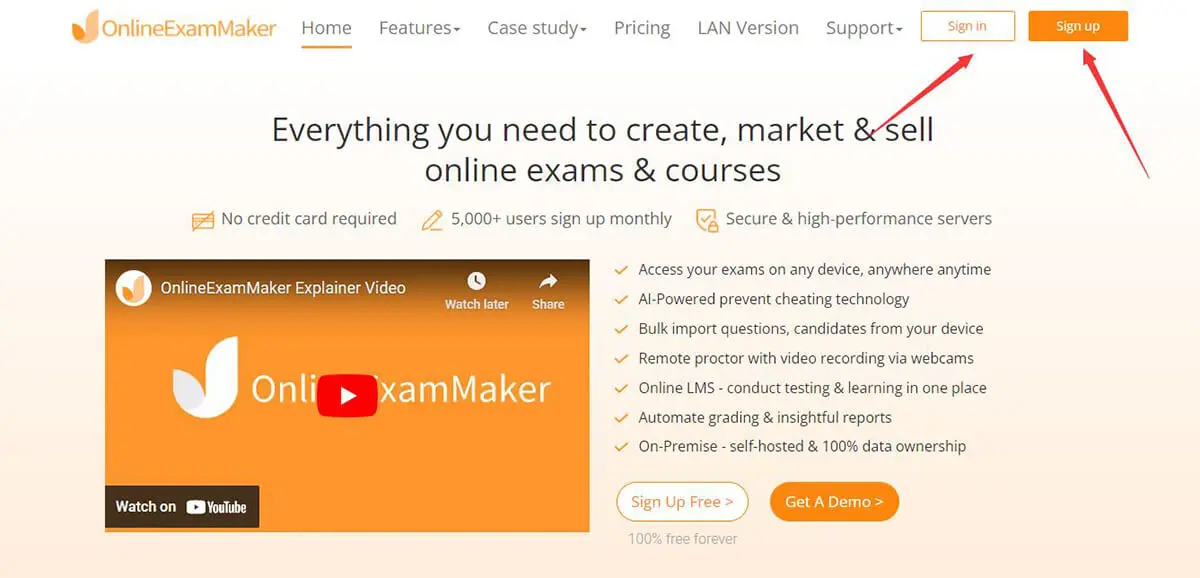
Step 1: Sign in and start a new exam
Log in to OnlineExamMaker, head to the exam section and choose to create a new exam. Give it a clear title such as “Microeconomics Midterm: Supply, Demand and Elasticity.”
Step 2: Open the AI question generator
Choose the AI option when adding questions. This is where the magic happens, and where your economics expertise steers the output.
Step 3: Feed it your economics material
Type a topic prompt or paste in content from your slides, textbook chapter or past papers. Be specific. Try: “10 multiple-choice questions on price elasticity of demand, intermediate level, with distractors based on common student misconceptions.”
Step 4: Set question types, quantity and difficulty
Pick your formats (multiple choice, true/false, short answer, numerical) and difficulty. Mix them, since economics rewards variety.
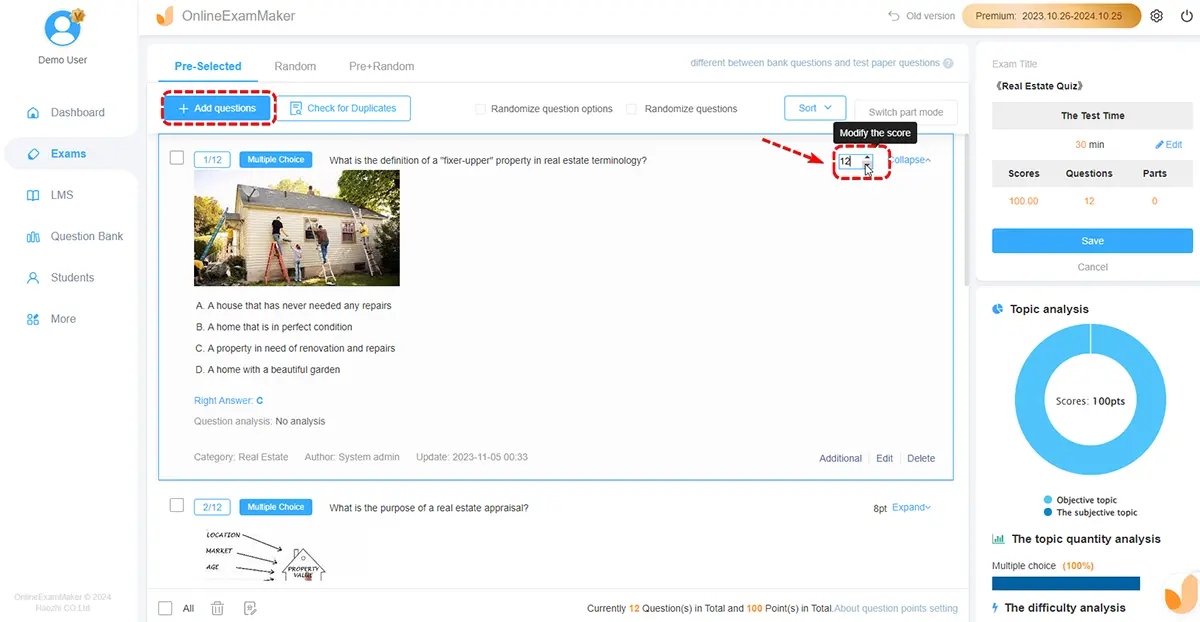
Step 5: Review, edit and add to your question bank
Read every question. Check the numbers, tweak the wording, and swap out any weak distractors. Then save the keepers to your question bank so next semester’s exam is half done already.
Step 6: Configure settings and publish
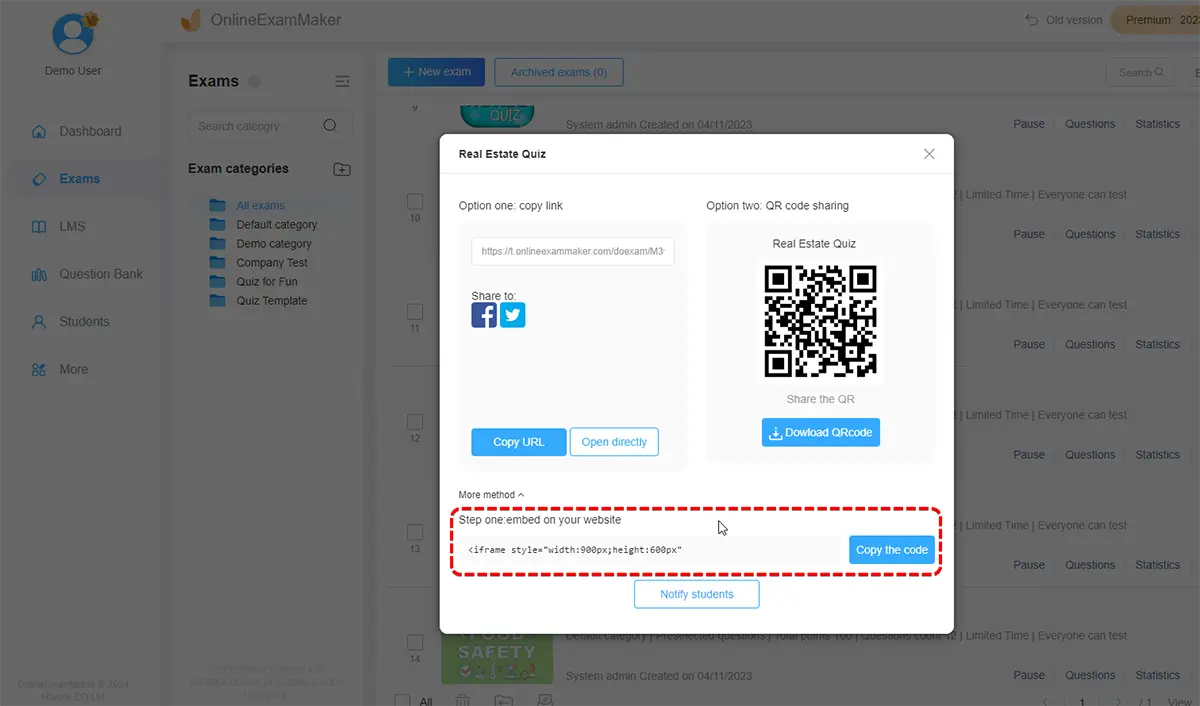
Set the time limit, passing score and question randomization, switch on auto-grading, then share the exam by link or QR code. Results and analytics appear as students finish, so you can spot which concepts (hello, marginal analysis) need another lesson.
A fair warning: AI occasionally fumbles calculations or oversimplifies a policy debate. Treat it as a speedy first-draft assistant, not the final examiner.
Quick Reference: Matching Command Words to Skills
| Command word | Skill tested | Example prompt |
|---|---|---|
| Define | Recall | Define comparative advantage. |
| Explain | Understanding | Explain why demand curves slope downward. |
| Calculate | Numerical analysis | Calculate price elasticity when price rises from $10 to $12 and quantity falls from 100 to 90. |
| Compare | Application | Compare monopoly and perfect competition outcomes. |
| Evaluate / Discuss | Critical judgment | Evaluate the effectiveness of a carbon tax. |
Knowing how to generate an economics exam using AI won’t make you a worse teacher. It frees up the hours you’d spend formatting multiple-choice options so you can spend them on what matters: explaining why scarcity runs the world. Try it on your next quiz, edit with a critical eye, and let OnlineExamMaker handle the grading.
