Political science is a funny discipline to assess. Everyone has opinions, nobody agrees on definitions, and you still have to write twenty questions that are fair, rigorous, and not secretly about your own politics.
AI can take the grunt work off your plate. It’s now common for instructors to lean on it for course design, lesson planning, assessment creation, and feedback. But AI drafts; you decide. You still set the learning goals, check accuracy, and review every question. Below is a repeatable workflow for creating political science exams that hold up in the classroom.
- Why Use AI for Political Science Exams?
- Start With Learning Objectives
- How to Create a Political Science Exam With OnlineExamMaker
- Review Before You Publish: Catching Bias and Fake Citations
Why Use AI for Political Science Exams?
Short answer: time. Longer answer: variety, too.
- Faster question banks. Draft dozens of questions on electoral systems or IR theory in minutes, then edit instead of starting from zero.
- Different cognitive levels. Ask for recall, application, analysis, evaluation, and synthesis questions on the same topic.
- Multiple versions. Build separate sets for in-class, online, and make-up exams.
- Draft rubrics and feedback templates for essay and short-answer items.
The catch: AI loves generic questions (“Discuss the importance of democracy”), can slip in biased framing, and will occasionally invent a reference that sounds wonderfully real and isn’t. Treat its output as a first draft from a keen but unreliable teaching assistant.
Start With Learning Objectives
Before you open any tool, decide what you’re actually testing. Pick the unit (democratic institutions, electoral systems, IR theory, constitutional law, public policy, research methods), then ask: what should students do with it? Define a concept? Compare institutions? Interpret polling data? Argue for a policy?
Then map each objective to a question type. Bloom’s taxonomy is a handy scaffold (see Vanderbilt’s guide).
| Objective | Example topic | Best question type |
|---|---|---|
| Define concepts | Sovereignty, legitimacy | Multiple choice, fill-in-the-blank |
| Compare institutions | Presidential vs. parliamentary systems | Short answer, matching |
| Apply theories | Realism vs. liberalism in a crisis | Scenario-based MCQ |
| Interpret data | Turnout or polling tables | Data-based short answer |
| Evaluate arguments | Electoral reform proposals | Essay |
| Construct recommendations | Public policy memo | Essay with rubric |
How to Create a Political Science Exam With OnlineExamMaker?
Here’s the hands-on part, using OnlineExamMaker and its AI question generator.
Step 1: Create a new exam
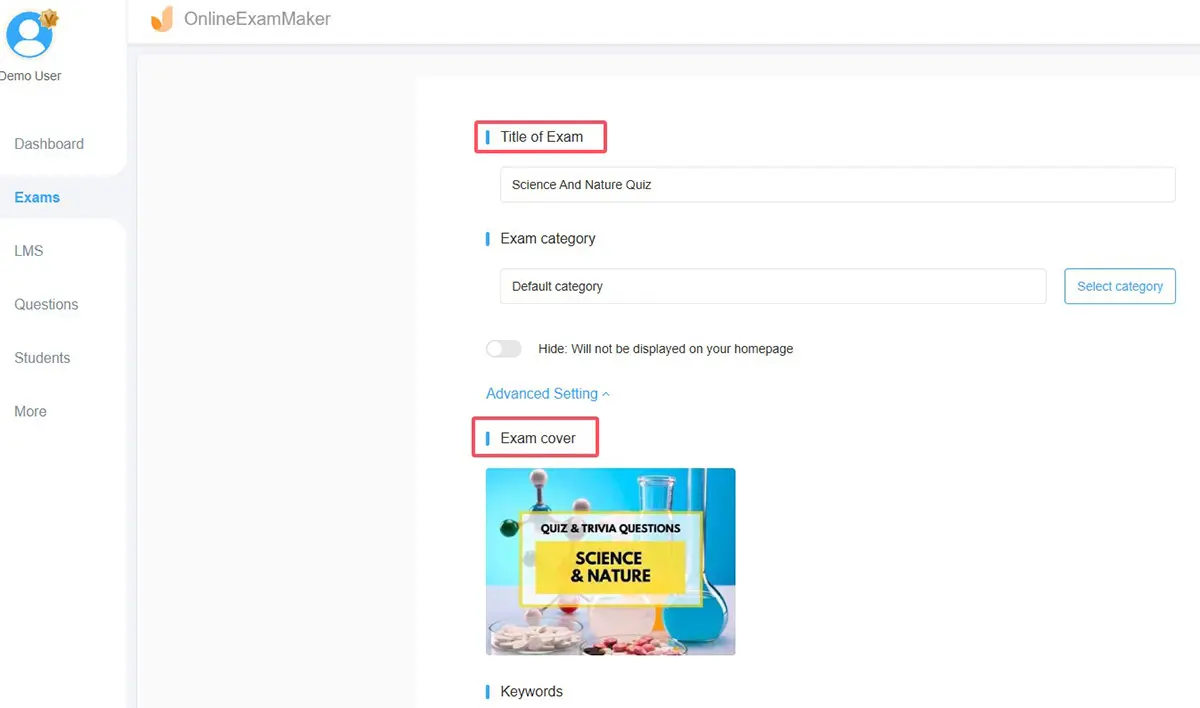
Log in, click to create a new exam, and give it a specific title, such as “Comparative Politics Midterm: Electoral Systems.” Specific titles save you headaches when you have six versions.
Step 2: Open the AI question generator
Choose the AI option when adding questions. Enter your topic, question type (multiple choice, true/false, short answer, essay), number of questions, difficulty, and language.
Step 3: Write a prompt that matches your objectives
Be picky. Instead of “political science questions,” try: “10 application-level multiple-choice questions on plurality vs. proportional representation, set in fictional countries, for undergraduates.” Fictional cases dodge real-world partisanship neatly.
Step 4: Review, edit, and keep only what’s good
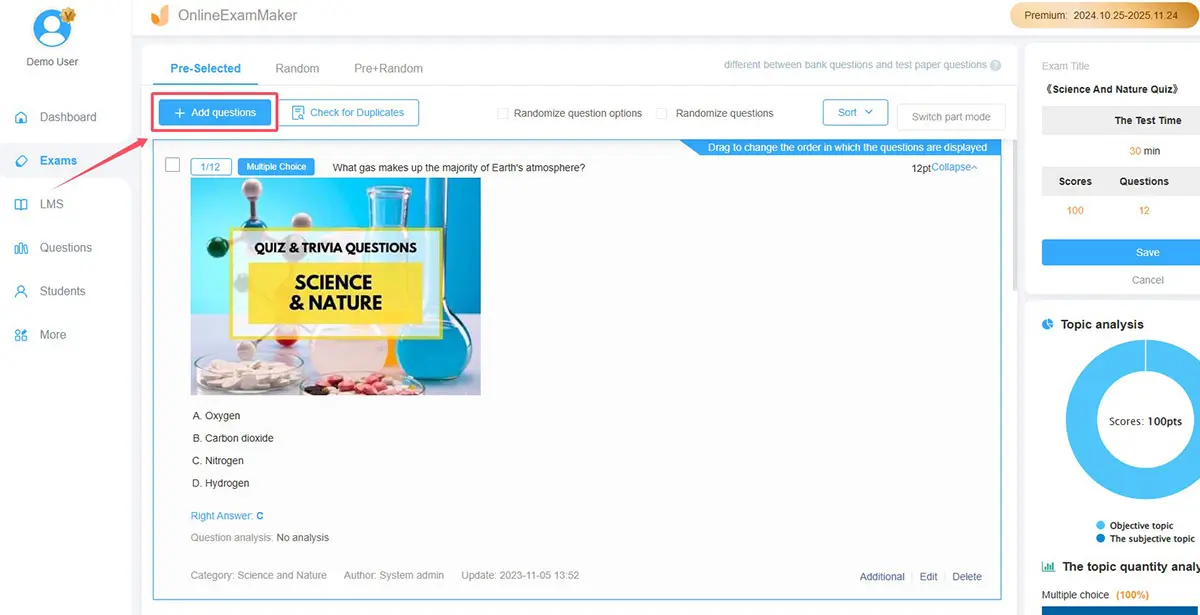
Read every generated question. Fix vague wording, check the answer key, and delete anything weak. Add your own questions to fill gaps.
Step 5: Organize your question bank
Group questions by unit, difficulty, and objective. Build a pool roughly three to five times larger than the exam so you can pull randomized or alternate versions.
Step 6: Set exam rules
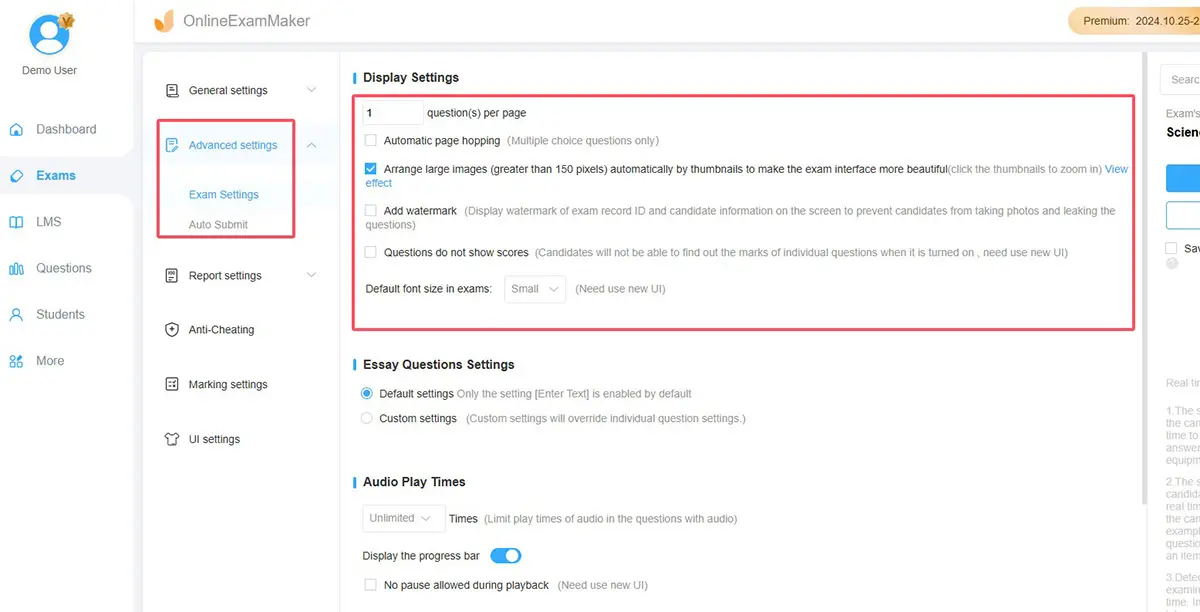
Choose the time limit, passing score, question and answer shuffling, and auto-grading for objective items. For online or take-home exams, turn on the available anti-cheating options.
Step 7: Publish, share, and read the results
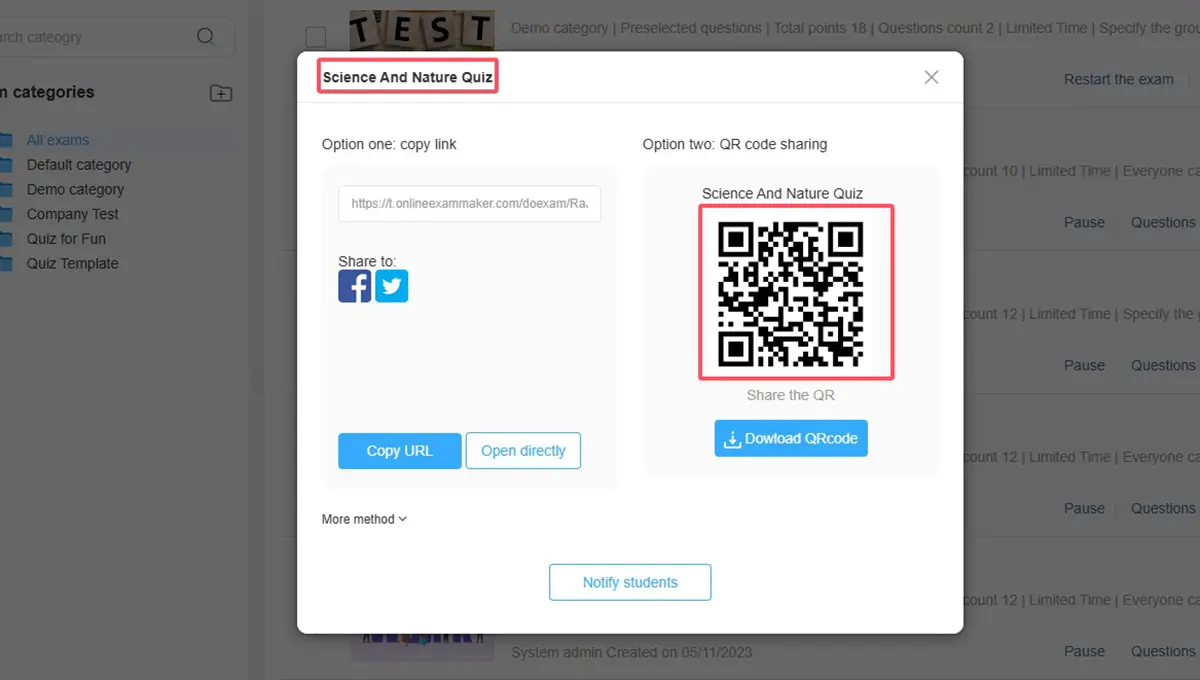
Share the exam by link, QR code, or embed it in your course page. Afterward, use the results report to spot questions nearly everyone missed. Those are often flawed questions, not flawed students.
Create Your Next Quiz/Exam Using AI in OnlineExamMaker
Review Before You Publish: Catching Bias and Fake Citations
This is where your expertise earns its keep. Run each question through a quick checklist:
- Accuracy: Is the keyed answer actually correct? Verify dates, laws, and figures.
- Sources: Search every author, case, or statistic the AI mentions. If you can’t find it, cut it.
- Framing: Would a student from any political leaning read this as neutral? Rewrite loaded wording.
- Alignment: Does it test the objective you mapped, or just trivia?
- Rubric: For essays, tweak the draft rubric so criteria are observable (thesis, evidence, counterargument).
A useful trick: have a colleague take the exam cold. Ten minutes of their time can expose ambiguity you’ve stopped seeing.
AI won’t write a great political science exam on its own, and honestly, you wouldn’t want it to. What it does well is clear the blank page: objectives first, drafts second, your judgment last. Do it in that order and you’ll spend less time formatting question 14 and more time on what the exam is for, which is finding out whether students can think politically. Ready to try? Build your first AI-assisted exam in OnlineExamMaker and see how much of Sunday night you get back.
