Personality assessments have been around forever — Myers-Briggs in the boardroom, Big Five surveys in HR onboarding packets, endless Buzzfeed-style quizzes for fun. But creating a genuinely useful one? That used to require a psychologist, a developer, and a lot of patience. Not anymore.
Thanks to AI-powered tools, building a thorough, insightful personality assessment is now something a teacher, HR manager, or team trainer can do in an afternoon. And one platform making this remarkably accessible is OnlineExamMaker — a full-featured assessment platform that combines AI question generation with smart analytics to help you understand people, not just test them.
- What Is OnlineExamMaker?
- Why Use AI for Personality Assessments?
- Step 1: Create a New Exam
- Step 2: Generate Questions with AI
- Step 3: Customize the Design
- Step 4: Set Up Advanced Features
- Step 5: Share and Conduct the Assessment
- Step 6: Analyze Results and Follow Up
- Quick Feature Overview
- Final Thoughts
What Is OnlineExamMaker?
OnlineExamMaker is a versatile online assessment platform designed for educators, HR professionals, corporate trainers, and businesses of all sizes. At its core, it’s an assessment creator — but calling it just that undersells what it actually does.
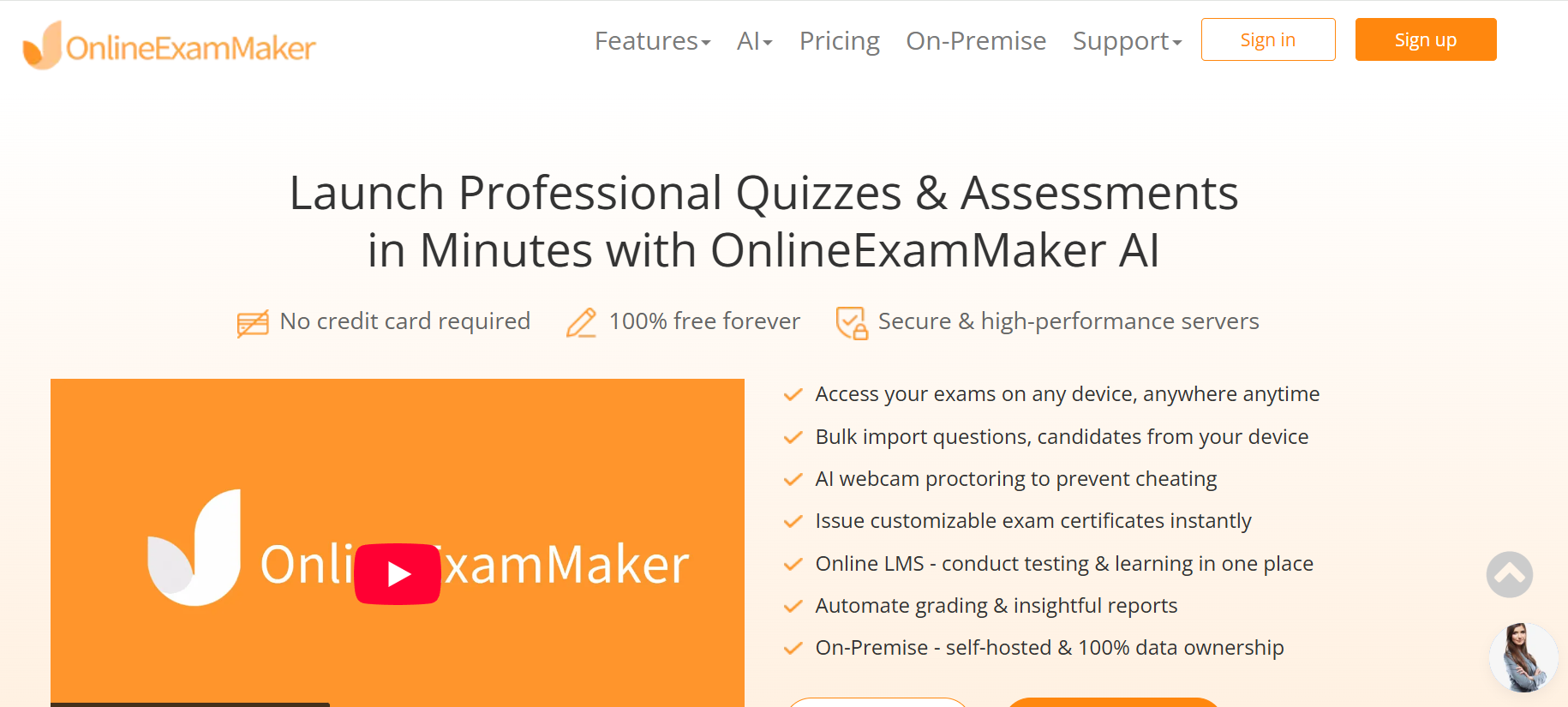
The platform lets you build quizzes, exams, surveys, and personality tests from scratch or with the help of AI. You get access to over 10 question types, a rich design editor, real-time analytics, anti-cheating tools, and certificate generation — all under one roof. No coding required. No steep learning curve. Just a clean dashboard and a lot of creative power.
Whether you’re assessing a candidate’s leadership style, helping employees understand their communication preferences, or building an engaging self-discovery quiz for students, OnlineExamMaker gives you the infrastructure to do it well.
Why Use AI for Personality Assessments?
Here’s the honest truth: writing good personality questions is hard. A poorly worded question skews results. A biased question alienates participants. A redundant question bores people into clicking randomly. Most of us aren’t trained psychometricians — and we shouldn’t have to be.
That’s where AI steps in. Studies on AI-assisted assessment design suggest that AI-generated questions consistently reduce writing time by over 60% while maintaining content relevance and reducing measurable bias. The AI Question Generator in OnlineExamMaker goes further by letting you customize question type, difficulty, and quantity based on any topic you define — including personality frameworks like the Big Five, DISC, or emotional intelligence models.
The result? Better questions, faster. And better questions lead to more accurate, more actionable personality profiles.
Step 1: Create a New Exam
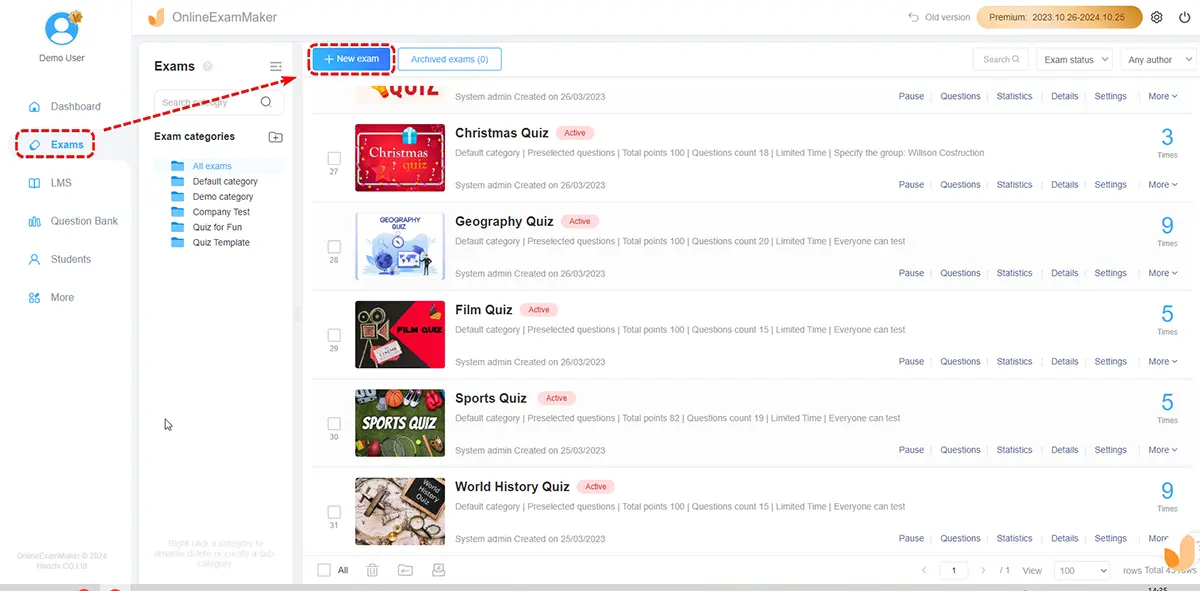
Getting started is straightforward. Sign up for a free OnlineExamMaker account using your email — no credit card required — and land on your dashboard.
From there:
- Click “New Exam” or “Create Exam”
- Add a clear, descriptive title like “Team Communication Style Assessment” or “Leadership Personality Profile”
- Write a short description outlining the traits being assessed, so participants know what to expect
- Configure basic settings: time limits (or none, for untimed assessments), access links, and answer randomization
This first step sets the tone. A well-named, clearly described assessment earns trust before a single question is answered. Don’t rush it.
Step 2: Generate Questions with AI
This is where the magic happens — and where OnlineExamMaker really earns its reputation.
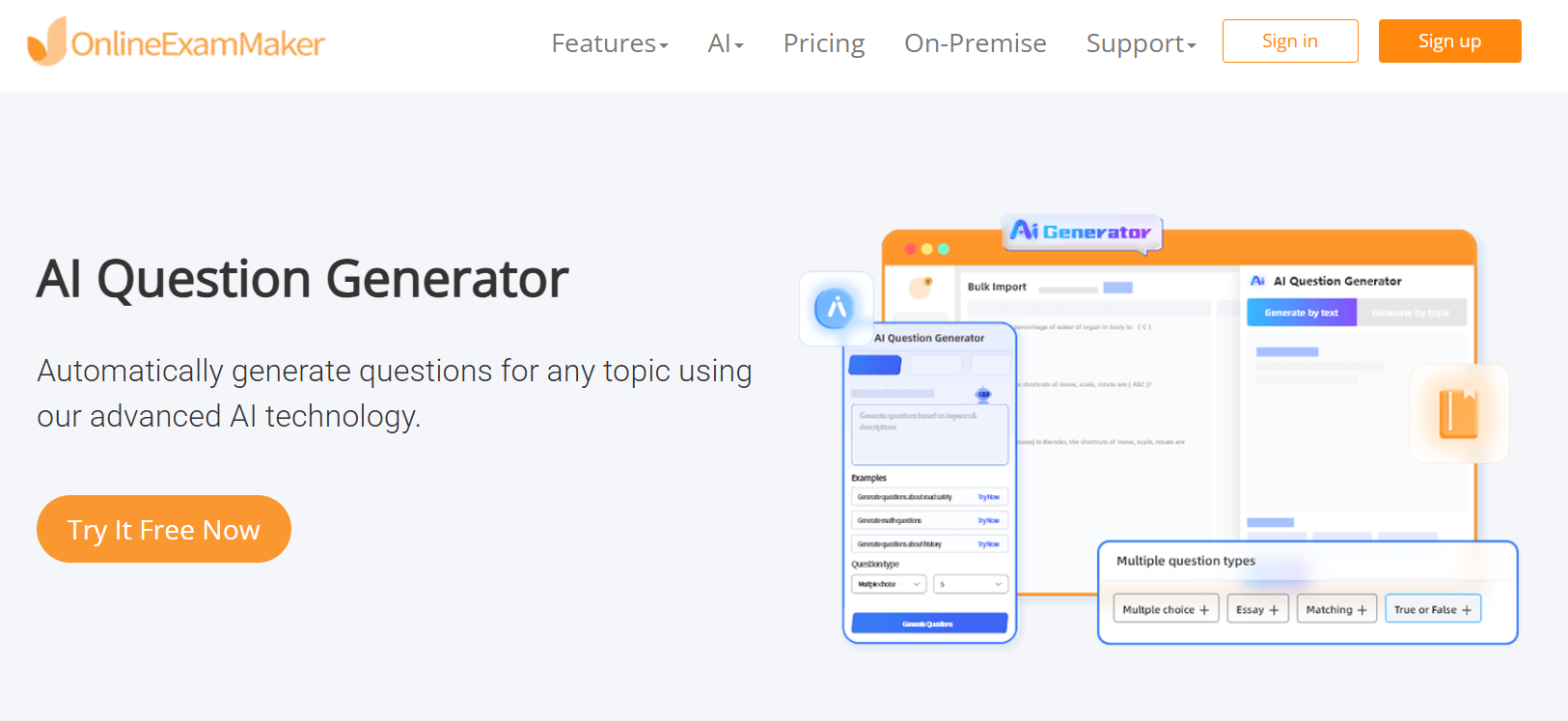
The platform’s AI Question Generator works in two ways:
- Topic-based generation: Enter a topic (e.g., “Big Five personality traits” or “workplace conflict styles”), choose your question type, quantity, and difficulty level, and let the AI build your question bank.
- Text-based generation: Paste in your own content — a job description, a behavioral framework, or research notes — and the AI will extract relevant questions from it.
You can select from 10+ question formats: multiple-choice, true/false, rating scales, matrix match, and more. For personality assessments, a mix of scenario-based questions and self-rating scales tends to produce the most nuanced results. Once generated, every question is fully editable — tweak the wording, swap out options, or remove anything that doesn’t fit your context.
A word of advice: review for neutrality. The best personality questions don’t have “right” answers. If a question feels like it’s nudging toward a specific response, rewrite it. Balance is everything.
Step 3: Customize the Design
People engage more with assessments that feel polished and intentional. OnlineExamMaker’s design editor lets you go well beyond plain text:
- Upload your company logo or team branding
- Add background images or videos for a more immersive experience
- Use the rich text editor to embed audio clips, animations, or contextual imagery
- Apply consistent color schemes that match your organization’s visual identity
This matters more than you might think. A visually cohesive quiz signals professionalism and encourages honest, thoughtful responses. When participants feel like they’re engaging with something real — not a cobbled-together Google Form — they take it more seriously.
Step 4: Set Up Advanced Features
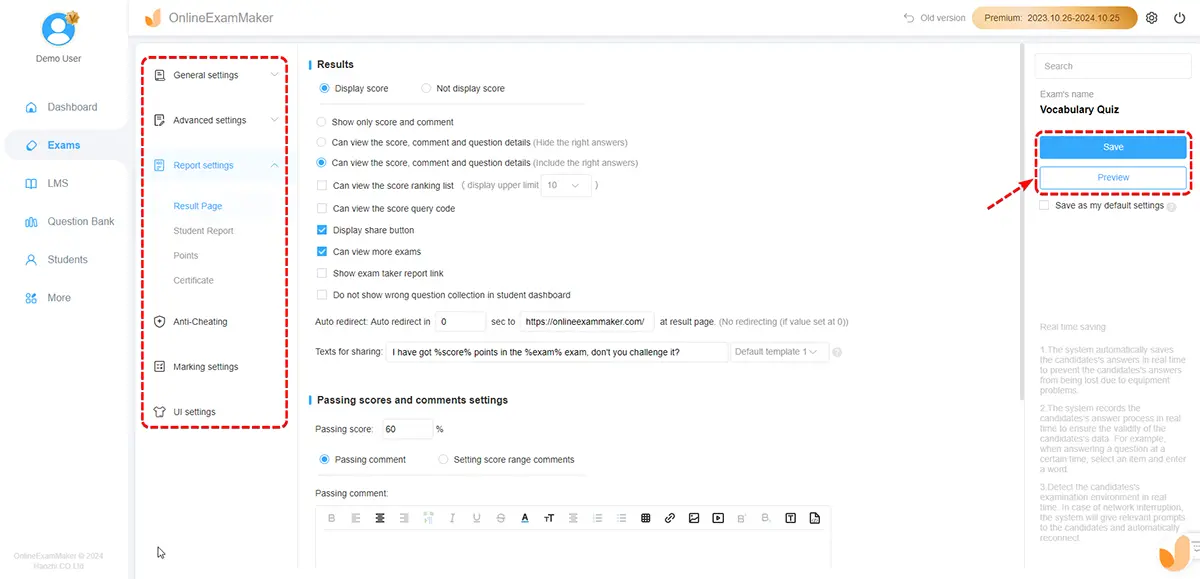
OnlineExamMaker shines in this step. Once your questions and design are ready, it’s time to configure the assessment infrastructure:
- Registration forms: Collect participant names, emails, departments, or any custom fields before they begin
- Certificates: Automatically issue personalized certificates with dynamic fields like name, score, or personality type upon completion
- Scheduling: Set specific start and end dates for live assessment windows — great for HR intake periods or training cohorts
- Lead generation: Integrate email capture for marketing-driven quizzes
For organizations concerned about assessment integrity, the platform’s AI Webcam Proctoring feature adds a layer of security — monitoring participants via webcam and flagging irregular behavior. It’s especially valuable for formal hiring assessments or certification programs where the results carry real weight.
Before launching, test the quiz yourself. Check the flow, verify that instructions are clear, and make sure results display correctly. A five-minute test run can save you from an embarrassing fix mid-deployment.
Step 5: Share and Conduct the Assessment
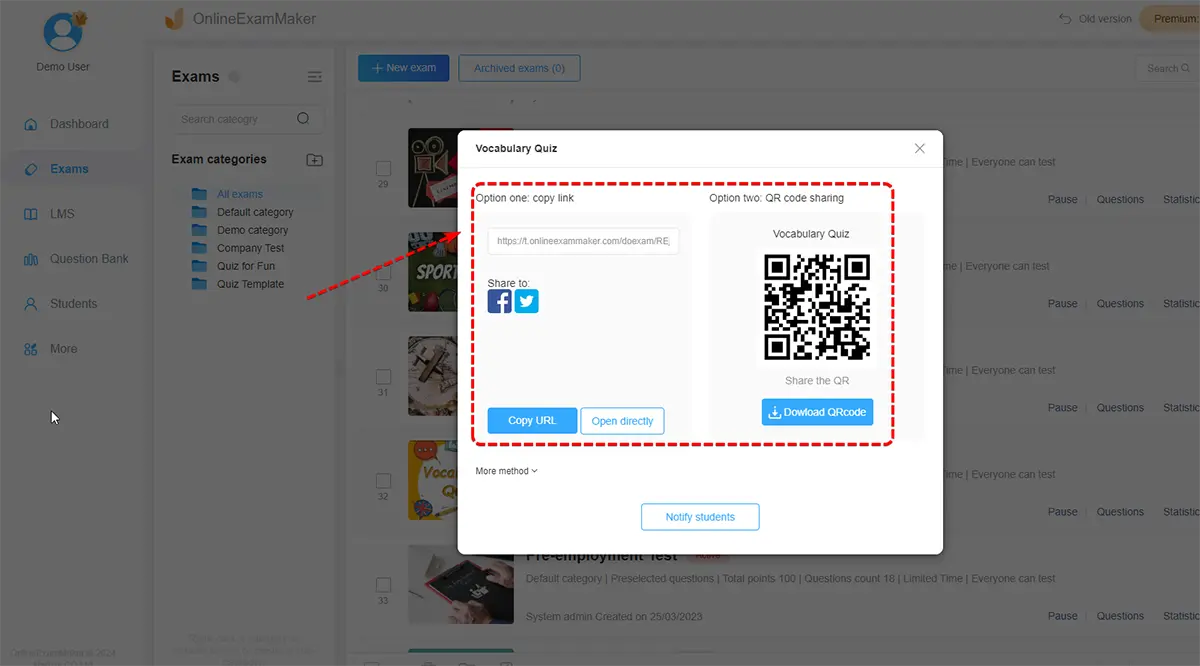
Publishing is a one-click affair. Once live, share your assessment through:
- A direct link — paste it into an email, Slack channel, or LMS
- Embed code — drop it directly into your website or intranet
- Social media — for public-facing personality quizzes or brand awareness campaigns
The assessment is fully mobile-responsive, so participants can complete it on any device. No app download. No friction.
While the assessment is running, you can monitor real-time completion progress from your dashboard — helpful for HR managers tracking team-wide participation or trainers managing a cohort rollout.
Step 6: Analyze Results and Follow Up
Results start populating the moment participants finish. OnlineExamMaker’s analytics dashboard gives you both aggregate data (how did the group as a whole respond?) and individual profiles (what does this specific person’s pattern suggest?). You can:
- Export data to CSV or PDF for deeper analysis in your preferred tool
- Issue personalized certificates automatically based on results
- Provide instant feedback to participants upon completion — trait summaries, suggested growth areas, or team fit insights
- Use the Automatic Grading feature to score and categorize responses without any manual effort
This is where personality assessments stop being a formality and start being genuinely useful. Use the findings to guide one-on-one coaching conversations, inform team assignments, or refine hiring rubrics. Then iterate — add new AI-generated questions, adjust your frameworks, and run the assessment again next quarter.
Quick Feature Overview
| Feature | What It Does | Best For |
|---|---|---|
| AI Question Generator | Creates personality questions from topics or pasted text | Teachers, HR managers, trainers |
| Automatic Grading | Scores and categorizes responses instantly | Large-scale assessments, hiring |
| AI Webcam Proctoring | Monitors participants for assessment integrity | Formal evaluations, certifications |
| Real-Time Analytics | Tracks completions and results as they happen | HR teams, cohort programs |
| Certificate Generation | Issues personalized completion certificates automatically | Training programs, onboarding |
Final Thoughts
Personality assessments work best when they’re thoughtfully designed, easy to take, and followed up on. The technology to build all three is now within reach for anyone — no psychology PhD required.
OnlineExamMaker brings together AI-powered question creation, smart analytics, and professional-grade delivery in a platform that’s genuinely free to start. For HR managers evaluating candidates, trainers building team self-awareness programs, or teachers exploring student learning styles, it’s a practical and powerful tool worth adding to your workflow.
The hardest part isn’t the technology. It’s deciding what you want to learn about the people you work with. Once you know that, OnlineExamMaker handles the rest.
Create Your Next Quiz/Exam Using AI in OnlineExamMaker