- What Is AI Exam Proctoring?
- How AI Exam Proctoring Works
- Meet OnlineExamMaker: AI Proctoring Made Simple
- How to Use OnlineExamMaker for AI Exam Proctoring
- Why AI Exam Proctoring Matters for Your Organization
- Concerns Worth Knowing About
- Best Practices for Responsible Proctoring
- The Future of AI Exam Proctoring
Think about the last time you ran a high-stakes exam. Maybe you were a trainer certifying a new cohort of employees, an HR manager verifying professional credentials, or a teacher administering a final assessment to students scattered across three time zones. How confident were you that everyone was playing fair?
That nagging question is exactly why AI exam proctoring has moved from a niche experiment to a mainstream solution — fast. It is software that watches, listens, and analyzes candidate behavior in real time, helping institutions protect the value of every credential they issue.
What Is AI Exam Proctoring?
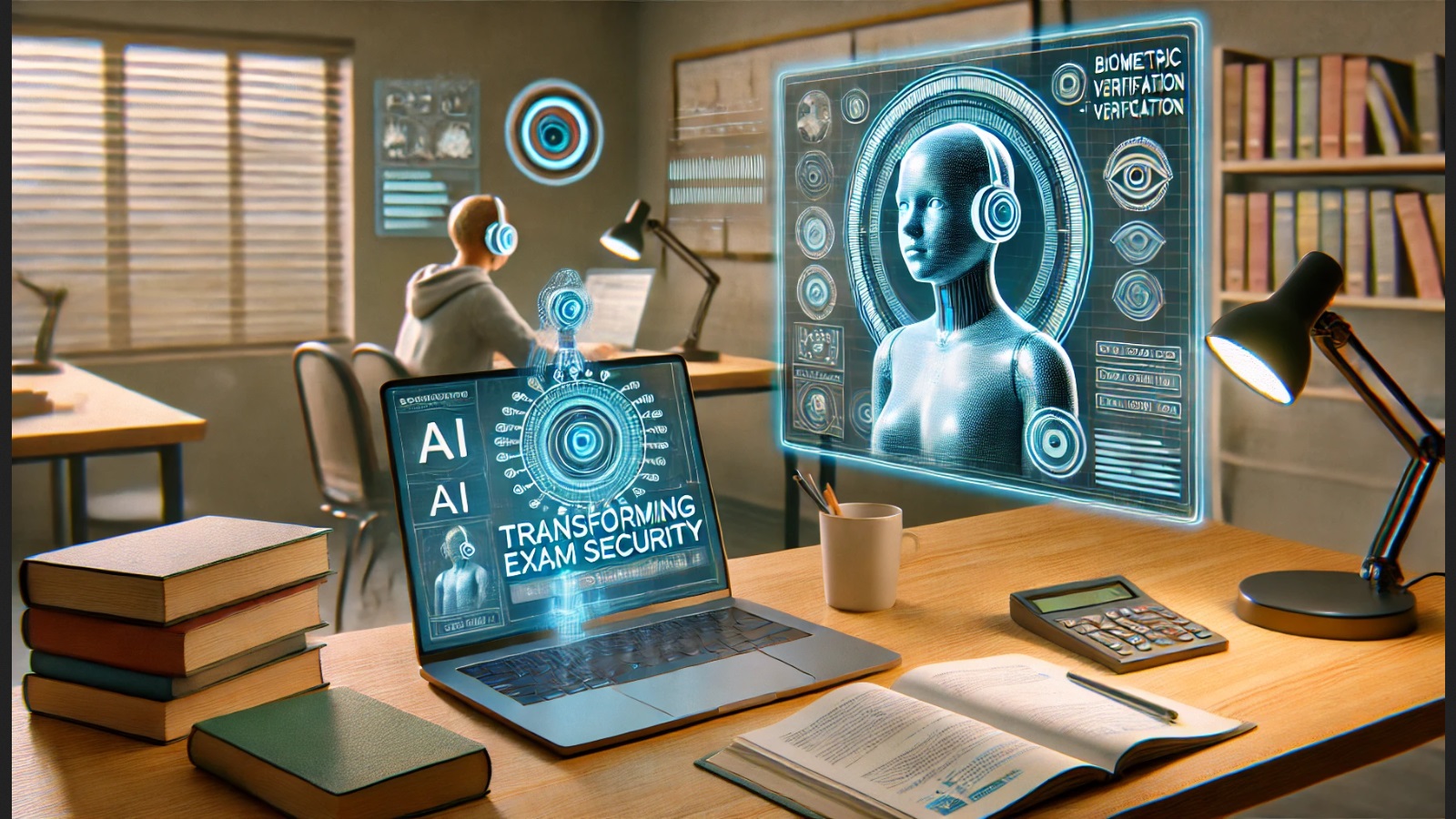
AI exam proctoring is software that monitors test-takers remotely using their webcam, microphone, screen, and device data to detect suspicious behavior during an online exam. Think of it as a sharp-eyed digital invigilator that never blinks, never takes a break, and can watch hundreds of candidates at once.
Universities, professional certification bodies, corporate training teams, and manufacturing enterprises use it to:
- Protect the integrity of exams taken from home or the office
- Enable flexible, location-independent assessment
- Reduce the cost and logistics of staffing human proctors
According to a Grand View Research report, the global online proctoring market was valued at over USD 900 million and is expected to grow at a double-digit CAGR through 2030 — a clear sign that organizations worldwide are betting big on this technology.
How AI Exam Proctoring Works
Under the hood, AI proctoring is a layered system. Each layer handles a different slice of the monitoring puzzle.
Candidate Authentication
Before the exam even starts, the system verifies the candidate is who they claim to be. This usually means submitting a government-issued ID and completing a facial recognition check. A liveness test — blinking or turning the head on command — ensures nobody is holding up a photo or looping a video.
Real-Time Video and Audio Monitoring
Once the exam begins, the webcam feed is analyzed continuously. The AI watches for:
- Gaze direction — frequent off-screen looks can raise a flag
- Head movement patterns — turning to a hidden screen or a notes page
- Multiple faces in frame — is someone else in the room helping?
- Background voices — audio analysis picks up second speakers or whispering
Device and Screen Monitoring
The software can also lock the candidate’s browser — no alt-tabbing to Google, no copy-pasting from a cheat sheet, no opening messaging apps. Screen-sharing features let the system confirm what is actually on the candidate’s display.
Behavioral Analytics and Flags
Here is where machine learning earns its keep. Instead of reacting to a single suspicious moment, the AI builds a behavioral baseline for each candidate and flags deviations. Unusual typing rhythm. Disappearing from frame. Repeated eye movement toward a specific corner of the room. These signals are combined into a risk score that human reviewers can act on.
Proctoring Models
| Model | How It Works | Best For |
|---|---|---|
| Fully Automated | AI makes real-time decisions; can pause or end exam | High-volume, low-stakes screening |
| AI-Assisted Live | Human proctor monitors AI alerts and intervenes | High-stakes certifications |
| Record and Review | Session is recorded; AI pre-flags clips for human review | Asynchronous, flexible scheduling |
Meet OnlineExamMaker: AI Proctoring Made Simple
OnlineExamMaker is an all-in-one online exam platform built for educators, trainers, and HR professionals who need more than a basic quiz tool. It handles everything from question creation to grading to live monitoring — all inside one dashboard.
What sets it apart is how tightly its features are woven together. You can generate a question bank with the AI Question Generator, publish the exam, watch it through the AI proctoring lens, and get results scored automatically via Automatic Grading — without ever leaving the platform.
Create Your Next Quiz/Exam Using AI in OnlineExamMaker
How to Use OnlineExamMaker for AI Exam Proctoring
Setting up a proctored exam in OnlineExamMaker takes minutes, not days. Here is a straightforward walkthrough:
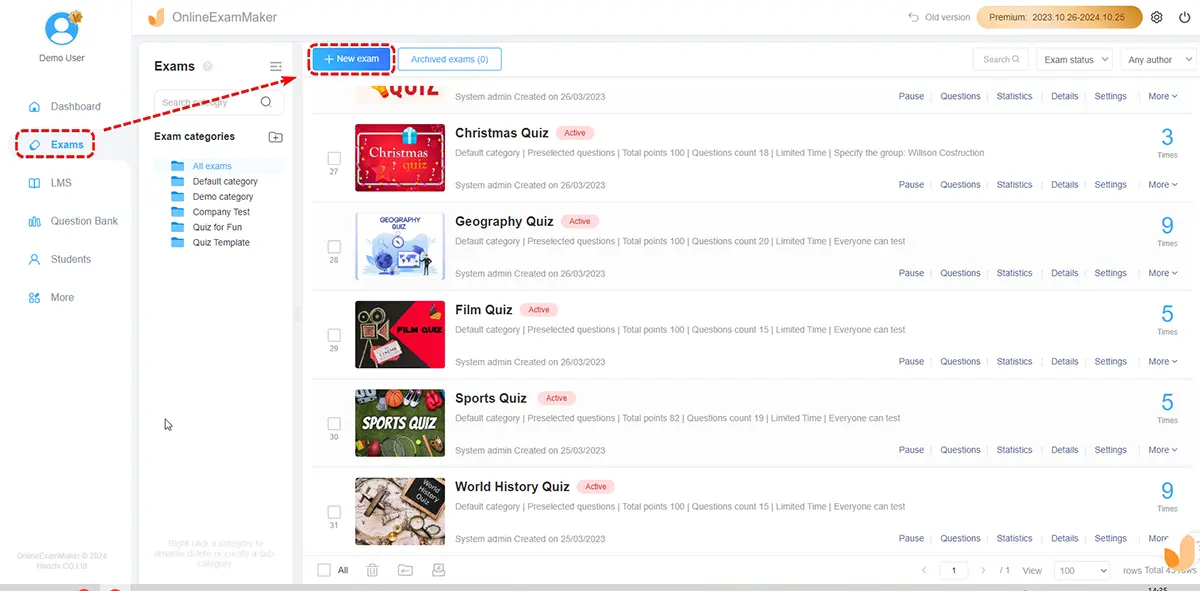
Step 1: Build Your Exam
Log in and create a new exam. Use the AI Question Generator to auto-generate questions from a topic, document, or keyword — a huge time-saver for HR managers building skills assessments or trainers creating certification tests. Mix question types: multiple choice, true/false, short answer, and more.
Step 2: Configure Proctoring Settings
Navigate to the exam security settings and enable AI Webcam Proctoring. From here you can:
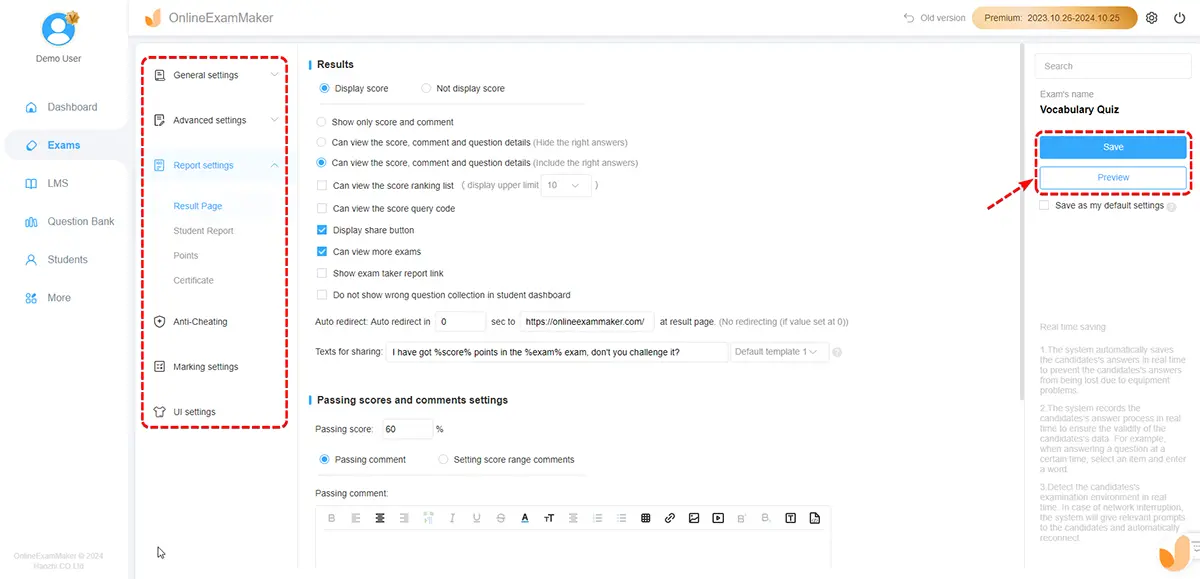
- Turn on face detection and gaze tracking
- Enable browser lockdown to block tab-switching and copy-paste
- Set rules for flagging — how many off-screen looks before an alert fires
- Choose between automated flags or live human review
Step 3: Publish and Share
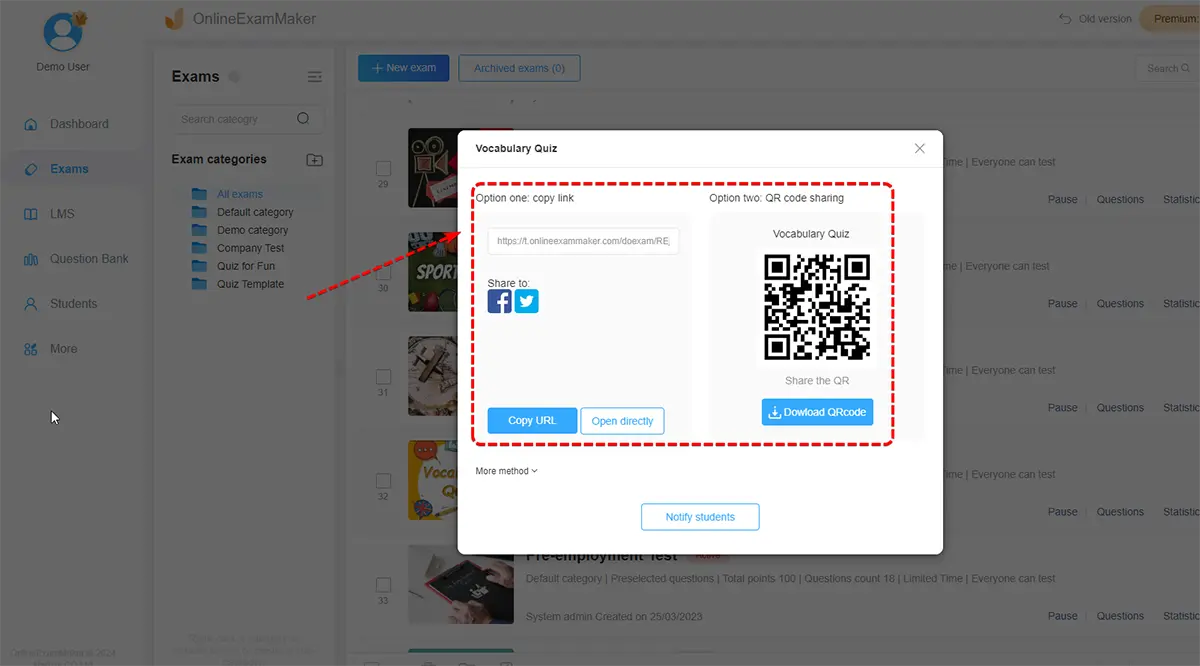
Generate a unique exam link and send it to candidates. They can take the exam from any device with a camera and microphone — no software installation required on their end.
 Step 4: Monitor in Real Time
During the exam window, open the live monitoring dashboard. You will see candidate feeds, status indicators, and alerts as they appear. Flag suspicious activity for review or intervene directly from the dashboard.
Step 5: Review Reports and Grade
After the exam closes, OnlineExamMaker’s Automatic Grading scores objective questions instantly. The proctoring module generates a detailed incident report for each candidate, complete with risk scores and timestamped flagged clips. Your team can review, confirm, or dismiss violations and update records — all within the same platform.
Why AI Exam Proctoring Matters for Your Organization
If you are running assessments at any scale, manual proctoring simply does not hold up. Here is why AI proctoring is worth your attention:
Exam Integrity at Scale
One human invigilator can realistically watch maybe 30 candidates at once — with significant gaps in attention. AI proctoring can monitor thousands simultaneously, maintaining the same vigilance for candidate number 1 as for candidate 4,000. For manufacturing enterprises running safety certification programs or HR teams screening hundreds of applicants, that scalability is transformative.
Cost and Efficiency
Hiring, scheduling, and briefing human proctors for every exam session adds up fast. AI proctoring slashes that overhead, freeing your team to focus on interpreting results and supporting candidates rather than watching live feeds all day.
Flexibility for Modern Workforces
Remote and hybrid work is the new normal. Expecting employees, trainees, or learners to travel to a testing center is increasingly unreasonable. AI proctoring brings the testing center to them — without compromising on rigor.
Data-Driven Insights
Proctoring data does more than catch cheaters. It reveals patterns: which question types draw the most suspicious behavior, where candidates struggle under pressure, and whether exam design itself might be inviting shortcuts. That intelligence helps you build better exams over time.
Concerns Worth Knowing About
No technology is perfect, and AI proctoring has its fair share of legitimate criticism. Being upfront about these issues is part of deploying it responsibly.
Privacy and Surveillance
Proctoring software collects biometric and video data inside personal spaces — homes, bedrooms, private offices. Candidates deserve to know exactly what is collected, how long it is stored, and who can access it. Skipping this conversation damages trust fast.
Bias and False Positives
Facial recognition algorithms have documented accuracy gaps across different skin tones, genders, and lighting conditions. A neurodivergent candidate with atypical gaze patterns should not be flagged as a cheater. These risks require active mitigation — not wishful thinking.
The Digital Divide
Not every candidate has a reliable internet connection or a device with a working camera. Requiring AI proctoring without offering alternatives can unfairly disadvantage candidates from lower-resource backgrounds.
Best Practices for Responsible Proctoring
Using AI proctoring well means going beyond simply switching it on. A few principles that make a real difference:
- Be transparent. Tell candidates what is monitored, why, and how data is used — before exam day.
- Keep humans in the loop. Never let an algorithm be the final word on a cheating allegation. Every flag should receive human review before consequences follow.
- Minimize data collection. Collect what you need; delete what you do not. Shorter retention periods reduce risk for everyone.
- Audit for bias regularly. Test your proctoring setup across diverse candidate groups and fix disparities you find.
- Provide accommodations. Candidates with disabilities may need adjusted monitoring settings — plan for this upfront.
The Future of AI Exam Proctoring
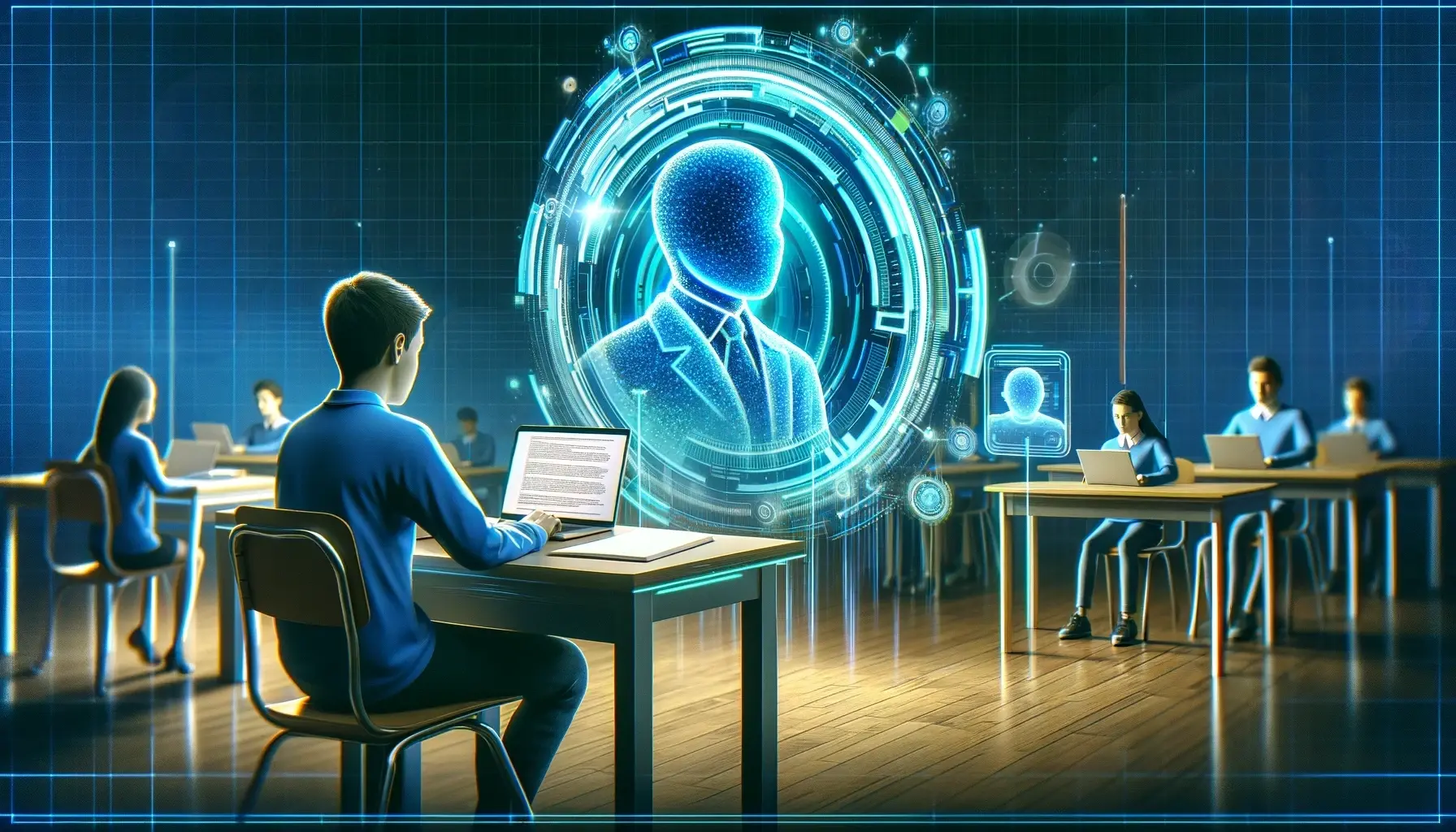 The technology is moving quickly. Multimodal AI — systems that combine video, audio, typing behavior, and screen data into a single coherent analysis — will make detection more accurate and false positives rarer. Integration with adaptive testing platforms means exams can adjust difficulty in real time while monitoring continues seamlessly in the background.
Longer term, the field may shift toward assessment formats that are inherently harder to cheat — open-ended, project-based, or performance-driven tasks where the work itself proves the skill. But until that shift is complete, AI proctoring is the most practical tool available for maintaining the value of credentials at scale.
Whether you are a teacher protecting academic standards, a trainer certifying a global workforce, or an HR manager screening hundreds of applicants, the case for smarter proctoring is clear. And with a platform like OnlineExamMaker, you do not need a technical team or a big budget to get started — just a commitment to fair, secure, and flexible assessment.