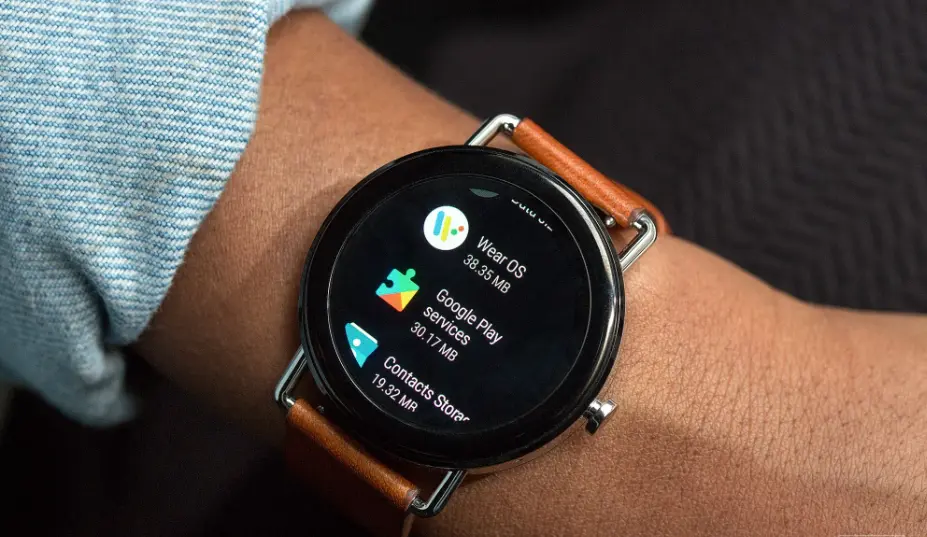
Wear OS by Google is a smartwatch operating system that brings the full power of Android to wearable devices, enabling seamless integration with smartphones. Designed for modern lifestyles, it offers customizable watch faces, real-time notifications, and voice-activated assistance through Google Assistant. Users can track fitness metrics, monitor health data, make contactless payments via Google Wallet, and access a vast array of apps from the Google Play Store. With its intuitive interface and robust ecosystem, Wear OS empowers you to stay connected, productive, and informed throughout the day, all from your wrist.
Table of Contents
- Part 1: Create A Google Wear OS Quiz in Minutes Using AI with OnlineExamMaker
- Part 2: 20 Google Wear OS Quiz Questions & Answers
- Part 3: Automatically Generate Quiz Questions Using AI Question Generator
Part 1: Create A Google Wear OS Quiz in Minutes Using AI with OnlineExamMaker
Are you looking for an online assessment to test the Google Wear OS skills of your learners? OnlineExamMaker uses artificial intelligence to help quiz organizers to create, manage, and analyze exams or tests automatically. Apart from AI features, OnlineExamMaker advanced security features such as full-screen lockdown browser, online webcam proctoring, and face ID recognition.
Recommended features for you:
● Includes a safe exam browser (lockdown mode), webcam and screen recording, live monitoring, and chat oversight to prevent cheating.
● Enhances assessments with interactive experience by embedding video, audio, image into quizzes and multimedia feedback.
● Once the exam ends, the exam scores, question reports, ranking and other analytics data can be exported to your device in Excel file format.
● Offers question analysis to evaluate question performance and reliability, helping instructors optimize their training plan.
Automatically generate questions using AI
Part 2: 20 Google Wear OS Quiz Questions & Answers
or
1. Question: What is Wear OS?
A. A mobile operating system for smartphones
B. Google’s operating system for smartwatches
C. A desktop operating system
D. A gaming platform
Answer: B
Explanation: Wear OS is Google’s operating system specifically designed for smartwatches and wearable devices, allowing them to run apps, track health, and integrate with Android phones.
2. Question: Which company developed Wear OS?
A. Apple
B. Google
C. Samsung
D. Fitbit
Answer: B
Explanation: Wear OS was developed by Google as an extension of the Android ecosystem, originally launched as Android Wear in 2014.
3. Question: What is the primary purpose of Wear OS?
A. To manage home automation
B. To provide a platform for wearable devices like smartwatches
C. To run virtual reality applications
D. To control drones
Answer: B
Explanation: Wear OS is built to power wearable devices, enabling features like notifications, fitness tracking, and app integration on smartwatches.
4. Question: Which of the following devices is commonly compatible with Wear OS?
A. iPhones only
B. Android smartphones and some iPhones
C. Windows laptops
D. Gaming consoles
Answer: B
Explanation: Wear OS primarily pairs with Android devices but also supports limited functionality with iPhones, allowing for notifications and basic features.
5. Question: What feature allows Wear OS to display notifications from a connected phone?
A. Bluetooth connectivity
B. Infrared sensors
C. NFC payments
D. Camera integration
Answer: A
Explanation: Wear OS uses Bluetooth to sync with a paired smartphone, enabling real-time notifications, calls, and messages on the smartwatch.
6. Question: How does Wear OS support fitness tracking?
A. Through dedicated apps like Google Fit
B. By integrating with email clients
C. Via weather forecasting
D. By controlling smart home devices
Answer: A
Explanation: Wear OS integrates with apps like Google Fit to track activities such as steps, heart rate, and workouts directly on the smartwatch.
7. Question: What is Google Assistant’s role in Wear OS?
A. It manages battery life
B. It provides voice commands and smart responses
C. It handles file storage
D. It plays music from CDs
Answer: B
Explanation: Google Assistant on Wear OS allows users to use voice commands for tasks like setting reminders, checking the weather, or controlling smart home devices.
8. Question: Which payment system is supported by Wear OS for contactless payments?
A. Apple Pay
B. Google Pay
C. Bank transfers
D. Cryptocurrency wallets
Answer: B
Explanation: Wear OS supports Google Pay, enabling users to make secure, contactless payments directly from their smartwatch using NFC technology.
9. Question: What is a key advantage of Wear OS over basic fitness trackers?
A. Longer battery life
B. Access to a wide range of customizable apps
C. Built-in GPS for cars
D. High-resolution photo editing
Answer: B
Explanation: Wear OS offers access to the Google Play Store, allowing users to download and customize apps for productivity, health, and entertainment on their smartwatch.
10. Question: How does Wear OS handle app development?
A. Only through iOS developers
B. Using Android Studio and Wear OS SDK
C. Via Windows-based tools
D. Exclusively with JavaScript
Answer: B
Explanation: Developers use Android Studio and the Wear OS SDK to create apps, leveraging the Android framework for building wearable-specific software.
11. Question: What type of display is commonly used in Wear OS devices?
A. E-ink screens
B. OLED or AMOLED screens
C. CRT monitors
D. LCD projectors
Answer: B
Explanation: Wear OS devices typically feature OLED or AMOLED displays for vibrant colors, high contrast, and energy efficiency, ideal for wearable tech.
12. Question: Which version of Wear OS introduced improved battery management?
A. Wear OS 1.0
B. Wear OS 3.0
C. Wear OS 2.0
D. Wear OS 4.0
Answer: B
Explanation: Wear OS 3.0, based on Android 11, enhanced battery life through features like tilt-to-wake and optimized background processes.
13. Question: Can Wear OS devices connect directly to Wi-Fi?
A. No, only via Bluetooth
B. Yes, for independent internet access
C. Only with a wired connection
D. Only on older models
Answer: B
Explanation: Many Wear OS devices support Wi-Fi connectivity, allowing them to receive updates, notifications, and data without being paired to a phone.
14. Question: What security feature is built into Wear OS for protecting data?
A. Fingerprint scanners
B. PIN or pattern locks
C. Antivirus software
D. External hard drive encryption
Answer: B
Explanation: Wear OS includes security options like PIN, pattern, or biometric locks to protect sensitive data on the smartwatch.
15. Question: How does Wear OS integrate with Google Maps?
A. For navigation and turn-by-turn directions
B. For editing photos
C. For video calls
D. For stock market updates
Answer: A
Explanation: Wear OS allows Google Maps integration for real-time navigation, directions, and location tracking directly on the smartwatch.
16. Question: What is a common way to customize a Wear OS watch face?
A. Using third-party apps from the Play Store
B. By connecting to a printer
C. Through SMS messages
D. Via email attachments
Answer: A
Explanation: Users can download and apply custom watch faces from the Google Play Store to personalize their Wear OS device’s display.
17. Question: Which of the following is not a standard feature of Wear OS?
A. Heart rate monitoring
B. 4K video recording
C. Notification syncing
D. Voice search
Answer: B
Explanation: Wear OS focuses on wearable features like heart rate monitoring and notifications, but 4K video recording is not a standard capability due to hardware limitations.
18. Question: How does Wear OS support third-party apps?
A. Through the Google Play Store
B. Only pre-installed apps
C. Via iTunes
D. Through web browsers
Answer: A
Explanation: Wear OS devices access third-party apps via the Google Play Store, expanding functionality beyond built-in features.
19. Question: What role does the Wear OS Tile system play?
A. It organizes quick settings and app shortcuts
B. It manages phone calls
C. It edits documents
D. It plays podcasts
Answer: A
Explanation: The Tile system in Wear OS provides customizable quick-access tiles for features like weather, fitness, and controls, improving user efficiency.
20. Question: Which update improved the user interface of Wear OS?
A. Wear OS 2.0
B. Wear OS 3.5
C. Wear OS 1.5
D. Wear OS 4.0
Answer: B
Explanation: Wear OS 3.5 introduced enhancements to the user interface, including better navigation and a more intuitive design for easier interaction.
or
Part 3: Automatically generate quiz questions using OnlineExamMaker AI Question Generator
Automatically generate questions using AI