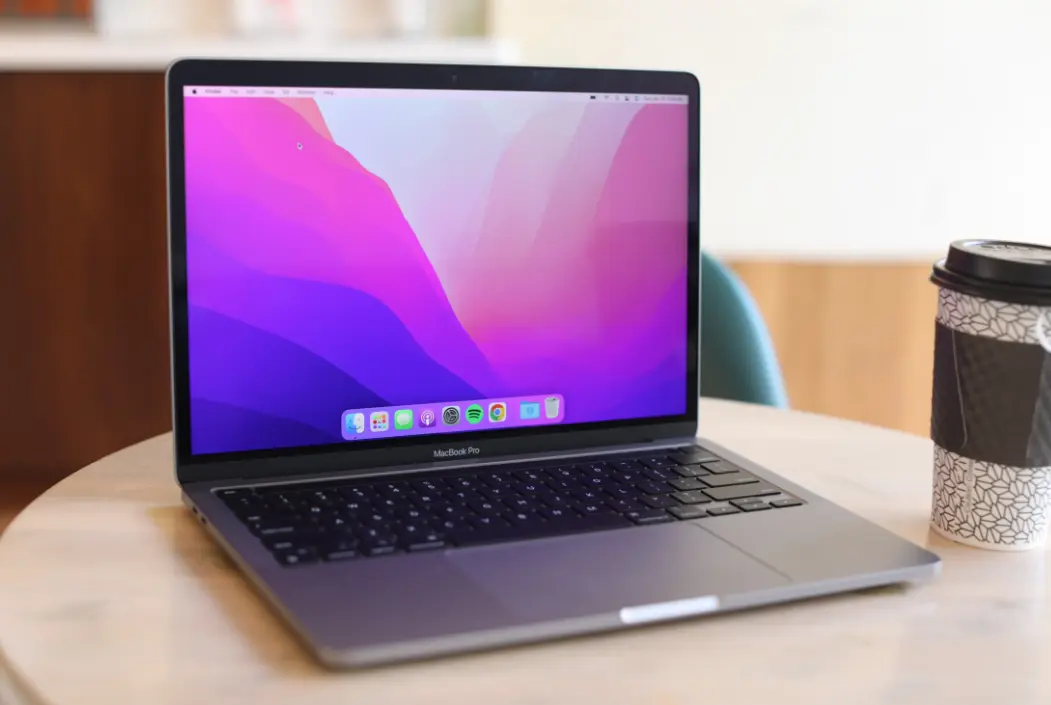
The MacBook is a renowned line of laptop computers designed and manufactured by Apple Inc., celebrated for its blend of elegant design, powerful performance, and seamless integration within the Apple ecosystem. Available in models like the MacBook Air and MacBook Pro, these devices feature stunning Retina displays with vibrant colors and sharp resolution, lightweight aluminum bodies for portability, and long-lasting battery life that supports all-day usage.
At the core, MacBooks run on macOS, offering a secure and intuitive operating system with robust security features like Touch ID and the T2 chip. Performance is driven by Apple’s latest M-series chips (such as M1, M2, or M3), which deliver exceptional speed, energy efficiency, and capabilities for tasks ranging from everyday computing to professional video editing and graphic design.
Key highlights include:
– Design and Build: Ultra-thin profiles, premium materials, and options for various screen sizes (13-inch to 16-inch) make them ideal for both mobile professionals and creative users.
– Display and Audio: High-resolution screens with True Tone technology for adaptive color accuracy, paired with immersive stereo speakers.
– Connectivity: Thunderbolt/USB 4 ports, MagSafe charging, and Wi-Fi 6 for fast data transfer and reliable internet.
– Ecosystem Integration: Effortless syncing with iPhone, iPad, and other Apple devices via iCloud, enhancing productivity with features like Handoff and Universal Clipboard.
Priced from around $999, MacBooks cater to students, creatives, and business users, emphasizing reliability, innovation, and a user-friendly experience that sets them apart in the competitive laptop market.
Table of Contents
- Part 1: Create An Amazing Macbook Quiz Using AI Instantly in OnlineExamMaker
- Part 2: 20 Macbook Quiz Questions & Answers
- Part 3: Save Time and Energy: Generate Quiz Questions with AI Technology
Part 1: Create An Amazing Macbook Quiz Using AI Instantly in OnlineExamMaker
The quickest way to assess the Macbook knowledge of candidates is using an AI assessment platform like OnlineExamMaker. With OnlineExamMaker AI Question Generator, you are able to input content—like text, documents, or topics—and then automatically generate questions in various formats (multiple-choice, true/false, short answer). Its AI Exam Grader can automatically grade the exam and generate insightful reports after your candidate submit the assessment.
Overview of its key assessment-related features:
● Create up to 10 question types, including multiple-choice, true/false, fill-in-the-blank, matching, short answer, and essay questions.
● Automatically generates detailed reports—individual scores, question report, and group performance.
● Instantly scores objective questions and subjective answers use rubric-based scoring for consistency.
● API and SSO help trainers integrate OnlineExamMaker with Google Classroom, Microsoft Teams, CRM and more.
Automatically generate questions using AI
Part 2: 20 Macbook Quiz Questions & Answers
or
1. Question: What is the primary operating system that comes pre-installed on MacBooks?
A) Windows
B) macOS
C) Linux
D) Chrome OS
Answer: B
Explanation: MacBooks are designed by Apple to run macOS, which is optimized for their hardware and provides a seamless user experience.
2. Question: Which MacBook model is typically the lightest and most portable?
A) MacBook Pro
B) MacBook Air
C) MacBook Pro Max
D) iMac
Answer: B
Explanation: The MacBook Air is engineered for portability with a thinner design and longer battery life compared to other models.
3. Question: What type of processor is commonly used in recent MacBook models?
A) Intel Core
B) AMD Ryzen
C) Apple Silicon (e.g., M1, M2)
D) Qualcomm Snapdragon
Answer: C
Explanation: Apple has transitioned to its own Apple Silicon chips, like the M1 and M2, for better performance and efficiency in MacBooks.
4. Question: How many Thunderbolt ports are typically found on a base model MacBook Air?
A) 2
B) 4
C) 1
D) 3
Answer: A
Explanation: The base MacBook Air models usually include two Thunderbolt ports for connecting peripherals and external displays.
5. Question: What feature allows MacBooks to wake from sleep mode quickly?
A) Instant On
B) Fast Boot
C) Power Nap
D) Resume
Answer: C
Explanation: Power Nap enables certain background tasks to run while the MacBook is in sleep mode, allowing for quick wake-ups.
6. Question: Which MacBook series is designed for professional users who need high performance?
A) MacBook Air
B) MacBook Pro
C) MacBook
D) iMac Pro
Answer: B
Explanation: The MacBook Pro line offers advanced features like more powerful processors and better graphics for demanding tasks.
7. Question: What is the maximum storage option available on the latest MacBook Pro models?
A) 512 GB
B) 1 TB
C) 8 TB
D) 2 TB
Answer: C
Explanation: High-end MacBook Pro models can be configured with up to 8 TB of storage to handle large files and extensive data needs.
8. Question: How does Touch ID on a MacBook enhance security?
A) It scans your retina
B) It uses fingerprint recognition for login
C) It requires a PIN code
D) It locks the screen automatically
Answer: B
Explanation: Touch ID allows users to unlock their MacBook and make secure purchases using their fingerprint for added convenience and security.
9. Question: What technology is used in MacBooks for displaying vibrant colors and high contrast?
A) LCD
B) Retina display
C) OLED
D) LED-backlit
Answer: B
Explanation: Retina display technology provides high-resolution screens with sharp images, making it a standard feature in MacBooks.
10. Question: Which accessory is essential for expanding ports on a MacBook with only USB-C ports?
A) HDMI adapter
B) USB hub
C) Wireless keyboard
D) External hard drive
Answer: B
Explanation: A USB hub connects multiple devices to the limited USB-C ports on MacBooks, allowing for expanded connectivity.
11. Question: What is the purpose of the T2 chip in older MacBook models?
A) To improve graphics
B) To handle security and encryption
C) To boost battery life
D) To enable wireless connectivity
Answer: B
Explanation: The T2 chip manages secure boot and encryption, enhancing the overall security of the MacBook.
12. Question: How can you force restart a MacBook if it’s frozen?
A) Press the power button once
B) Hold the Control + Option + Escape keys
C) Press and hold the power button for 10 seconds
D) Use the Trackpad
Answer: C
Explanation: Holding the power button for about 10 seconds forces a restart, which can resolve software freezes on MacBooks.
13. Question: What does the Magic Keyboard offer that improves typing on MacBooks?
A) Backlit keys
B) Scissor mechanism for stability
C) Wireless connectivity only
D) Numeric keypad
Answer: B
Explanation: The Magic Keyboard uses a scissor mechanism for a more stable and comfortable typing experience compared to traditional keyboards.
14. Question: Which MacBook feature allows seamless integration with iPhones and iPads?
A) AirDrop
B) Handoff
C) iCloud
D) Sidecar
Answer: B
Explanation: Handoff enables users to start a task on one Apple device and continue it on a MacBook without interruption.
15. Question: What is the typical battery life of a MacBook Air with an M2 chip?
A) 10 hours
B) 18 hours
C) 24 hours
D) 12 hours
Answer: B
Explanation: The M2 chip in MacBook Air models provides up to 18 hours of battery life for web browsing or video playback.
16. Question: How do you enable Do Not Disturb on a MacBook?
A) Go to System Preferences > Notifications
B) Press a function key
C) Use Siri to activate it
D) Restart the computer
Answer: A
Explanation: In System Preferences under Notifications, users can set up Do Not Disturb to minimize interruptions.
17. Question: What is the resolution of the display on a 13-inch MacBook Air?
A) 2560 x 1600 pixels
B) 1920 x 1080 pixels
C) 2880 x 1800 pixels
D) 2048 x 1080 pixels
Answer: A
Explanation: The 13-inch MacBook Air features a Retina display with a resolution of 2560 x 1600 pixels for crisp visuals.
18. Question: Which port is used for charging most modern MacBooks?
A) USB-A
B) Lightning
C) MagSafe
D) HDMI
Answer: C
Explanation: MagSafe charging ports on modern MacBooks provide a secure and magnetic connection for safe charging.
19. Question: What does the Force Touch trackpad on MacBooks allow users to do?
A) Detect different levels of pressure
B) Increase scrolling speed
C) Connect to external mice
D) Change cursor size
Answer: A
Explanation: Force Touch technology senses varying pressure levels, enabling features like quick look and force clicks.
20. Question: How can you check the storage usage on a MacBook?
A) Open Finder and go to About This Mac
B) Use the Terminal app
C) Check the battery settings
D) Restart the device
Answer: A
Explanation: In About This Mac under the Apple menu, users can view storage usage details to manage space effectively.
or
Part 3: Save Time and Energy: Generate Quiz Questions with AI Technology
Automatically generate questions using AI