If you decide to make a Kahoot. Great choice — your learners are about to have a lot more fun than they expected on a Tuesday afternoon. But before you dive in, it’s worth asking: what kinds of questions can you actually use?
- Kahoot Question Types: The Full Breakdown
- Knowledge-Check Questions (With Points)
- Opinion & Participation Questions (No Points)
- Quick Reference Table
- How to Choose the Right Question Type
- OnlineExamMaker: An Easier Way to Make Online Quizzes with AI
Kahoot Question Types: The Full Breakdown
Kahoot currently offers nine question types across its plans. Some are available to everyone from day one; others require a paid subscription. The general rule? The more interactive and open-ended the question type, the more likely it sits behind a paywall.
These question types fall into two camps: ones that award points (the classic competitive stuff) and ones built purely for gathering opinions or sparking discussion.
Knowledge-Check Questions (With Points)
These are the bread and butter of any Kahoot session. Players answer, the system marks it, points get distributed, and the leaderboard does its job of creating just enough healthy chaos.
1. Multiple Choice
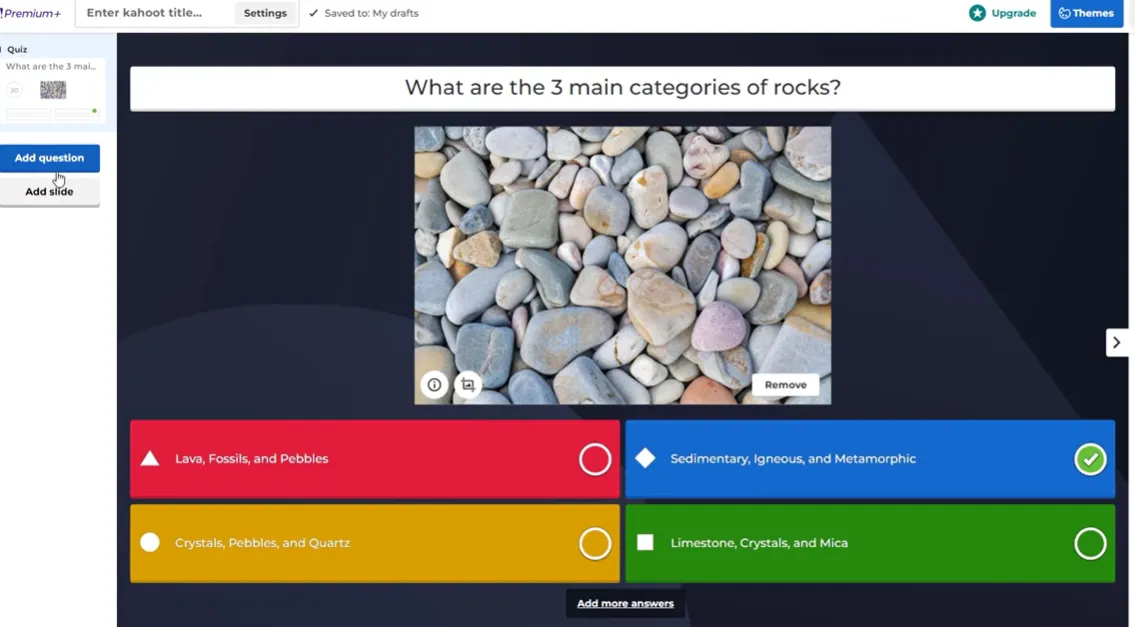
The classic. You write a question, give 2–4 answer options, mark one or more as correct, and watch the room light up. It’s fast, familiar, and works for almost any topic. If you’re new to Kahoot, this is where you start — and honestly, you could run an entire session with nothing else.
2. True/False
Exactly what it sounds like. You write a statement, pick whether it’s true or false, and the options are pre-set for you. Dead simple to build, lightning-fast in the session, and surprisingly effective for testing whether learners have absorbed the basics.
3. Type Answer
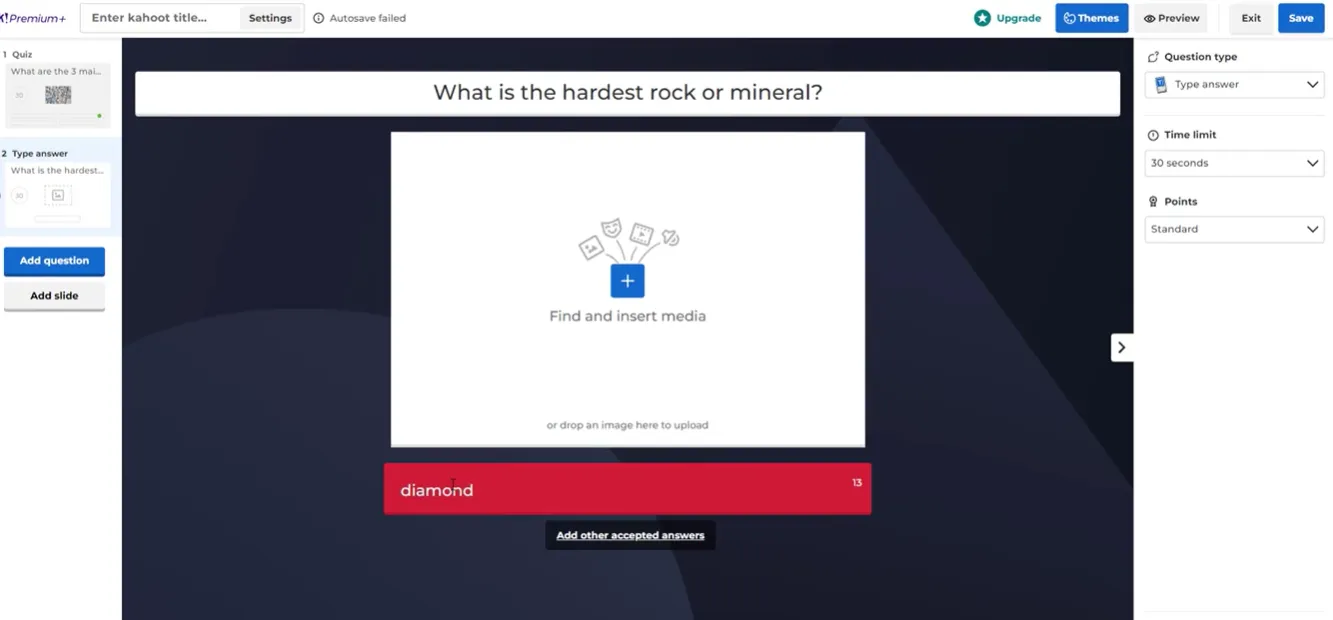
Players type a short word or phrase rather than clicking a button. The system checks their response against the correct answers you’ve defined. No options shown, no hints — this one actually tests memory. Use it when you want to find out who really knows the material versus who was just good at narrowing down choices.
4. Puzzle
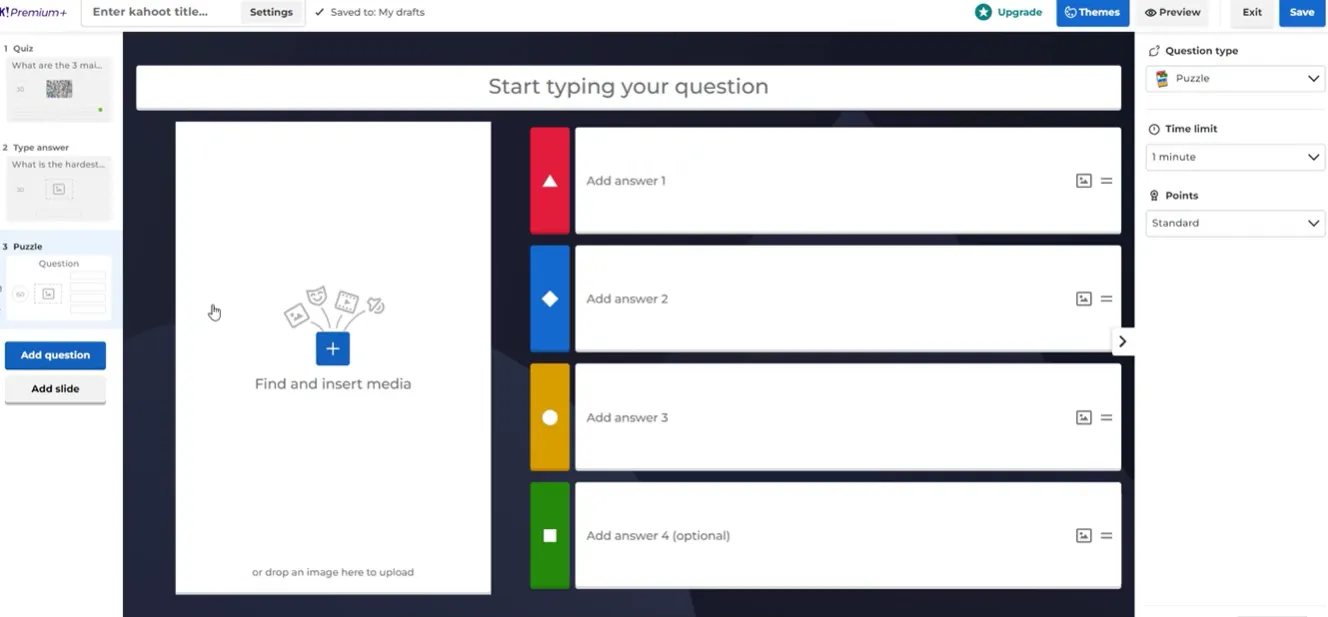
Players are given 3–4 items and must arrange them in the correct order. Think steps in a process, dates on a timeline, or parts of a formula. It’s one of those question types that feels more like a game — and learners tend to remember answers they had to physically sequence far better than ones they just clicked.
5. Slider
Instead of choosing an answer, players drag a marker along a numeric scale. Perfect for years, quantities, prices, percentages — anything that lives on a number line. It introduces a layer of estimation that classic multiple choice can’t replicate.
6. Pin Answer
Players click on a spot within an image to identify the correct area. Maps, anatomical diagrams, UI mockups, historical photographs — if your content is visual, this question type earns its keep. It’s spatial, specific, and genuinely harder to guess at randomly.
Opinion & Participation Questions (No Points)
Not every question needs a winner. Sometimes you want to check the room temperature, spark a conversation, or give everyone a voice without the pressure of being right or wrong.
7. Poll
Multiple choice, but with no correct answer. Use a poll to surface opinions, check understanding informally, or simply warm up the room. The results appear in real time, which makes it great for facilitating a quick discussion — “Interesting, half of you said X. Why is that?”
8. Word Cloud
Players type short words or phrases, and responses accumulate into a live word cloud where the most common answers appear largest. It’s visually engaging, immediately democratic, and one of the best icebreakers in any trainer’s kit. No scoring, no leaderboard — just ideas, piling up in real time.
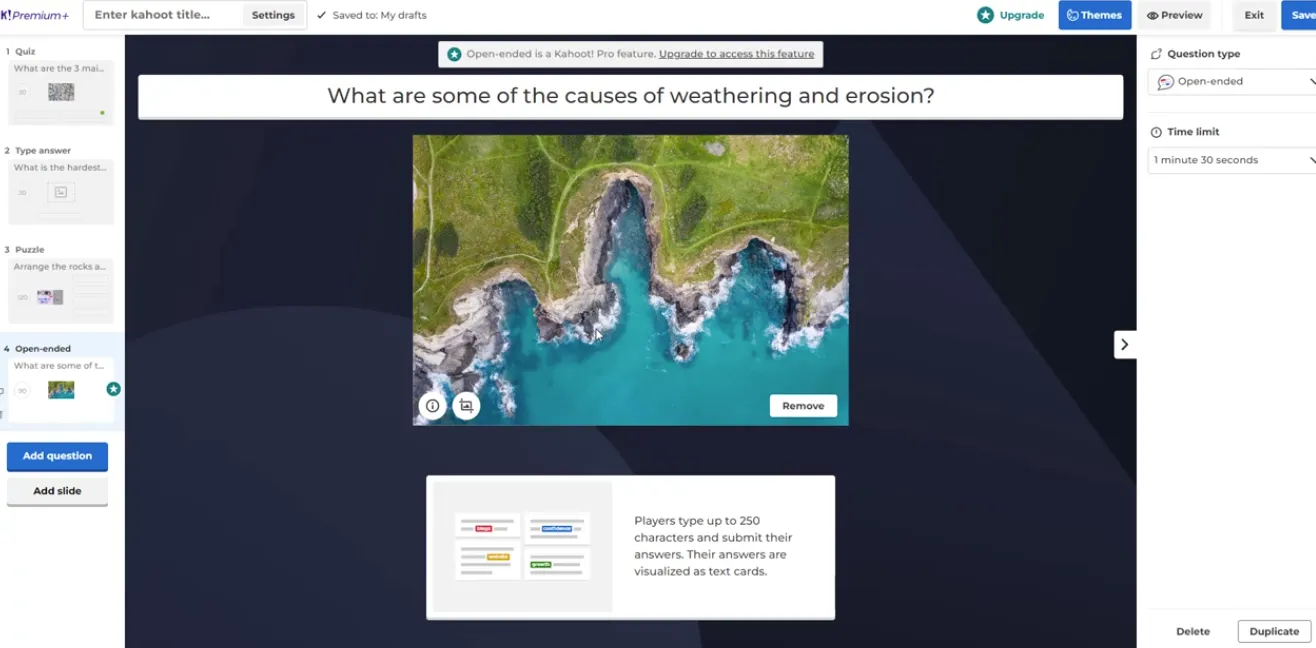
9. Open-Ended
Players write longer free-text responses — reflections, ideas, explanations, feedback. The screen fills with everyone’s answers, which you can then walk through together. It’s the closest Kahoot gets to a proper discussion prompt, and it works especially well at the end of a session when you want genuine takeaways rather than trivia scores.
Quick Reference Table about Kahoot Question Types
| Purpose | Question Type | Points/Scoring | Best Used For |
|---|---|---|---|
| Test facts/knowledge | Quiz (Multiple Choice) | Yes | General knowledge checks |
| Test simple concepts | True/False | Yes | Quick comprehension checks |
| Recall without clues | Type Answer | Yes | Spelling, terminology, definitions |
| Order or sequence | Puzzle | Yes | Processes, timelines, steps |
| Estimate numbers | Slider | Yes | Dates, quantities, scales |
| Locations/diagrams | Pin Answer | Yes | Maps, diagrams, visual content |
| Gather opinions | Poll | Usually no | Temperature checks, discussion starters |
| Collect many ideas | Word Cloud | No | Brainstorming, icebreakers |
| Detailed feedback | Open-Ended | No | Reflection, longer responses |
How to Choose the Right Question Type
Here’s a simple way to think about it. Ask yourself two questions before you build each slide:
- Do I want to measure knowledge or gather perspective? If it’s the former, use a scored type (Quiz, True/False, Type Answer, Puzzle, Slider, Pin). If it’s the latter, go unscored (Poll, Word Cloud, Open-Ended).
- How complex is the thinking I want to provoke? Simple recall? True/False or Quiz. Deeper reasoning or sequencing? Puzzle or Type Answer. Totally open-ended reflection? Open-Ended, full stop.
Pro tip for trainers: A well-designed Kahoot session mixes question types deliberately. Start with a Poll to gauge existing knowledge. Use Quiz and True/False for the core learning. Drop in a Puzzle or Slider to break the rhythm. End with a Word Cloud or Open-Ended for reflection. That is a session people remember.
According to research on active learning, students retain significantly more information through interactive, game-based methods than through passive instruction. Kahoot’s own platform data consistently shows higher engagement rates when sessions include a variety of question types rather than relying on a single format throughout.
OnlineExamMaker: An Easier Way to Make Online Quizzes with AI
Kahoot is genuinely brilliant for live, game-style sessions. But what if you need something a little more… substantial? What if you’re running formal assessments, certification exams, or training evaluations where you need more question variety, automatic grading, and detailed analytics?
That’s where OnlineExamMaker comes in. It’s a full-featured online exam platform built specifically for teachers, trainers, and HR professionals who need more than a leaderboard.
One of its standout features is the AI Quiz Maker — a tool that generates complete question sets automatically based on a topic you provide. No more staring at a blank question bank at 10pm the night before a training session. You input the subject, set the parameters, and the AI builds a draft quiz you can then review and refine. It’s the kind of time-saving that teachers and trainers don’t know they need until they’ve used it once.
What makes OnlineExamMaker’s AI Quiz Maker stand out?
It doesn’t just generate generic questions — it creates content across a wide range of question types, supports bulk import via Word and Excel templates, and allows you to set difficulty levels, time limits, and scoring rules from a single dashboard.
Create Your Next Quiz/Exam Using AI in OnlineExamMaker
OnlineExamMaker’s 11 Supported Question Types
Where Kahoot offers 9 question types, OnlineExamMaker supports 11 — many of which go deeper than Kahoot’s format allows. Here’s what’s available:
- Multiple Choice — Classic single-answer selection with radio buttons.
- Multiple Response — Checkbox-style questions where learners select all correct options.
- Fill in the Blank — Learners type answers directly into blank fields within a sentence or passage.
- True or False — Simple binary questions; the True/False labels can be customized to “Yes/No” or “Right/Wrong.”
- Essay — Open-ended long-form responses, manually graded by the instructor.
- Matching — Learners connect pairs of related items — terms and definitions, concepts and examples, and so on.
- Sorting — Similar to Kahoot’s Puzzle: learners rank or sequence items in the correct order.
- Comprehension/Package — A reading passage followed by a series of related sub-questions.
- Cloze — A passage with multiple embedded multiple-choice blanks, testing context-dependent vocabulary and comprehension.
- Uncertain Choose — A nuanced variant of multiple choice that accounts for partial confidence in answers.
- Puzzle — Sequencing and arrangement questions for process-based content.
That breadth makes OnlineExamMaker a strong choice for high-stakes assessments where a single question format simply won’t cut it. And unlike Kahoot — which is primarily live and synchronous — OnlineExamMaker supports self-paced, asynchronous exams that learners can complete on their own schedule.
| Feature | Kahoot | OnlineExamMaker |
|---|---|---|
| Question types supported | 9 | 11 |
| AI quiz generation | Limited | Yes (built-in AI maker) |
| Live/game-style sessions | Yes (core strength) | Supported |
| Asynchronous/self-paced exams | Limited | Yes |
| Anti-cheating tools | Basic | Advanced (AI proctoring, face ID) |
| Bulk import via Word/Excel | No | Yes |
| Detailed analytics & reports | Basic | Comprehensive |
| Best suited for | Engagement, live review | Formal assessments, training evals |
Final Thoughts
Kahoot’s question variety is genuinely impressive for a game-based platform — and knowing when to use each type is a real skill. A true/false question at the start. A puzzle mid-session to shake things up. A word cloud at the end to close the loop. That intentional mix is what transforms a decent quiz into a memorable learning experience.
But if you’re regularly running assessments that need more depth, more question diversity, or simply a more robust backend, it’s worth exploring what OnlineExamMaker brings to the table — especially the AI quiz generator, which can shave hours off your prep time.
Whatever tool you choose, the real win is the same: learners who actually engage, retain, and — dare we say it — enjoy the process. Happy quizzing.
