Creating quality practice exam questions is exhausting. You know your students need them – retrieval practice is one of the most effective study methods out there. When students encounter a well-crafted question, they’re forced to pull relevant information from memory, connect concepts, and think critically.
But where do these magical practice questions come from? Sure, there are textbook questions. Maybe you’ve got a test bank gathering digital dust somewhere. Perhaps you’ve encouraged students to swap notes or hunt online for practice materials.
None of these solutions are perfect. And that’s where generative AI enters the chat—literally.
- Enter ChatGPT: Your Question-Generating Assistant
- Leveling Up: From Basic to Brilliant
- The Honesty Clause: ChatGPT Isn’t Perfect
- OnlineExamMaker: Taking AI Question Generation Further
- How to Create An Exam with OnlineExamMaker AI Question Generator?
- Practical Tips for Teachers and Trainers
Enter ChatGPT: Your Question-Generating Assistant
Think of ChatGPT as that colleague who never runs out of ideas and works at lightning speed. The key is knowing how to ask.
Crafting the Perfect Prompt
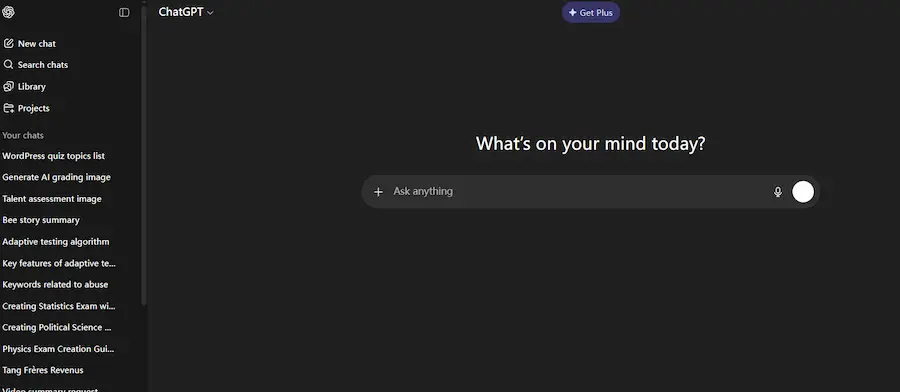
Here’s what works. Be specific. Be detailed. Give context. Here’s an example that actually delivers:
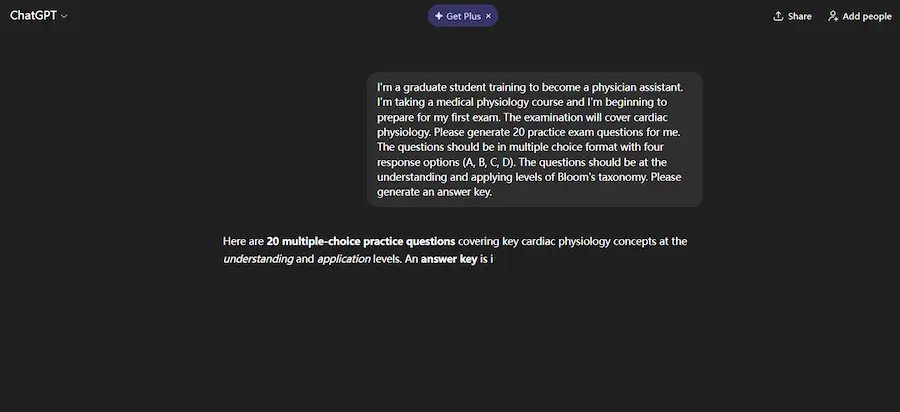
“I’m a graduate student training to become a physician assistant. I’m taking a medical physiology course and I’m beginning to prepare for my first exam. The examination will cover cardiac physiology. Please generate 20 practice exam questions for me. The questions should be in multiple choice format with four response options (A, B, C, D). The questions should be at the understanding and applying levels of Bloom’s taxonomy. Please generate an answer key.”
Notice what’s packed into that prompt:
- Your role and context (graduate student, physician assistant training)
- The specific topic (cardiac physiology)
- The format you need (multiple choice, four options)
- The cognitive level (understanding and applying—this is crucial)
- What you want delivered (20 questions plus answer key)
Leveling Up: From Basic to Brilliant
So ChatGPT spits out your 20 questions. They’re decent. Solid, even. But maybe they’re a bit too straightforward.
This is where the conversation gets interesting. You can refine, iterate, and push for exactly what you need.
Adding Clinical Scenarios
Want to make things more realistic? Just ask:
“Thanks! Could you also generate five additional questions that involve a patient scenario?”
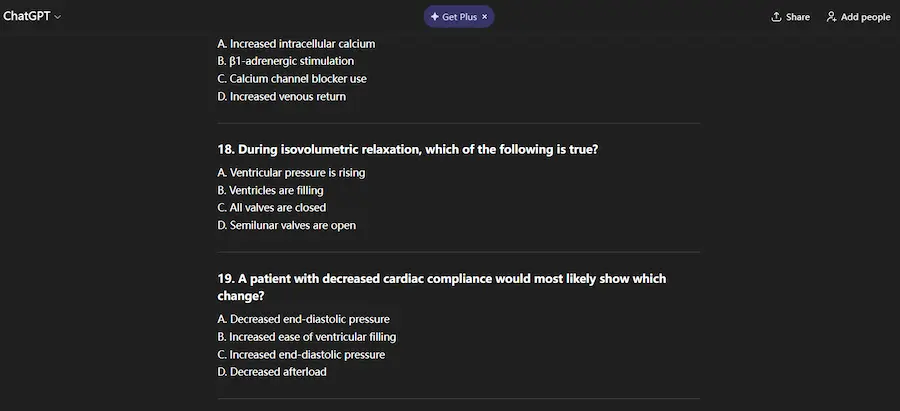
Boom. Within seconds, you’ve got clinical vignettes—little patient cases that require students to apply knowledge in context. These are gold for medical, nursing, and allied health programs.
Understanding the “Why” Behind Answers
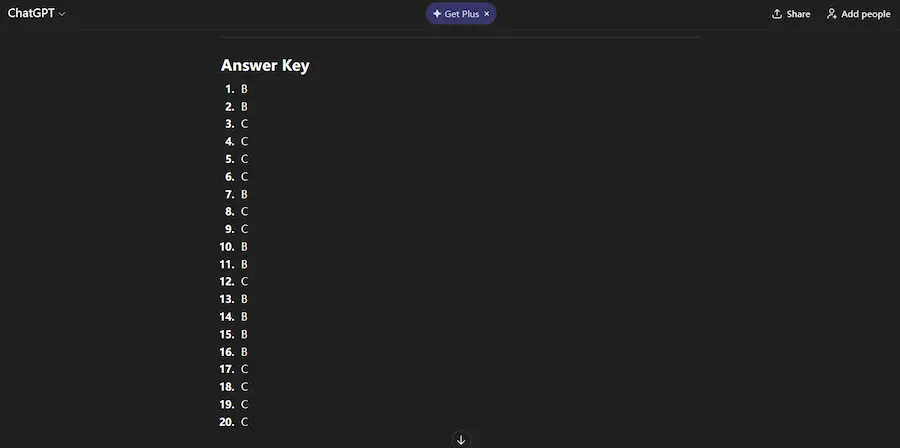
Here’s where it gets even better. Students don’t just need answers—they need to understand why an answer is correct.
Try this follow-up:
“Please provide the rationale for the correct answers.”
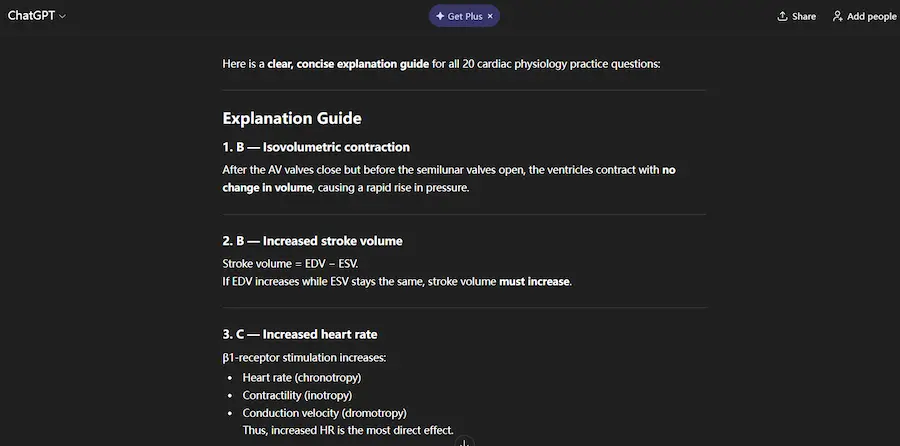
Now ChatGPT explains its reasoning. Why option B beats option A. What makes C the superior choice. This transforms your practice questions into a learning tool, not just an assessment.
The Honesty Clause: ChatGPT Isn’t Perfect
Let’s pump the brakes for a second. ChatGPT will make mistakes. It might generate questions where the “correct” answer is debatable. Sometimes the wording is awkward. Occasionally, the rationale doesn’t align with what you taught in class.
And you know what? That’s actually valuable.
When students encounter a questionable question, they’re forced to think critically. They compare it against their lecture notes. They debate with classmates. They come to you with questions. This deeper engagement? That’s learning.
Just don’t treat ChatGPT’s output as gospel. Review the questions. Vet them. Make adjustments. Think of AI as your brainstorming partner, not your replacement.
OnlineExamMaker: Taking AI Question Generation Further
While ChatGPT excels at generating individual questions, creating a complete, polished exam requires more. That’s where platforms like OnlineExamMaker come in.
OnlineExamMaker offers an all-in-one AI-powered solution specifically designed for educators. Here’s what makes it different:
- Integrated AI question generation that understands educational standards and assessment best practices
- Automatic exam assembly that balances question difficulty and topic coverage
- Built-in question banks organized by subject, grade level, and learning objectives
- Quality control features that flag potentially problematic questions before students see them
- Delivery and grading infrastructure so you’re not just creating questions—you’re running complete assessments
The beauty of OnlineExamMaker is that it handles the entire workflow. Generate questions with AI, review and edit them within the platform, organize them into exams, deliver them to students, and automatically grade responses. It’s the difference between having a hammer and having an entire workshop.
For teachers and trainers managing multiple classes or creating frequent assessments, this kind of integrated solution saves hours of administrative work while maintaining—and often improving—question quality.
Create Your Next Quiz/Exam with OnlineExamMaker
How to Create An Exam with OnlineExamMaker AI Question Generator?
To create an exam with OnlineExamMaker’s built‑in AI Question Generator, you first add AI‑generated questions to your Question Bank, then add them to the assessment.
Step 1: Sign up and access the Question Bank
Step 2: Open the AI Question Generator
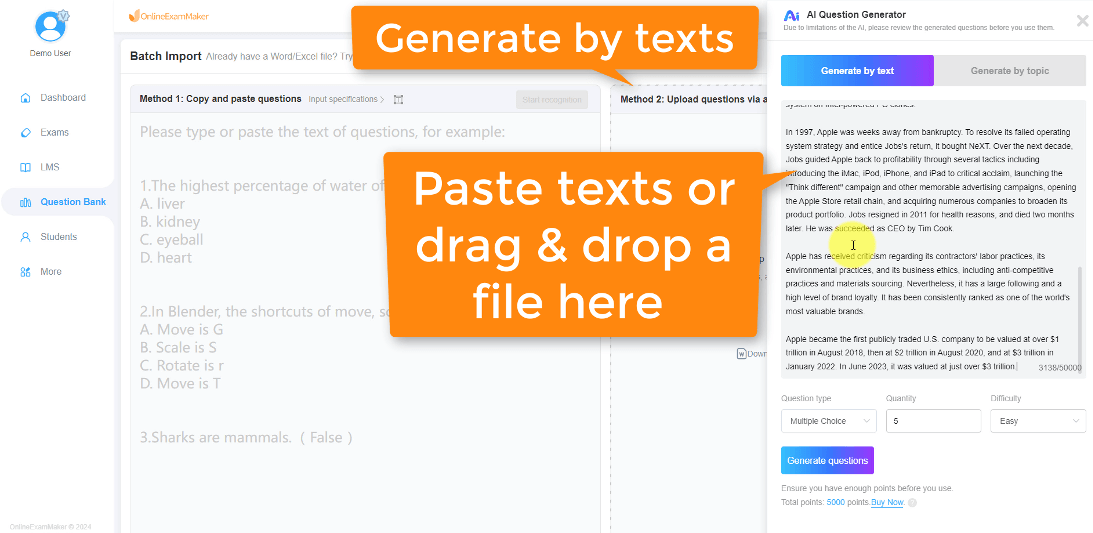
In the Question Bank, click the AI Generator option to launch the AI Question Generator interface.
Choose the “Generate by topic” mode if you want AI to create questions from a short topic description (for example, “Photosynthesis basics” or “Excel VLOOKUP”).
Choose the “Generate by text” mode if you have source material such as a reading passage, lesson notes, or a chapter file.
Step 3: Create a new exam and add questions
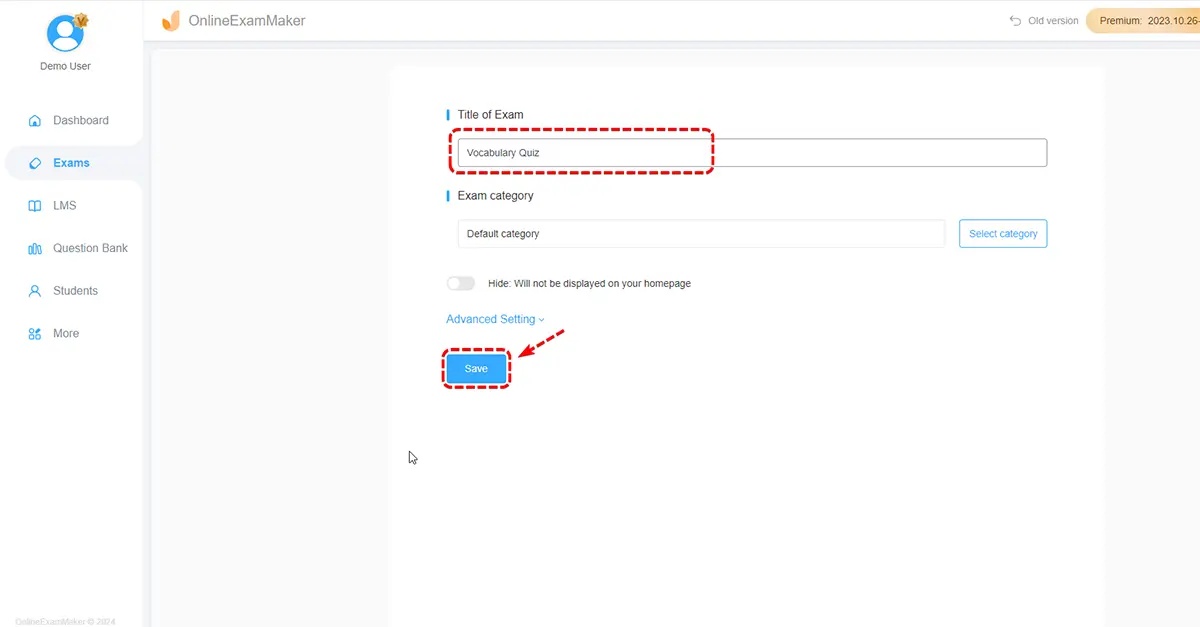
Create a new exam, then click Add Question inside the exam editor, pick your AI‑generated questions from the Question Bank (by folder, category, or individual selection), and assign scores or points as needed.
Step 4: Customize exam settings and publish
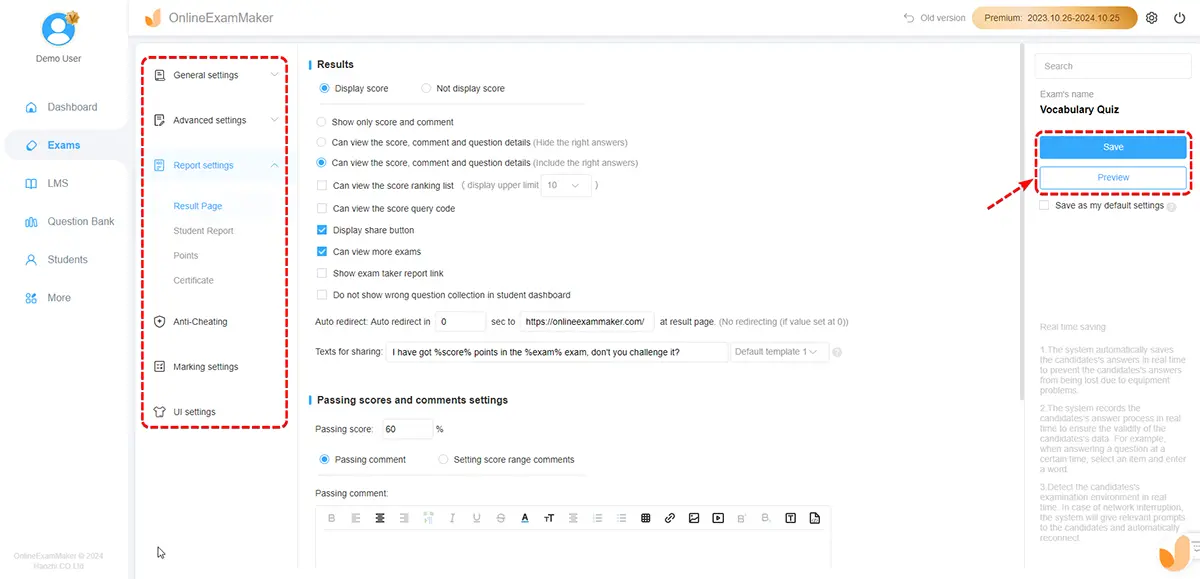
Configure exam options such as time limit, availability window, access restrictions, and attempt limits. Save and publish the exam, then share the exam link or QR code to exam takers.
Practical Tips for Teachers and Trainers
Start Broad, Then Narrow
Generate a larger question set than you need. Create 30 questions when you only need 20. This gives you options and lets you cherry-pick the best ones.
Mix and Match Sources
Don’t rely solely on AI. Combine ChatGPT questions with textbook questions, past exam questions, and your own creations. Variety strengthens assessment.
Let Students Generate Questions Too
Here’s a wild idea: teach your students how to use ChatGPT for practice questions. Give them the framework. Show them effective prompts. Let them create their own study materials. The act of crafting good prompts and evaluating the AI’s output? That’s metacognition in action.
Keep a Question Journal
When ChatGPT generates a particularly good question, save it. Build your own curated bank over time. Note which prompts produced the best results. Refine your approach.
Final Words
Creating effective practice questions doesn’t have to consume your evenings and weekends. ChatGPT and tools like OnlineExamMaker aren’t replacing your expertise—they’re amplifying it.
You still bring the subject knowledge. You still understand your students’ needs. You still design the learning experience. AI just handles the heavy lifting of initial question generation.
So go ahead. Open ChatGPT. Type in that detailed prompt. See what happens. You might be surprised at how quickly those practice questions pile up—leaving you more time to actually teach, coach, and connect with your students.
