You’re three questions into a Kahoot quiz. You answered correctly — but so did twelve other people. Yet somehow, Sarah at the front of the room got 987 points and you only got 640. What just happened?
Welcome to the fascinating, slightly nerve-wracking world of Kahoot’s points system. It’s not magic. It’s math — and once you understand it, you can use it to your advantage (whether you’re a teacher building a quiz or a student trying to top the leaderboard).
This guide breaks down everything about how Kahoot awards points, what affects your score, and how to consistently nail those perfect 1000s.
- What Is the Kahoot Points System?
- The Kahoot Scoring Formula (And What It Really Means)
- Point Options: Standard, Double, and None
- How Speed Affects Your Score
- Variations by Game Mode
- Tips to Maximize Your Kahoot Points
- OnlineExamMaker: A Smarter Grading Alternative
- Frequently Asked Questions
What Is the Kahoot Points System?
Kahoot’s scoring system is built on a simple — yet clever — idea: accuracy matters, but speed matters too. The platform doesn’t just reward players who get the right answer; it rewards players who get the right answer fast.
Think of it like a spelling bee crossed with a sprint. You could know the answer perfectly, but if you’re slow on the buzzer, you’ll score less than someone who answered half a second earlier. That dynamic tension is what makes Kahoot so addictive in classrooms and training sessions alike.
For teachers, trainers, and HR managers, this means Kahoot isn’t just a quiz — it’s a real-time engagement engine. Players lean forward. They pay attention. They want to be first.
The Kahoot Scoring Formula (And What It Really Means)
Let’s get into the actual math. According to Kahoot’s official support page, the points formula for a correct answer is:
Points = floor( (1 − (response_time / question_timer) / 2) × points_possible )
Sounds intimidating? Let’s make it human. Imagine a standard question worth 1,000 points with a 30-second timer:
- Answer in 2 seconds → about 967 points
- Answer in 10 seconds → around 833 points
- Answer in 20 seconds → roughly 667 points
- Answer in 30 seconds (last moment) → close to 500 points
- Run out of time or answer wrong → 0 points
Notice that even the slowest correct answer still earns something — you can’t drop below 50% just for being slow. But the gap between a 2-second answer and a 20-second answer is enormous. Speed is not a minor factor here. It’s half the game.
Key Insight: The formula is designed so the minimum possible score for a correct answer is 50% of the maximum. Slowness hurts — but it won’t wipe you out completely if you get it right.
Point Options: Standard, Double, and None
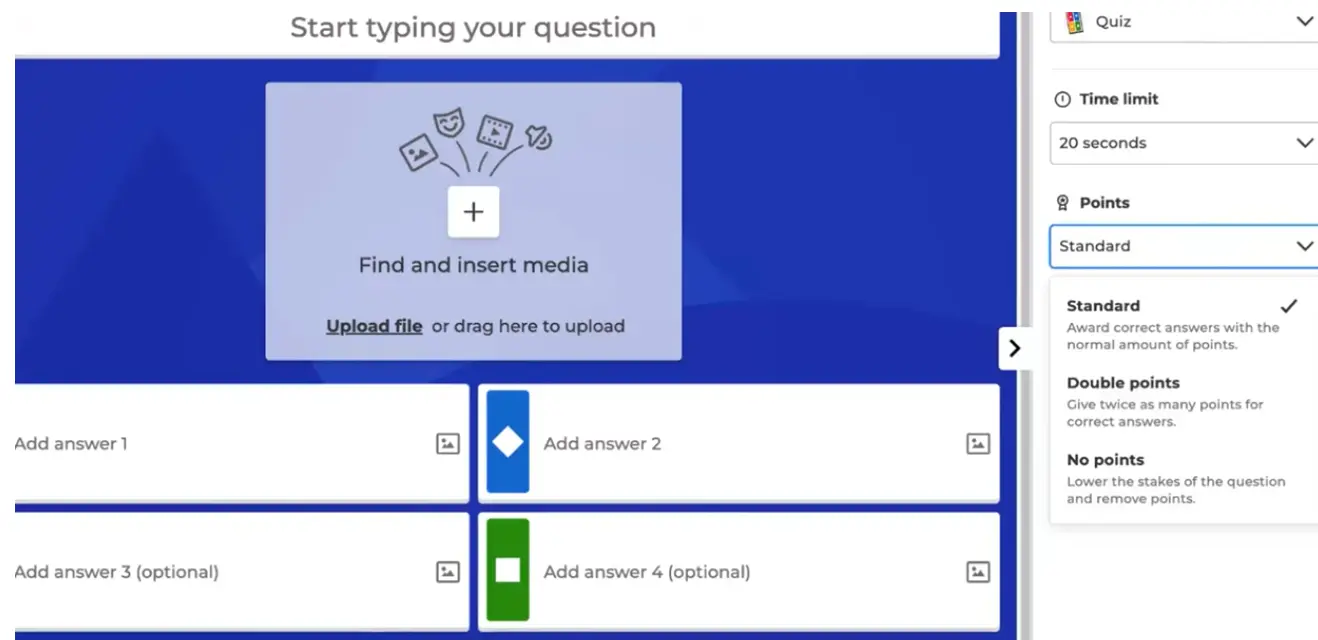
Quiz creators have flexibility in how they assign point values to each question. Here’s a clear breakdown:
| Point Setting | Single-Select Max | Multi-Select Max (per option) | Best Used For |
|---|---|---|---|
| Standard | 1,000 pts | 500 pts | Regular quiz questions |
| Double Points | 2,000 pts | 1,000 pts | High-stakes or bonus questions |
| No Points | 0 pts | 0 pts | Opinion polls, warm-up prompts |
For multi-select questions — where players choose multiple correct answers — points are awarded per correct selection. Miss one option and you lose that slice of points. Select a wrong option? That subtracts from your total for that question. It’s a nuanced scoring method that rewards thoroughness over guessing.
In team mode, scores are averaged across team members, which encourages collaboration rather than individual competition. One teammate’s lightning-fast answer helps balance a slower teammate’s careful reasoning.
How Speed Affects Your Score
Let’s talk honestly about the speed factor, because there are a lot of myths floating around Kahoot communities.
The Real Speed Numbers
According to analysis from OreateAI’s deep dive into Kahoot scoring, the speed drop-off is steep:
- Under 0.5 seconds: Maximum points (essentially perfect score)
- At 1 second: ~950 points
- At 5 seconds: ~300 points
- At 10+ seconds: Points fall sharply
That drop from 950 to 300 points between 1 second and 5 seconds is wild. It means hesitating for just four extra seconds on a question can cost you over 600 points. In a close game, that’s a leaderboard killer.
The Streak Myth
Many players believe that answering multiple questions correctly in a row builds a “streak multiplier.” This is not how Kahoot works. Streaks are tracked and displayed for motivation — but they don’t directly multiply your points. Each question is scored independently based on your response time. Your fifth correct answer in a row earns the same maximum as your first.
Variations by Game Mode
Not all Kahoots are created equal. The scoring behavior changes depending on how the game is set up.
| Mode | Speed Counted? | Timer Active? | Notes |
|---|---|---|---|
| Live Game | Yes | Yes | Speed is a major factor; fast answers win big |
| Assigned (Homework) | Optional | Can be disabled | Equal scoring possible; great for low-pressure review |
| Accuracy-Only Mode | No | Yes (for pacing) | Flat score for correct answers; rewards careful thinking |
| Team Mode | Yes (averaged) | Yes | Team’s speed average determines score |
| Opinion Questions | N/A | N/A | Rarely award points; used for discussion/polling |
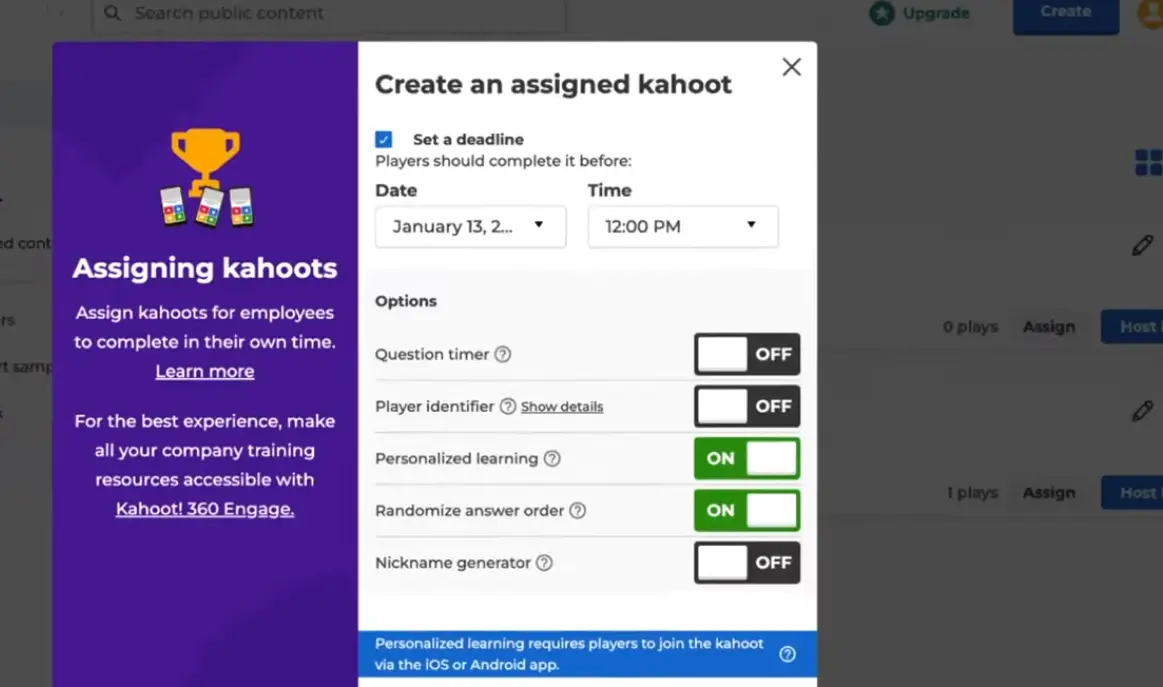
For HR managers running onboarding sessions or trainers facilitating learning reviews, the assigned kahoot with timer disabled is often the better choice. It removes the pressure of speed and focuses purely on whether participants understand the material — which, arguably, is the whole point.
Tips to Maximize Your Kahoot Points
Whether you’re coaching students, preparing teams for a session, or just want to crush the leaderboard yourself — here are proven strategies:
For Players
- Read fast, decide faster. The moment the question appears, start processing. Don’t wait for all answer options to load before reading the question.
- Trust your gut on familiar topics. Hesitation is expensive. If you know it, click it.
- Never time out. A wrong guess (if partial credit isn’t deducted) is better than 0. Know the rules before you guess blindly.
- For multi-select questions, take a breath. Speed matters less when you need to select multiple options correctly — accuracy pays more here.
For Quiz Creators (Teachers, Trainers, HR Managers)
- Use double points sparingly for your hardest or most important questions. It signals weight and amps up engagement.
- Communicate the rules upfront. Tell players whether speed matters, whether they’re in team mode, and how streaks work (or don’t work). Transparency reduces frustration.
- Align timer length with question difficulty. A 10-second timer on a complex scenario question punishes thinking. Use 30–60 seconds for nuanced questions.
- Disable timers on assigned kahoots if your goal is comprehension, not competition.
OnlineExamMaker: An Alternative Assessment Tool with Automatic Grading
Kahoot is brilliant for engagement — but its speed-first model isn’t always ideal for serious assessments. If you’re a teacher running a formal test, a trainer evaluating employee knowledge, or an HR manager measuring compliance understanding, you need a tool built for accurate, fair grading.
That’s where OnlineExamMaker comes in. It’s an AI-powered automatic grading quiz software designed specifically for educators and professionals who need more than a leaderboard.
- ✅ AI auto-grading — handles multiple question types including open-ended answers
- ✅ Flexible scoring rules — set partial credit, negative marking, or flat scoring
- ✅ Detailed analytics — see exactly where learners struggled, not just who finished first
- ✅ Anti-cheating tools — randomized questions, IP tracking, webcam monitoring
- ✅ Professional certificates — automatically issued upon passing
While Kahoot celebrates the fastest clicker, OnlineExamMaker celebrates the deepest thinker. Both have a place — but for formal assessment, OnlineExamMaker is built for the job.
Create Your Next Quiz/Exam Using AI in OnlineExamMaker
Frequently Asked Questions
Does a Kahoot streak multiply your points?
No. Streaks are displayed for motivation but do not multiply points. Each question is scored independently based on accuracy and response time only.
What is the maximum score on a single Kahoot question?
On a standard question, the maximum is 1,000 points. With double points enabled, it’s 2,000 points. Answering under 0.5 seconds gives you the best chance at maximum points.
Can you score zero for a wrong answer?
Yes — wrong answers always give 0 points. There is no negative scoring in standard Kahoot modes. Multi-select questions are the exception, where selecting a wrong option costs you points for that question.
Can teachers turn off speed-based scoring in Kahoot?
Yes. In assigned (homework) mode and in accuracy-only mode, teachers can disable the timer or switch to flat scoring so speed no longer affects the result. This is ideal for summative assessments.
How does team mode scoring work?
In team mode, each team member submits their answer individually, and the team’s score for that question is the average of all member scores. Faster, correct team members boost the overall team score.
