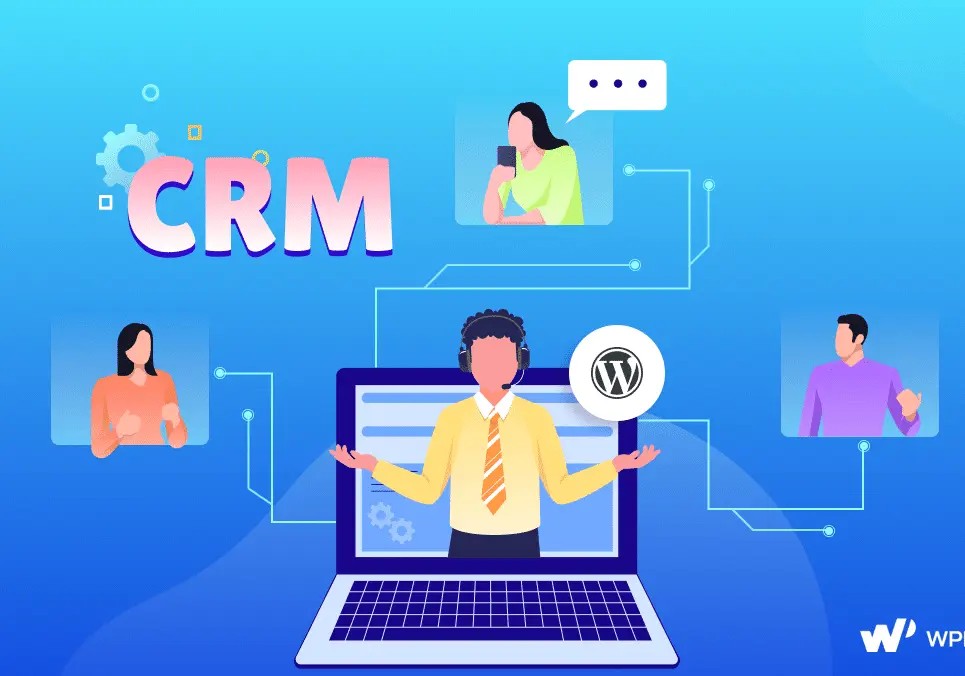
WordPress CRM integration involves connecting Customer Relationship Management (CRM) systems with WordPress websites to streamline customer data management, enhance user interactions, and automate workflows. This setup allows businesses to sync data between their WordPress site (e.g., for e-commerce, blogs, or membership sites) and CRM platforms like Salesforce, HubSpot, or Zoho.
Key Benefits:
– Centralized Data Management: Automatically sync customer details, such as contact information and purchase history, from WordPress forms or plugins to the CRM, reducing manual entry and errors.
– Improved Customer Engagement: Enable personalized content, email campaigns, and lead nurturing by pulling CRM data into WordPress, boosting conversion rates.
– Automation and Efficiency: Trigger actions like updating CRM records when a user submits a form on your site, or vice versa, saving time and resources.
– Enhanced Analytics: Gain insights by combining WordPress site metrics with CRM data, helping track ROI on marketing efforts.
How It Works:
Integration typically uses plugins like WP CRM, Zapier, or official connectors (e.g., Salesforce for WordPress). Here’s a high-level process:
1. Choose a Method: Opt for native API integrations, third-party tools, or plugins that bridge WordPress and your CRM.
2. Set Up Authentication: Use APIs or OAuth to securely link the systems, ensuring data flows bidirectionally.
3. Configure Workflows: Define rules, such as syncing new user registrations or e-commerce orders to the CRM.
4. Test and Monitor: Verify data accuracy and set up error handling to maintain seamless operations.
Common Integration Tools:
– Plugins: WordPress-specific options like HubSpot All-In-One Marketing or Gravity Forms with CRM add-ons.
– No-Code Solutions: Platforms like Zapier or Integromat for easy, code-free connections.
– Custom Development: For advanced needs, use WordPress hooks and CRM APIs with custom coding.
Potential Challenges:
– Data Security: Ensure compliance with regulations like GDPR by implementing secure data transfer protocols.
– Compatibility Issues: Not all CRMs integrate smoothly, so test for conflicts with existing WordPress themes or plugins.
– Cost and Scalability: Initial setup might require investment, and scaling could demand more robust solutions as your site grows.
Overall, WordPress CRM integration empowers businesses to create a unified ecosystem for customer management, driving growth and efficiency in digital operations.
Table of Contents
- Part 1: OnlineExamMaker – Generate and Share WordPress Crm Integration Quiz with AI Automatically
- Part 2: 20 WordPress Crm Integration Quiz Questions & Answers
- Part 3: Automatically Generate Quiz Questions Using AI Question Generator
Part 1: OnlineExamMaker – Generate and Share WordPress Crm Integration Quiz with AI Automatically
OnlineExamMaker is a powerful AI-powered assessment platform to create auto-grading WordPress Crm Integration skills assessments. It’s designed for educators, trainers, businesses, and anyone looking to generate engaging quizzes without spending hours crafting questions manually. The AI Question Generator feature allows you to input a topic or specific details, and it generates a variety of question types automatically.
Top features for assessment organizers:
● Prevent cheating by randomizing questions or changing the order of questions, so learners don’t get the same set of questions each time.
● AI Exam Grader for efficiently grading quizzes and assignments, offering inline comments, automatic scoring, and “fudge points” for manual adjustments.
● Embed quizzes on websites, blogs, or share via email, social media (Facebook, Twitter), or direct links.
● Handles large-scale testing (thousands of exams/semester) without internet dependency, backed by cloud infrastructure.
Automatically generate questions using AI
Part 2: 20 WordPress Crm Integration Quiz Questions & Answers
or
1. What is the primary purpose of integrating a CRM with WordPress?
A. To manage website hosting
B. To track and manage customer interactions and data
C. To design website templates
D. To optimize search engine rankings
Correct Answer: B
Explanation: Integrating a CRM with WordPress allows businesses to centralize customer data, track interactions, and automate processes, improving customer relationship management directly from their website.
2. Which WordPress plugin is commonly used for CRM integration with Salesforce?
A. Yoast SEO
B. WPForms
C. Salesforce WordPress Integration
D. Elementor
Correct Answer: C
Explanation: The Salesforce WordPress Integration plugin specifically connects WordPress to Salesforce, enabling seamless data syncing and lead management between the two platforms.
3. What does API stand for in the context of WordPress CRM integration?
A. Application Programming Interface
B. Advanced Plugin Installation
C. Automated Page Indexing
D. Application Performance Indicator
Correct Answer: A
Explanation: An API (Application Programming Interface) is essential for WordPress CRM integration as it allows different software systems to communicate and exchange data securely.
4. Which of the following is a benefit of integrating HubSpot with WordPress?
A. Faster website loading times
B. Automated email marketing and lead nurturing
C. Enhanced video editing capabilities
D. Improved photo galleries
Correct Answer: B
Explanation: HubSpot integration with WordPress enables automated marketing workflows, such as email campaigns and lead tracking, directly from the website.
5. What is a potential challenge when integrating Zoho CRM with WordPress?
A. High server costs
B. API rate limits and authentication issues
C. Excessive website traffic
D. Limited color options in themes
Correct Answer: B
Explanation: API rate limits and authentication problems can occur during Zoho CRM integration, potentially causing delays or errors in data synchronization.
6. Which WordPress function is often used to send data to a CRM via API?
A. wp_head()
B. wp_remote_post()
C. get_header()
D. the_content()
Correct Answer: B
Explanation: The wp_remote_post() function in WordPress is used to make HTTP POST requests, which is ideal for sending data to a CRM system through its API.
7. What role does OAuth play in WordPress CRM integration?
A. It optimizes website speed
B. It provides secure authorization for API access
C. It designs user interfaces
D. It compresses images
Correct Answer: B
Explanation: OAuth is a protocol that ensures secure access to CRM APIs from WordPress, allowing data exchange without exposing sensitive credentials.
8. Which CRM system is known for its free tier and easy WordPress plugin integration?
A. Oracle CRM
B. HubSpot
C. SAP CRM
D. Microsoft Dynamics
Correct Answer: B
Explanation: HubSpot offers a free tier and dedicated plugins that make it straightforward to integrate with WordPress for marketing and sales tools.
9. How does integrating a CRM with WordPress improve lead generation?
A. By adding more ads to the site
B. By automatically capturing form submissions as leads
C. By increasing page views
D. By changing font styles
Correct Answer: B
Explanation: CRM integration allows WordPress forms to directly feed data into the CRM, automating lead capture and nurturing processes.
10. What is the first step in integrating Pipedrive with WordPress?
A. Install a theme
B. Obtain API keys from Pipedrive
C. Delete old plugins
D. Update WordPress core
Correct Answer: B
Explanation: Securing API keys from Pipedrive is the initial step to establish a secure connection between WordPress and the CRM system.
11. Which type of WordPress hook is useful for triggering CRM actions on form submissions?
A. Action hooks
B. Filter hooks
C. Theme hooks
D. Widget hooks
Correct Answer: A
Explanation: Action hooks in WordPress can be used to execute functions, such as sending data to a CRM, when specific events like form submissions occur.
12. What could cause data syncing issues between WordPress and a CRM?
A. Using too many images on the site
B. Mismatched data formats or fields
C. Excessive commenting
D. Changing the site logo
Correct Answer: B
Explanation: Data syncing problems often arise from mismatched formats or fields between WordPress and the CRM, leading to incomplete or erroneous transfers.
13. Which plugin might be used for integrating SugarCRM with WordPress?
A. Akismet
B. SugarCRM WordPress Connector
C. Jetpack
D. WooCommerce
Correct Answer: B
Explanation: The SugarCRM WordPress Connector plugin facilitates integration by allowing users to sync contacts, leads, and other data between the two systems.
14. Why is real-time data synchronization important in WordPress CRM integration?
A. To reduce website colors
B. To ensure up-to-date customer information for immediate actions
C. To add more pages
D. To change navigation menus
Correct Answer: B
Explanation: Real-time synchronization keeps customer data current, enabling timely responses and decisions in CRM processes linked to WordPress.
15. What is a key consideration when choosing a CRM for WordPress integration?
A. The CRM’s color scheme
B. Compatibility with WordPress plugins and ease of setup
C. The number of blog posts
D. Website font size
Correct Answer: B
Explanation: Ensuring the CRM is compatible with available WordPress plugins and has an easy setup process minimizes integration complexities and errors.
16. How can WordPress users test CRM integration after setup?
A. By submitting a test form and checking CRM records
B. By reloading the homepage
C. By adding widgets
D. By updating the footer
Correct Answer: A
Explanation: Submitting a test form and verifying if the data appears in the CRM confirms that the integration is working correctly.
17. Which CRM feature is enhanced through WordPress integration for e-commerce sites?
A. Product catalog management
B. Automated abandoned cart recovery
C. Social media sharing
D. Custom emojis
Correct Answer: B
Explanation: Integration allows CRMs to trigger automated emails for abandoned carts based on WordPress e-commerce activity, improving sales.
18. What security measure should be implemented during WordPress CRM integration?
A. Disabling all plugins
B. Using HTTPS and encrypting API keys
C. Increasing website brightness
D. Adding more links
Correct Answer: B
Explanation: Implementing HTTPS and encrypting API keys protects sensitive data exchanged between WordPress and the CRM from unauthorized access.
19. Which WordPress page builder might integrate well with CRM forms?
A. Gutenberg
B. Divi
C. Both A and B
D. Neither A nor B
Correct Answer: C
Explanation: Both Gutenberg and Divi support custom blocks and integrations that can embed CRM forms, enhancing user experience and data collection.
20. What is the potential outcome of poor CRM integration with WordPress?
A. Faster site performance
B. Lost leads and inaccurate data
C. More website visitors
D. Better image quality
Correct Answer: B
Explanation: Poor integration can result in lost leads or inaccurate data, as information may not sync properly, affecting business operations.
or
Part 3: Automatically generate quiz questions using OnlineExamMaker AI Question Generator
Automatically generate questions using AI