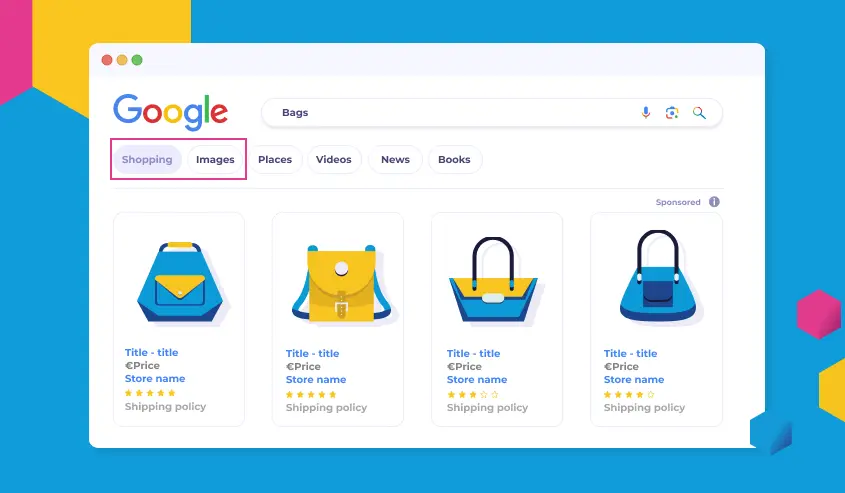
Google Shopping Ads are a powerful advertising format on the Google platform that allows merchants to showcase products directly in search results, helping to drive traffic and sales. These ads feature images, prices, and key details of products, appearing at the top of relevant Google searches.
How They Work:
Merchants upload product data feeds via Google Merchant Center, which includes details like product titles, descriptions, images, and prices. Google then matches these products to user queries and displays them as visually appealing ads. Advertisers bid on keywords, and the ad’s performance is optimized through factors like relevance, quality score, and bid amount.
Key Benefits:
– Increased Visibility: Products appear in prominent positions, often above traditional text ads, capturing user attention quickly.
– Higher Conversion Rates: Visual ads with direct purchase options (like “Buy on Google”) reduce the steps to purchase, leading to better ROI.
– Targeted Reach: Ads can be tailored by location, device, audience demographics, and remarketing, ensuring they reach interested shoppers.
– Performance Insights: Google provides detailed analytics on clicks, impressions, conversions, and ROI, allowing for data-driven optimizations.
Key Features:
– Product Feeds: Easy integration with e-commerce platforms like Shopify or WooCommerce for automated updates.
– Smart Shopping Campaigns: AI-driven campaigns that automatically optimize bids and placements across Google’s network.
– Free Listings: Basic product listings are free, but paid ads boost visibility.
– Merchant Promotions: Run time-sensitive deals to attract bargain hunters.
To get started, set up a Google Merchant Center account and link it to Google Ads for campaign management. Success depends on high-quality product data and ongoing testing of ad strategies.
Table of Contents
- Part 1: OnlineExamMaker AI Quiz Generator – Save Time and Efforts
- Part 2: 20 Google Shopping Ads Quiz Questions & Answers
- Part 3: AI Question Generator – Automatically Create Questions for Your Next Assessment
Part 1: OnlineExamMaker AI Quiz Generator – Save Time and Efforts
Still spend a lot of time in editing questions for your next Google Shopping Ads assessment? OnlineExamMaker is an AI quiz maker that leverages artificial intelligence to help users create quizzes, tests, and assessments quickly and efficiently. You can start by inputting a topic or specific details into the OnlineExamMaker AI Question Generator, and the AI will generate a set of questions almost instantly. It also offers the option to include answer explanations, which can be short or detailed, helping learners understand their mistakes.
What you may like:
● Automatic grading and insightful reports. Real-time results and interactive feedback for quiz-takers.
● The exams are automatically graded with the results instantly, so that teachers can save time and effort in grading.
● LockDown Browser to restrict browser activity during quizzes to prevent students searching answers on search engines or other software.
● OnlineExamMaker API offers private access for developers to extract your exam data back into your system automatically.
Automatically generate questions using AI
Part 2: 20 Google Shopping Ads Quiz Questions & Answers
or
1. Question: What is the primary purpose of Google Shopping Ads?
Options:
A. To display text-based ads on search results.
B. To showcase products with images, prices, and merchant info directly in search results.
C. To promote services like local businesses.
D. To run video ads on YouTube.
Correct Answer: B
Explanation: Google Shopping Ads are designed to visually promote products, helping users see key details like images and prices, which drives traffic and sales for e-commerce sites.
2. Question: How do Google Shopping Ads differ from standard Google Search Ads?
Options:
A. Search Ads use images, while Shopping Ads use text only.
B. Shopping Ads display product listings with visuals, whereas Search Ads are primarily text-based.
C. Both are identical in format and targeting.
D. Shopping Ads are free, while Search Ads require payment.
Correct Answer: B
Explanation: Google Shopping Ads emphasize visual product feeds, making them ideal for e-commerce, unlike standard Search Ads which focus on text and links for broader queries.
3. Question: What file format is commonly used for uploading product data in Google Merchant Center?
Options:
A. PDF files.
B. XML or CSV feeds.
C. JPEG images.
D. Word documents.
Correct Answer: B
Explanation: XML or CSV feeds are standard for product data submission in Google Merchant Center, allowing for easy updates of product details like titles, prices, and images.
4. Question: What is a product feed in the context of Google Shopping Ads?
Options:
A. A list of keywords for bidding.
B. A file containing detailed information about products for ad display.
C. A report on ad performance metrics.
D. A tool for creating ad creatives.
Correct Answer: B
Explanation: A product feed is a data file that provides Google with essential product information, enabling dynamic ad generation based on user searches.
5. Question: Which bidding strategy is most suitable for maximizing conversions in Google Shopping Ads?
Options:
A. Manual CPC bidding.
B. Target ROAS (Return on Ad Spend).
C. Enhanced CPC.
D. Maximize clicks.
Correct Answer: B
Explanation: Target ROAS bidding automatically adjusts bids to achieve a specific return on ad spend, making it ideal for e-commerce campaigns focused on profitable conversions.
6. Question: How can you optimize Google Shopping Ads for better performance?
Options:
A. By ignoring product images.
B. Using negative keywords and improving product titles and descriptions.
C. Reducing the ad budget entirely.
D. Avoiding A/B testing.
Correct Answer: B
Explanation: Optimizing involves refining elements like negative keywords to filter irrelevant traffic and enhancing product data for higher click-through and conversion rates.
7. Question: What role do product images play in Google Shopping Ads?
Options:
A. They are optional and have no impact.
B. High-quality images increase ad visibility and user engagement.
C. Images are only used for text ads.
D. They decrease ad costs.
Correct Answer: B
Explanation: Quality images make ads more appealing, improving click-through rates as users are more likely to engage with visually attractive product listings.
8. Question: What is the main benefit of using promotions in Google Shopping Ads?
Options:
A. They eliminate the need for a product feed.
B. Promotions highlight discounts, increasing conversions and ad performance.
C. They are only for non-e-commerce sites.
D. They reduce the need for bidding.
Correct Answer: B
Explanation: Promotions feature deals like sales or discounts, attracting price-sensitive shoppers and boosting ad relevance, which can lead to higher sales.
9. Question: What is required to set up a Google Merchant Center account?
Options:
A. A personal Gmail account only.
B. Verification of your business and a product feed.
C. No verification, just ad creation.
D. A physical store location.
Correct Answer: B
Explanation: A Google Merchant Center account needs business verification and a product feed to ensure accurate and compliant product listings for Shopping Ads.
10. Question: How does Google attribute sales from Shopping Ads?
Options:
A. Based solely on impressions.
B. Through tracking pixels or codes that monitor user actions post-click.
C. By estimating without any tracking.
D. Only via email notifications.
Correct Answer: B
Explanation: Google uses tracking mechanisms like conversion pixels to accurately attribute sales, helping advertisers measure ROI from Shopping Ad clicks.
11. Question: What key metric should you monitor for Google Shopping campaign success?
Options:
A. Number of likes on ads.
B. Conversion rate and ROAS.
C. Website traffic from organic search.
D. Email open rates.
Correct Answer: B
Explanation: Conversion rate and ROAS indicate how effectively ads drive sales relative to costs, making them essential for evaluating Shopping campaign performance.
12. Question: How should you structure a Google Shopping campaign?
Options:
A. As a single ad group for all products.
B. With multiple ad groups based on product categories or types.
C. Without any ad groups.
D. Focused only on keywords.
Correct Answer: B
Explanation: Structuring campaigns with ad groups by categories allows for targeted bidding and optimization, improving overall ad efficiency.
13. Question: What is the purpose of negative keywords in Google Shopping Ads?
Options:
A. To increase bid amounts.
B. To exclude irrelevant searches and reduce wasted spend.
C. To add more products to the feed.
D. To enhance ad visuals.
Correct Answer: B
Explanation: Negative keywords prevent ads from showing for unrelated queries, helping to focus the budget on high-intent searches and improve ROI.
14. Question: How does automated bidding benefit Google Shopping Ads?
Options:
A. It requires manual adjustments daily.
B. It uses machine learning to optimize bids for conversions in real-time.
C. It eliminates the need for tracking.
D. It only works for small budgets.
Correct Answer: B
Explanation: Automated bidding leverages Google’s algorithms to adjust bids dynamically, maximizing results like conversions without constant manual intervention.
15. Question: What impact do product ratings have on Google Shopping Ads?
Options:
A. They have no effect on ad ranking.
B. Higher ratings can improve ad position and click-through rates.
C. Ratings are not displayed in ads.
D. Only negative ratings matter.
Correct Answer: B
Explanation: Positive product ratings enhance ad relevance and trust, potentially boosting visibility and performance in search results.
16. Question: How should you handle out-of-stock products in a Google Shopping feed?
Options:
A. Leave them in the feed indefinitely.
B. Remove or mark them as unavailable to avoid misleading customers.
C. Increase their bid amounts.
D. Use them for testing only.
Correct Answer: B
Explanation: Marking or removing out-of-stock items prevents ads from appearing for unavailable products, maintaining accuracy and user trust.
17. Question: What are the benefits of Google Shopping Ads for e-commerce businesses?
Options:
A. They are cheaper than social media ads.
B. They drive targeted traffic with visual product displays, increasing sales potential.
C. They require no inventory management.
D. They work without a website.
Correct Answer: B
Explanation: Shopping Ads provide detailed, visual listings that match user intent, helping e-commerce sites attract qualified visitors and boost revenue.
18. Question: How can Google Analytics be integrated with Google Shopping Ads?
Options:
A. By linking accounts to track conversions and user behavior.
B. Through manual data entry.
C. Only for Search Ads, not Shopping.
D. Via social media platforms.
Correct Answer: A
Explanation: Integrating Google Analytics with Shopping Ads allows tracking of post-click actions, providing insights into campaign effectiveness and user journeys.
19. Question: What is a common error when setting up Google Shopping campaigns?
Options:
A. Using accurate product data.
B. Failing to verify the Merchant Center account.
C. Optimizing bids regularly.
D. Targeting the right audience.
Correct Answer: B
Explanation: Not verifying the Merchant Center account can lead to ad disapprovals or delays, as it’s a critical step for compliance and functionality.
20. Question: Why might Google Shopping Ads not appear for certain searches?
Options:
A. Because the product feed is perfect.
B. Due to issues like incorrect targeting, low bids, or policy violations.
C. Ads always appear regardless of setup.
D. Only if the budget is high.
Correct Answer: B
Explanation: Factors such as improper targeting, insufficient bids, or violations of Google’s policies can prevent ads from showing, emphasizing the need for proper setup.
or
Part 3: AI Question Generator – Automatically Create Questions for Your Next Assessment
Automatically generate questions using AI