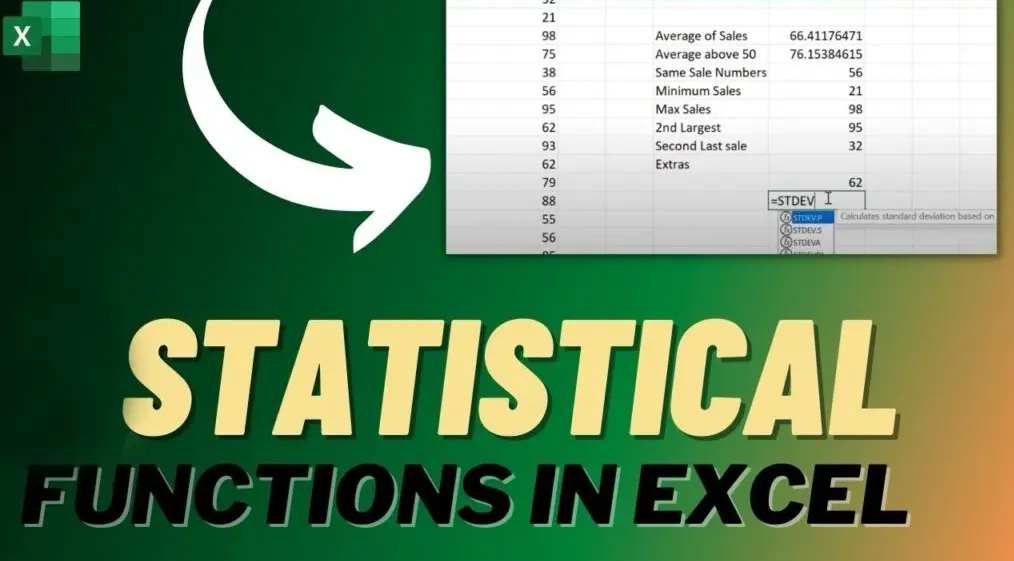
Excel offers a wide range of statistical functions to analyze data, calculate measures of central tendency, dispersion, and more. Below is a categorized overview:
Basic Descriptive Statistics
– AVERAGE: Calculates the arithmetic mean of a range of numbers (e.g., =AVERAGE(A1:A10)).
– MEDIAN: Finds the middle value in a dataset, useful for skewed distributions (e.g., =MEDIAN(A1:A10)).
– MODE: Identifies the most frequently occurring value in a dataset (e.g., =MODE(A1:A10)).
– MIN: Returns the smallest number in a range (e.g., =MIN(A1:A10)).
– MAX: Returns the largest number in a range (e.g., =MAX(A1:A10)).
– COUNT: Counts the number of cells containing numbers in a range (e.g., =COUNT(A1:A10)).
– COUNTA: Counts the number of non-empty cells in a range (e.g., =COUNTA(A1:A10)).
Measures of Dispersion
– STDEV.S: Calculates the standard deviation for a sample (e.g., =STDEV.S(A1:A10)).
– STDEV.P: Calculates the standard deviation for an entire population (e.g., =STDEV.P(A1:A10)).
– VAR.S: Computes the variance for a sample (e.g., =VAR.S(A1:A10)).
– VAR.P: Computes the variance for a population (e.g., =VAR.P(A1:A10)).
Probability and Distribution
– NORM.DIST: Returns the normal distribution probability (e.g., =NORM.DIST(x, mean, standard_dev, cumulative)).
– BINOM.DIST: Calculates the binomial distribution probability (e.g., =BINOM.DIST(successes, trials, probability, cumulative)).
– POISSON.DIST: Computes the Poisson distribution (e.g., =POISSON.DIST(x, mean, cumulative)).
Regression and Correlation
– CORREL: Measures the correlation coefficient between two datasets (e.g., =CORREL(A1:A10, B1:B10)).
– SLOPE: Calculates the slope of the linear regression line (e.g., =SLOPE(y_values, x_values)).
– INTERCEPT: Finds the y-intercept of the linear regression line (e.g., =INTERCEPT(y_values, x_values)).
– RSQ: Returns the R-squared value, indicating the goodness of fit (e.g., =RSQ(y_values, x_values)).
Advanced Functions
– FREQUENCY: Creates a frequency distribution (used with arrays, e.g., =FREQUENCY(data_array, bins_array)).
– RANK.EQ: Ranks a number within a list (e.g., =RANK.EQ(number, ref, order)).
– PERCENTILE.INC: Calculates a percentile including the endpoints (e.g., =PERCENTILE.INC(array, k)).
– LARGE and SMALL: Returns the k-th largest or smallest value in a dataset (e.g., =LARGE(array, k)).
These functions can be combined with other Excel features like charts and pivot tables for deeper analysis. For accurate results, ensure data is clean and appropriately formatted. Excel also provides tools like Data Analysis ToolPak for more comprehensive statistical operations.
Table of Contents
- Part 1: OnlineExamMaker AI Quiz Generator – The Easiest Way to Make Quizzes Online
- Part 2: 20 Excel Statistical Functions Quiz Questions & Answers
- Part 3: OnlineExamMaker AI Question Generator: Generate Questions for Any Topic
Part 1: OnlineExamMaker AI Quiz Generator – The Easiest Way to Make Quizzes Online
Are you looking for an online assessment to test the Excel Statistical Functions skills of your learners? OnlineExamMaker uses artificial intelligence to help quiz organizers to create, manage, and analyze exams or tests automatically. Apart from AI features, OnlineExamMaker advanced security features such as full-screen lockdown browser, online webcam proctoring, and face ID recognition.
Take a product tour of OnlineExamMaker:
● Includes a safe exam browser (lockdown mode), webcam and screen recording, live monitoring, and chat oversight to prevent cheating.
● AI Exam Grader for efficiently grading quizzes and assignments, offering inline comments, automatic scoring, and “fudge points” for manual adjustments.
● Embed quizzes on websites, blogs, or share via email, social media (Facebook, Twitter), or direct links.
● Handles large-scale testing (thousands of exams/semester) without internet dependency, backed by cloud infrastructure.
Automatically generate questions using AI
Part 2: 20 Excel Statistical Functions Quiz Questions & Answers
or
Question 1:
What Excel function calculates the arithmetic mean of a range of numbers?
A) SUM
B) AVERAGE
C) COUNT
D) MAX
Answer: B) AVERAGE
Explanation: The AVERAGE function adds up all the numbers in a range and divides by the count of numbers, giving the mean.
Question 2:
Which function is used to find the median value in a dataset?
A) MODE
B) MEDIAN
C) AVERAGE
D) PERCENTILE
Answer: B) MEDIAN
Explanation: The MEDIAN function returns the middle value in a sorted list of numbers, useful for finding the central tendency in skewed data.
Question 3:
What function counts the number of cells that contain numbers in a range?
A) COUNTA
B) COUNT
C) COUNTIF
D) SUM
Answer: B) COUNT
Explanation: The COUNT function tallies only numeric values in a specified range, ignoring text and blank cells.
Question 4:
Which function calculates the standard deviation for an entire population?
A) STDEV.S
B) STDEV.P
C) VAR.S
D) VAR.P
Answer: B) STDEV.P
Explanation: STDEV.P measures the standard deviation based on the entire population, using the formula that divides by the number of data points.
Question 5:
What function is used to add up a range of cells?
A) AVERAGE
B) SUM
C) TOTAL
D) ADD
Answer: B) SUM
Explanation: The SUM function adds all the numbers in a specified range, making it essential for basic arithmetic totals.
Question 6:
Which function returns the most frequently occurring value in a dataset?
A) MEDIAN
B) MODE
C) AVERAGE
D) FREQUENCY
Answer: B) MODE
Explanation: The MODE function identifies the value that appears most often in a range, helping to detect the peak in data distribution.
Question 7:
What Excel function counts the number of non-empty cells in a range?
A) COUNT
B) COUNTA
C) COUNTBLANK
D) COUNTIF
Answer: B) COUNTA
Explanation: COUNTA counts all cells in a range that are not empty, including numbers, text, or errors.
Question 8:
Which function calculates the variance for a sample of data?
A) VAR.P
B) VAR.S
C) STDEV.P
D) STDEV.S
Answer: B) VAR.S
Explanation: VAR.S computes the variance for a sample by dividing by (n-1), providing an unbiased estimator of the population variance.
Question 9:
What function is used to find the largest value in a range?
A) MIN
B) MAX
C) AVERAGE
D) SUM
Answer: B) MAX
Explanation: The MAX function returns the largest number in a given range, useful for identifying peaks in datasets.
Question 10:
Which function calculates the correlation coefficient between two datasets?
A) SLOPE
B) CORREL
C) INTERCEPT
D) COVAR
Answer: B) CORREL
Explanation: The CORREL function measures the strength and direction of the linear relationship between two variables, returning a value between -1 and 1.
Question 11:
What function returns the smallest value in a range?
A) MAX
B) MIN
C) AVERAGE
D) SUM
Answer: B) MIN
Explanation: The MIN function identifies the smallest number in a specified range, helping to find the lowest point in data.
Question 12:
Which function is used to calculate the slope of a linear regression line?
A) INTERCEPT
B) SLOPE
C) FORECAST
D) CORREL
Answer: B) SLOPE
Explanation: The SLOPE function computes the slope of the line of best fit for two arrays of data, indicating the rate of change.
Question 13:
What function counts cells that meet a specific condition?
A) COUNT
B) COUNTA
C) COUNTIF
D) SUMIF
Answer: C) COUNTIF
Explanation: COUNTIF counts the number of cells in a range that satisfy a given criterion, such as values greater than a certain number.
Question 14:
Which function calculates the y-intercept of a linear regression line?
A) SLOPE
B) INTERCEPT
C) FORECAST
D) CORREL
Answer: B) INTERCEPT
Explanation: The INTERCEPT function determines the point where the regression line crosses the y-axis, based on two sets of data.
Question 15:
What function predicts a future value based on existing values?
A) FORECAST
B) TREND
C) LINEST
D) GROWTH
Answer: A) FORECAST
Explanation: The FORECAST function uses linear regression to predict a value along a line of best fit, based on historical data.
Question 16:
Which function returns the k-th percentile of values in a range?
A) QUARTILE
B) PERCENTILE
C) MEDIAN
D) RANK
Answer: B) PERCENTILE
Explanation: The PERCENTILE function calculates the value below which a given percentage of observations in a dataset falls.
Question 17:
What function sums cells that meet a specific condition?
A) SUM
B) SUMIF
C) COUNTIF
D) AVERAGEIF
Answer: B) SUMIF
Explanation: SUMIF adds the values in a range that meet a specified criterion, allowing for conditional summing.
Question 18:
Which function calculates the variance for an entire population?
A) VAR.S
B) VAR.P
C) STDEV.S
D) STDEV.P
Answer: B) VAR.P
Explanation: VAR.P calculates the variance for the entire population by dividing by the number of data points.
Question 19:
What function is used to rank a number within a list?
A) RANK
B) SORT
C) ORDER
D) POSITION
Answer: A) RANK
Explanation: The RANK function returns the rank of a number in a list of numbers, either in ascending or descending order.
Question 20:
Which function calculates the standard deviation for a sample?
A) STDEV.P
B) STDEV.S
C) VAR.P
D) VAR.S
Answer: B) STDEV.S
Explanation: STDEV.S computes the standard deviation for a sample, using (n-1) in the denominator for an unbiased estimate.
or
Part 3: OnlineExamMaker AI Question Generator: Generate Questions for Any Topic
Automatically generate questions using AI