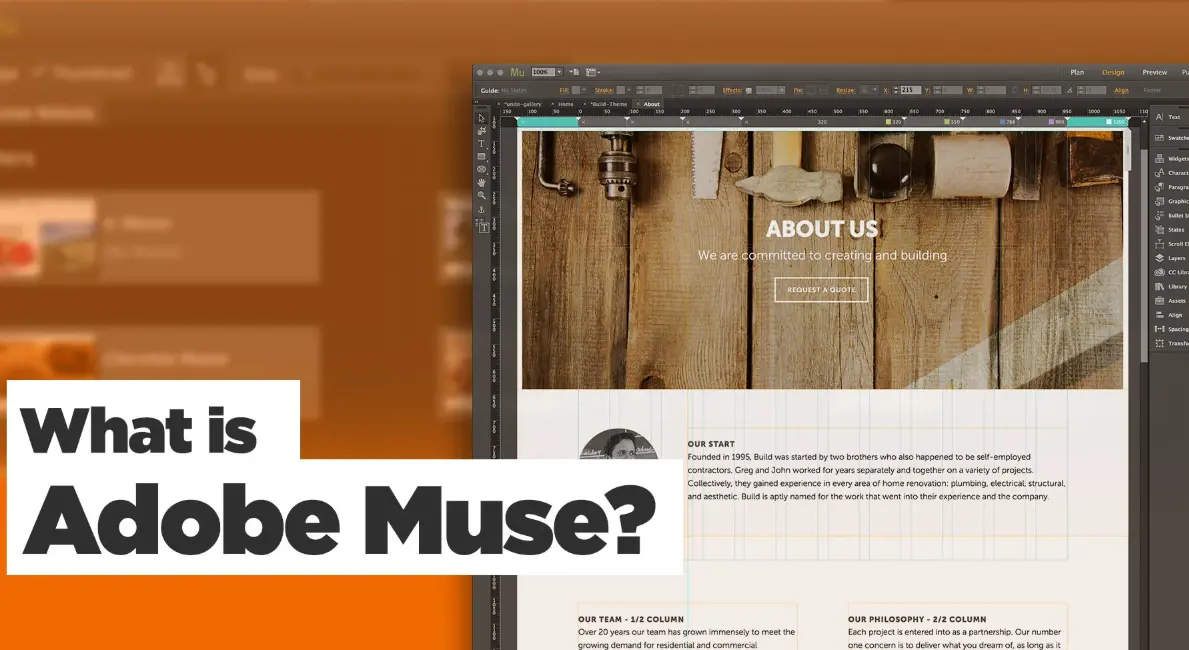
Adobe Muse is a user-friendly web design software developed by Adobe Systems, allowing designers to create and publish responsive websites without writing code. With its intuitive drag-and-drop interface, users can build professional-grade sites, incorporating elements like layouts, images, fonts, and interactive features. Integrated with Adobe Creative Cloud, it seamlessly imports assets from tools like Photoshop and Illustrator, making it ideal for visual designers. Although discontinued in 2020, Adobe Muse remains a valuable tool for archived projects and learning basic web design principles.
Table of Contents
- Part 1: OnlineExamMaker – Generate and Share Adobe Muse Quiz with AI Automatically
- Part 2: 20 Adobe Muse Quiz Questions & Answers
- Part 3: Try OnlineExamMaker AI Question Generator to Create Quiz Questions
Part 1: OnlineExamMaker – Generate and Share Adobe Muse Quiz with AI Automatically
OnlineExamMaker is a powerful AI-powered assessment platform to create auto-grading Adobe Muse skills assessments. It’s designed for educators, trainers, businesses, and anyone looking to generate engaging quizzes without spending hours crafting questions manually. The AI Question Generator feature allows you to input a topic or specific details, and it generates a variety of question types automatically.
Top features for assessment organizers:
● Prevent cheating by randomizing questions or changing the order of questions, so learners don’t get the same set of questions each time.
● AI Exam Grader for efficiently grading quizzes and assignments, offering inline comments, automatic scoring, and “fudge points” for manual adjustments.
● Embed quizzes on websites, blogs, or share via email, social media (Facebook, Twitter), or direct links.
● Handles large-scale testing (thousands of exams/semester) without internet dependency, backed by cloud infrastructure.
Automatically generate questions using AI
Part 2: 20 Adobe Muse Quiz Questions & Answers
or
1. Question: What is the primary purpose of Adobe Muse?
A) Video editing
B) Web design and prototyping
C) Image retouching
D) Audio production
Answer: B) Web design and prototyping
Explanation: Adobe Muse is a tool specifically designed for creating responsive websites without coding, focusing on drag-and-drop interfaces for design and prototyping.
2. Question: Which Adobe software is Adobe Muse most similar to in terms of user interface?
A) Adobe Photoshop
B) Adobe Illustrator
C) Adobe InDesign
D) Adobe Premiere Pro
Answer: C) Adobe InDesign
Explanation: Adobe Muse shares a layout-based interface similar to Adobe InDesign, allowing users to design pages with precision using grids and guides.
3. Question: Can Adobe Muse generate responsive websites?
A) No, only static sites
B) Yes, with built-in adaptive features
C) Only with third-party plugins
D) Yes, but only for mobile devices
Answer: B) Yes, with built-in adaptive features
Explanation: Adobe Muse includes features for creating responsive designs that automatically adjust to different screen sizes and devices.
4. Question: What type of files can Adobe Muse export for web publishing?
A) Only HTML files
B) HTML, CSS, and JavaScript files
C) PDF documents
D) Video formats
Answer: B) HTML, CSS, and JavaScript files
Explanation: Adobe Muse exports websites as a complete package including HTML for structure, CSS for styling, and JavaScript for interactivity.
5. Question: Which element in Adobe Muse allows users to add interactive features like slideshows?
A) Text boxes
B) Widgets
C) Shapes
D) Masters
Answer: B) Widgets
Explanation: Widgets in Adobe Muse are pre-built components that enable interactivity, such as slideshows, forms, and menus, without requiring custom code.
6. Question: Is Adobe Muse suitable for e-commerce website development?
A) Yes, with full integration
B) No, it lacks shopping cart features
C) Only for basic product pages
D) Yes, but requires external plugins
Answer: B) No, it lacks shopping cart features
Explanation: Adobe Muse is designed for basic website creation and does not include built-in e-commerce tools like shopping carts, making it unsuitable for full e-commerce sites.
7. Question: What is a “Master Page” in Adobe Muse?
A) A template for individual pages
B) A background image
C) A color palette
D) A font library
Answer: A) A template for individual pages
Explanation: Master Pages in Adobe Muse act as reusable templates that apply consistent elements, like headers and footers, across multiple pages.
8. Question: Can Adobe Muse import assets from Adobe Photoshop?
A) No, only from Illustrator
B) Yes, via linked files
C) Only as raster images
D) Yes, but with limited editing
Answer: B) Yes, via linked files
Explanation: Adobe Muse allows users to import and link assets from Adobe Photoshop, maintaining edits if the original file is updated.
9. Question: Which feature in Adobe Muse helps with site navigation?
A) Layers panel
B) Menu widget
C) Color themes
D) Export options
Answer: B) Menu widget
Answer: B) Menu widget
Explanation: The Menu widget in Adobe Muse enables the creation of dynamic navigation menus that update automatically as pages are added or removed.
10. Question: Why was Adobe Muse discontinued?
A) Lack of users
B) Replaced by Adobe XD
C) Technical issues
D) High development costs
Answer: B) Replaced by Adobe XD
Explanation: Adobe Muse was discontinued in 2020 as Adobe shifted focus to more versatile tools like Adobe XD for web and UI/UX design.
11. Question: What is the default file extension for Adobe Muse projects?
A) .muse
B) .html
C) .psd
D) .xd
Answer: A) .muse
Explanation: Adobe Muse projects are saved with the .muse file extension, which contains all design elements and settings.
12. Question: Does Adobe Muse support custom fonts?
A) No, only system fonts
B) Yes, via web fonts integration
C) Only Adobe fonts
D) Yes, but limited to 10 fonts
Answer: B) Yes, via web fonts integration
Explanation: Adobe Muse allows users to integrate custom web fonts from services like Adobe Fonts or Google Fonts for enhanced typography.
13. Question: Which panel in Adobe Muse is used for managing assets?
A) Assets panel
B) Layers panel
C) Properties panel
D) Plan view
Answer: A) Assets panel
Explanation: The Assets panel in Adobe Muse organizes and manages imported files like images and videos for easy access and organization.
14. Question: Can Adobe Muse create parallax scrolling effects?
A) No, it requires code
B) Yes, using scroll effects
C) Only in exported sites
D) Yes, but only for mobile
Answer: B) Yes, using scroll effects
Explanation: Adobe Muse includes built-in scroll effects that allow for parallax scrolling and other animations without manual coding.
15. Question: What is the role of the “Plan View” in Adobe Muse?
A) To edit page content
B) To visualize site structure
C) To apply color schemes
D) To add widgets
Answer: B) To visualize site structure
Explanation: The Plan View in Adobe Muse provides a sitemap-like overview, helping users plan and organize the hierarchy of pages.
16. Question: Does Adobe Muse require knowledge of HTML and CSS?
A) Yes, for all features
B) No, it’s code-free
C) Only for advanced effects
D) Yes, for publishing
Answer: B) No, it’s code-free
Explanation: Adobe Muse is designed as a code-free tool, allowing users to build websites using a visual interface without writing HTML or CSS.
17. Question: Which Adobe Muse feature allows for mobile-specific designs?
A) Responsive breakpoints
B) Desktop mode only
C) Export settings
D) Widget library
Answer: A) Responsive breakpoints
Explanation: Responsive breakpoints in Adobe Muse enable designers to create layouts that adapt specifically to mobile devices by setting different views.
18. Question: Can Adobe Muse integrate with Adobe Analytics?
A) No, it’s not compatible
B) Yes, for tracking site performance
C) Only through third-party tools
D) Yes, but limited to basic metrics
Answer: B) Yes, for tracking site performance
Explanation: Adobe Muse supports integration with Adobe Analytics to monitor website traffic and user behavior after publishing.
19. Question: What happens when you update a linked asset in Adobe Muse?
A) It doesn’t change
B) The site automatically updates
C) You must re-import it
D) Only the preview updates
Answer: B) The site automatically updates
Explanation: Linked assets in Adobe Muse update automatically across the project if the original file is modified, ensuring consistency.
20. Question: Is Adobe Muse still available for download?
A) Yes, from the Adobe website
B) No, it was discontinued
C) Only for Creative Cloud subscribers
D) Yes, as a free tool
Answer: B) No, it was discontinued
Explanation: Adobe Muse was officially discontinued in 2020, and it is no longer available for download or support from Adobe.
or
Part 3: Try OnlineExamMaker AI Question Generator to Create Quiz Questions
Automatically generate questions using AI