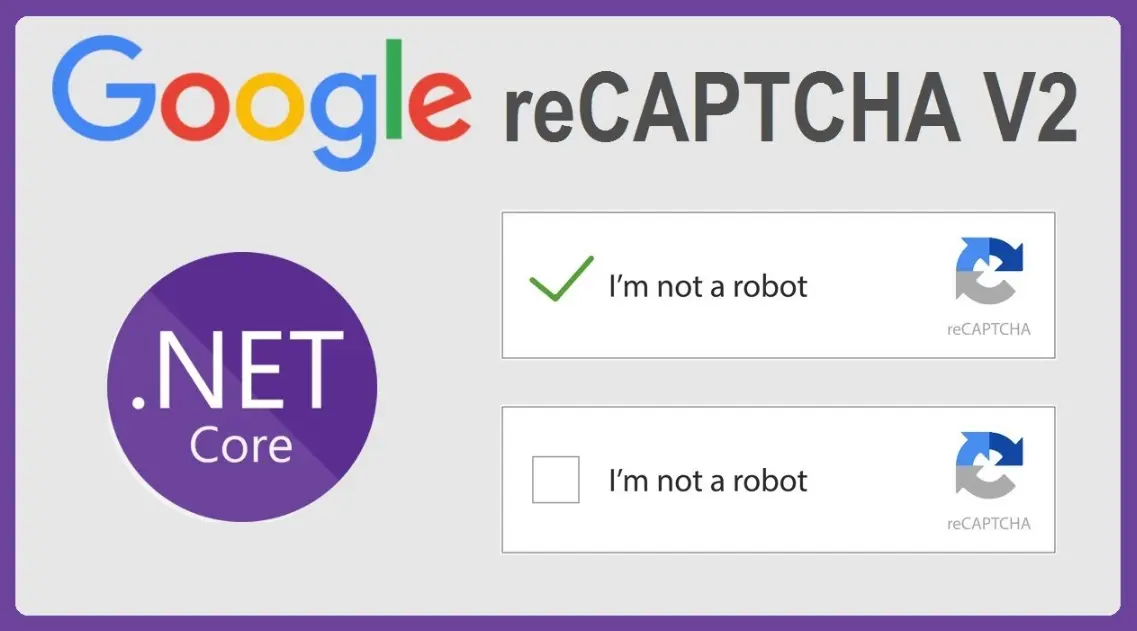
Google reCAPTCHA is a free service developed by Google to protect websites from spam, bots, and abusive activities. It uses advanced risk analysis, machine learning, and user interaction challenges—such as selecting images or solving puzzles—to distinguish human users from automated programs. Available in versions like reCAPTCHA v2 (with checkboxes or image selection) and v3 (an invisible, score-based system), it enhances security while maintaining a seamless experience for legitimate visitors, ultimately safeguarding online forms, logins, and content submissions.
Table of Contents
- Part 1: Best AI Quiz Making Software for Creating A Google Recaptcha Quiz
- Part 2: 20 Google Recaptcha Quiz Questions & Answers
- Part 3: Automatically Generate Quiz Questions Using AI Question Generator
Part 1: Best AI Quiz Making Software for Creating A Google Recaptcha Quiz
Nowadays more and more people create Google Recaptcha quizzes using AI technologies, OnlineExamMaker a powerful AI-based quiz making tool that can save you time and efforts. The software makes it simple to design and launch interactive quizzes, assessments, and surveys. With the Question Editor, you can create multiple-choice, open-ended, matching, sequencing and many other types of questions for your tests, exams and inventories. You are allowed to enhance quizzes with multimedia elements like images, audio, and video to make them more interactive and visually appealing.
Take a product tour of OnlineExamMaker:
● Create a question pool through the question bank and specify how many questions you want to be randomly selected among these questions.
● Build and store questions in a centralized portal, tagged by categories and keywords for easy reuse and organization.
● Simply copy a few lines of codes, and add them to a web page, you can present your online quiz in your website, blog, or landing page.
● Randomize questions or change the order of questions to ensure exam takers don’t get the same set of questions each time.
Automatically generate questions using AI
Part 2: 20 Google Recaptcha Quiz Questions & Answers
or
1. Question: What is the primary purpose of Google reCAPTCHA?
Options:
a) To encrypt user data
b) To distinguish humans from bots
c) To track user locations
d) To speed up website loading
Answer: b
Explanation: Google reCAPTCHA is designed to protect websites from spam and abuse by verifying that the user is a human, not an automated bot.
2. Question: Which version of reCAPTCHA uses a “I’m not a robot” checkbox?
Options:
a) reCAPTCHA v1
b) reCAPTCHA v2
c) reCAPTCHA v3
d) reCAPTCHA v4
Answer: b
Explanation: reCAPTCHA v2 often includes a simple checkbox for users to confirm they are human, sometimes followed by additional challenges.
3. Question: What type of challenge might reCAPTCHA v2 present if the checkbox is not sufficient?
Options:
a) Solving a math equation
b) Identifying objects in images
c) Writing a short essay
d) Answering personal questions
Answer: b
Explanation: reCAPTCHA v2 may require users to select images that match a description, such as identifying traffic lights, to verify humanity.
4. Question: How does reCAPTCHA v3 differ from v2?
Options:
a) It requires image selection
b) It uses a risk-based scoring system without user interaction
c) It only works on mobile devices
d) It involves audio challenges
Answer: b
Explanation: reCAPTCHA v3 runs in the background, assigning a score based on user behavior to determine if they are human, rather than interrupting with challenges.
5. Question: What is the main benefit of reCAPTCHA for website owners?
Options:
a) Increased advertising revenue
b) Reduced spam and bot attacks
c) Faster page rendering
d) User data collection
Answer: b
Explanation: reCAPTCHA helps website owners by blocking automated bots that could submit spam forms or perform malicious activities.
6. Question: Which company developed reCAPTCHA?
Options:
a) Microsoft
b) Google
c) Apple
d) Amazon
Answer: b
Explanation: reCAPTCHA was originally developed by researchers at Carnegie Mellon University and later acquired by Google.
7. Question: In reCAPTCHA v2, what does the “invisible” mode do?
Options:
a) Makes the challenge visible only on mobile
b) Runs challenges in the background without interrupting the user
c) Requires users to solve puzzles out loud
d) Displays challenges only for registered users
Answer: b
Explanation: Invisible reCAPTCHA v2 handles verification behind the scenes, only showing a challenge if it suspects bot activity.
8. Question: What data does reCAPTCHA v3 analyze to score users?
Options:
a) Only IP addresses
b) User behavior and interaction patterns
c) Credit card information
d) Social media profiles
Answer: b
Explanation: reCAPTCHA v3 evaluates factors like mouse movements and typing speed to generate a risk score for each interaction.
9. Question: Why was reCAPTCHA initially created?
Options:
a) To digitize books
b) To monitor internet traffic
c) To create user profiles
d) To enhance email security
Answer: a
Explanation: The original reCAPTCHA used distorted text from books and newspapers to verify users while simultaneously helping digitize printed materials.
10. Question: What is a common audio challenge in reCAPTCHA?
Options:
a) Listening to and typing numbers
b) Singing a song
c) Recording a voice message
d) Playing a game
Answer: a
Explanation: Audio challenges in reCAPTCHA involve listening to a series of numbers or words and entering them correctly as an alternative for visually impaired users.
11. Question: Which reCAPTCHA version is score-based and doesn’t require user input?
Options:
a) reCAPTCHA v1
b) reCAPTCHA v2
c) reCAPTCHA v3
d) None of the above
Answer: c
Explanation: reCAPTCHA v3 provides a score from 0.0 to 1.0 based on risk assessment, allowing websites to decide actions without direct user challenges.
12. Question: How does reCAPTCHA help improve AI?
Options:
a) By training machine learning models
b) By collecting user emails
c) By analyzing website code
d) By tracking browser history
Answer: a
Explanation: Data from reCAPTCHA challenges, like image labeling, is used to train Google’s AI systems for better object recognition.
13. Question: What is the default threshold score in reCAPTCHA v3 for considering a user as human?
Options:
a) 0.5
b) 0.3
c) 1.0
d) It varies by website
Answer: d
Explanation: Websites can set their own threshold scores in reCAPTCHA v3, but Google recommends values based on specific needs, often around 0.5.
14. Question: In which year was reCAPTCHA acquired by Google?
Options:
a) 2007
b) 2009
c) 2012
d) 2015
Answer: b
Explanation: Google acquired reCAPTCHA in 2009, integrating it into their services for broader use.
15. Question: What accessibility feature does reCAPTCHA offer?
Options:
a) Audio challenges for the visually impaired
b) Text-only mode
c) Sign language videos
d) Braille input
Answer: a
Explanation: reCAPTCHA provides audio alternatives to ensure that visually impaired users can complete the verification process.
16. Question: Which reCAPTCHA type is most commonly used for forms on websites?
Options:
a) reCAPTCHA v1
b) reCAPTCHA v2
c) reCAPTCHA v3
d) Custom reCAPTCHA
Answer: b
Explanation: reCAPTCHA v2 is widely used for forms because it balances security with user-friendly interactions like the checkbox.
17. Question: What happens if a user fails a reCAPTCHA challenge?
Options:
a) They are banned from the website
b) They may be asked to try again or provide additional verification
c) Their data is deleted
d) Nothing, as it’s optional
Answer: b
Explanation: Failing a challenge typically results in another attempt or escalation to a more difficult verification to confirm the user’s humanity.
18. Question: How does reCAPTCHA v3 integrate with websites?
Options:
a) Via a visible button
b) Through API keys and JavaScript
c) By email verification
d) Using pop-up windows
Answer: b
Explanation: reCAPTCHA v3 is integrated using Google’s API keys and embedded JavaScript, allowing seamless background checks.
19. Question: What is the role of cookies in reCAPTCHA?
Options:
a) To store user passwords
b) To track session behavior for verification
c) To display advertisements
d) To block other websites
Answer: b
Explanation: Cookies help reCAPTCHA monitor user sessions and behavior patterns to improve accuracy in distinguishing humans from bots.
20. Question: Why might a website use reCAPTCHA v2 instead of v3?
Options:
a) For better mobile compatibility
b) To require explicit user interaction for higher security
c) Because it’s free
d) To reduce server load
Answer: b
Explanation: reCAPTCHA v2 provides interactive challenges, which some websites prefer for scenarios needing stronger, immediate verification.
or
Part 3: Automatically generate quiz questions using OnlineExamMaker AI Question Generator
Automatically generate questions using AI