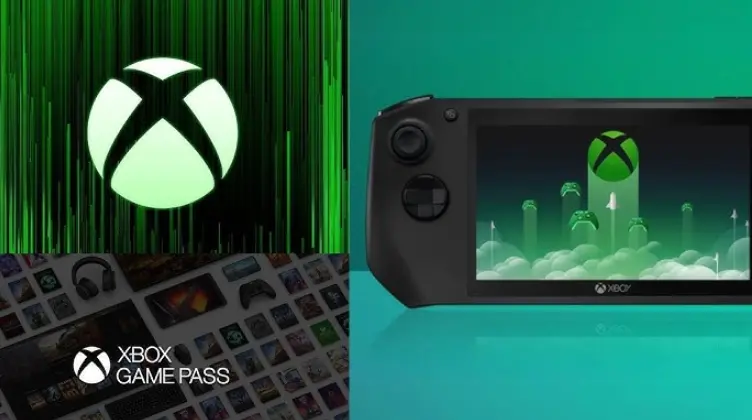
Xbox OS is the proprietary operating system developed by Microsoft to power its Xbox gaming consoles, including the Xbox One, Xbox Series X, and Xbox Series S. Built on a customized version of the Windows kernel, it combines gaming-focused features with robust multimedia capabilities.
Key Features:
– User Interface: The dashboard provides a seamless, intuitive experience with the Xbox Guide, allowing quick access to games, apps, friends, and settings. It supports voice commands via Cortana and Kinect integration for hands-free navigation.
– Gaming Performance: Optimized for high-performance gaming, Xbox OS leverages DirectX for advanced graphics rendering, ray tracing, and variable rate shading. It includes backward compatibility, enabling players to access titles from previous generations.
– Multimedia Integration: Beyond gaming, it supports streaming services like Netflix, Disney+, and Spotify, as well as 4K video playback and HDR content. The system integrates with Xbox Game Pass, offering a vast library of games on demand.
– Security and Updates: Xbox OS employs robust security measures, including mandatory updates to protect against vulnerabilities. It features dynamic background downloads and quick resume functionality for seamless gameplay.
History and Evolution:
Introduced with the original Xbox in 2001, the OS has evolved significantly. The Xbox 360 (2005) added online multiplayer via Xbox Live, while the Xbox One (2013) introduced app ecosystems and media sharing. The latest iterations, Xbox Series X/S (2020), focus on speed with SSD storage, Quick Resume, and enhanced backward compatibility.
Technical Architecture:
Based on Windows NT, Xbox OS is tailored for console hardware, prioritizing low latency and resource efficiency. It runs a stripped-down version of Windows, excluding unnecessary desktop features to ensure smooth real-time processing for games.
Unique Aspects:
Unlike traditional PC operating systems, Xbox OS emphasizes a closed ecosystem for reliability and security in gaming. It supports cross-play with PC and mobile devices, fostering a unified gaming community. Future developments aim to integrate more AI-driven features for personalized experiences.
This overview highlights Xbox OS as a cornerstone of modern console gaming, blending entertainment, performance, and connectivity.
Table of Contents
- Part 1: OnlineExamMaker AI Quiz Generator – Save Time and Efforts
- Part 2: 20 Xbox OS Quiz Questions & Answers
- Part 3: OnlineExamMaker AI Question Generator: Generate Questions for Any Topic
Part 1: OnlineExamMaker AI Quiz Generator – Save Time and Efforts
Still spend a lot of time in editing questions for your next Xbox OS assessment? OnlineExamMaker is an AI quiz maker that leverages artificial intelligence to help users create quizzes, tests, and assessments quickly and efficiently. You can start by inputting a topic or specific details into the OnlineExamMaker AI Question Generator, and the AI will generate a set of questions almost instantly. It also offers the option to include answer explanations, which can be short or detailed, helping learners understand their mistakes.
What you may like:
● Automatic grading and insightful reports. Real-time results and interactive feedback for quiz-takers.
● The exams are automatically graded with the results instantly, so that teachers can save time and effort in grading.
● LockDown Browser to restrict browser activity during quizzes to prevent students searching answers on search engines or other software.
● OnlineExamMaker API offers private access for developers to extract your exam data back into your system automatically.
Automatically generate questions using AI
Part 2: 20 Xbox OS Quiz Questions & Answers
or
1. Question: What is the primary operating system used by Xbox consoles?
Options:
A) Android
B) iOS
C) Xbox OS
D) PlayStation OS
Correct Answer: C) Xbox OS
Explanation: Xbox OS is a customized version of the Windows operating system designed specifically for Xbox hardware, enabling gaming and multimedia features.
2. Question: When was the Xbox One console, which uses Xbox OS, first released?
Options:
A) 2005
B) 2010
C) 2013
D) 2017
Correct Answer: C) 2013
Explanation: The Xbox One was released in 2013, introducing a more advanced Xbox OS with enhanced multimedia and app integration compared to previous generations.
3. Question: What key feature allows Xbox OS to run games from older Xbox consoles?
Options:
A) Forward compatibility
B) Backward compatibility
C) Cloud streaming
D) Hardware emulation
Correct Answer: B) Backward compatibility
Explanation: Backward compatibility in Xbox OS enables users to play select games from Xbox 360 and original Xbox on newer consoles by emulating the necessary hardware and software.
4. Question: How is Xbox OS related to Microsoft’s Windows operating system?
Options:
A) It is a completely separate system
B) It is based on Windows NT kernel
C) It uses Linux as its base
D) It is identical to Windows 10
Correct Answer: B) It is based on Windows NT kernel
Explanation: Xbox OS is built on the Windows NT kernel, sharing core elements with Windows for stability, while being optimized for gaming and console-specific functions.
5. Question: What does the Xbox Guide button primarily access on Xbox OS?
Options:
A) Settings menu
B) Quick menu for apps and friends
C) Game library
D) Web browser
Correct Answer: B) Quick menu for apps and friends
Explanation: The Xbox Guide button opens a quick menu in Xbox OS that provides access to friends lists, notifications, and app switching, enhancing user navigation.
6. Question: Which service is integrated into Xbox OS for online multiplayer gaming?
Options:
A) PlayStation Network
B) Xbox Live
C) Steam
D) Nintendo Switch Online
Correct Answer: B) Xbox Live
Explanation: Xbox Live is the online service built into Xbox OS that allows users to play multiplayer games, chat, and access downloadable content.
7. Question: How can users update Xbox OS on their console?
Options:
A) Through a physical disc
B) Automatically via internet or manual download
C) By resetting the console
D) Via USB drive only
Correct Answer: B) Automatically via internet or manual download
Explanation: Xbox OS updates are typically delivered automatically over the internet or can be manually initiated through the settings menu to improve performance and security.
8. Question: What is the main user interface element in Xbox OS?
Options:
A) Desktop mode
B) Dashboard
C) Command line
D) App drawer
Correct Answer: B) Dashboard
Explanation: The Dashboard in Xbox OS serves as the home screen, allowing users to access games, apps, settings, and friends in a streamlined, tile-based interface.
9. Question: Which Xbox console introduced significant updates to Xbox OS for faster load times?
Options:
A) Xbox 360
B) Xbox One
C) Xbox Series X
D) Original Xbox
Correct Answer: C) Xbox Series X
Explanation: The Xbox Series X brought updates to Xbox OS, including a custom SSD for quicker load times and features like Quick Resume for seamless game switching.
10. Question: What security feature in Xbox OS helps protect user accounts?
Options:
A) Two-factor authentication
B) Guest mode only
C) No security features
D) Biometric login
Correct Answer: A) Two-factor authentication
Explanation: Two-factor authentication in Xbox OS adds an extra layer of security by requiring a second verification method, such as a code sent to a phone, to prevent unauthorized access.
11. Question: How does Xbox OS manage storage for games and apps?
Options:
A) External hard drives only
B) Internal storage and external expansion
C) Cloud storage exclusively
D) USB flash drives only
Correct Answer: B) Internal storage and external expansion
Explanation: Xbox OS allows users to manage storage using the console’s internal SSD or HDD, as well as external drives, to install and run games efficiently.
12. Question: Which Microsoft service is deeply integrated with Xbox OS for productivity?
Options:
A) Google Drive
B) Microsoft Office
C) iCloud
D) Dropbox
Correct Answer: B) Microsoft Office
Explanation: Microsoft Office apps, like Word and Excel, are integrated into Xbox OS, allowing users to perform productivity tasks directly on the console.
13. Question: What feature in Xbox OS enables switching between games without closing them?
Options:
A) Quick Resume
B) Fast Boot
C) Game Pause
D) Suspend Mode
Correct Answer: A) Quick Resume
Explanation: Quick Resume in Xbox OS lets users switch between games almost instantly by suspending and resuming sessions, reducing load times.
14. Question: Which accessibility option is available in Xbox OS for users with disabilities?
Options:
A) High contrast mode
B) Only audio descriptions
C) No options available
D) Virtual reality support
Correct Answer: A) High contrast mode
Explanation: High contrast mode in Xbox OS improves visibility for users with visual impairments by enhancing color and text contrast on the interface.
15. Question: How can users control Xbox OS using voice commands?
Options:
A) Through Kinect sensor
B) Only with a controller
C) Via external microphone
D) Not supported
Correct Answer: A) Through Kinect sensor
Explanation: The Kinect sensor integrates with Xbox OS to allow voice commands for navigation, searches, and control, though it’s less common in newer models.
16. Question: What is the name of the app store in Xbox OS?
Options:
A) Google Play Store
B) Microsoft Store
C) App Gallery
D) Xbox App Hub
Correct Answer: B) Microsoft Store
Explanation: The Microsoft Store in Xbox OS is where users can download games, apps, and other content, providing a centralized platform for digital purchases.
17. Question: How does Xbox OS support cross-platform multiplayer?
Options:
A) Only with PlayStation
B) Through Xbox Live and cross-play features
C) Exclusively local multiplayer
D) Via third-party apps
Correct Answer: B) Through Xbox Live and cross-play features
Explanation: Xbox OS uses Xbox Live to enable cross-play, allowing gamers to play with users on other platforms like PC, enhancing the multiplayer experience.
18. Question: What parental control feature is included in Xbox OS?
Options:
A) Time limits for play
B) No controls available
C) Adult content only
D) Friend restrictions
Correct Answer: A) Time limits for play
Explanation: Xbox OS offers parental controls, including setting time limits, restricting content, and monitoring activity to ensure safe gaming for children.
19. Question: Which update improved the performance of Xbox OS on Series X/S consoles?
Options:
A) The original update
B) Windows 10 integration update
C) The 2021 system update
D) No major updates
Correct Answer: C) The 2021 system update
Explanation: The 2021 system update for Xbox OS on Series X/S consoles enhanced performance with better optimization for ray tracing and variable refresh rates.
20. Question: What is a key future direction for Xbox OS development?
Options:
A) Full desktop mode
B) Deeper cloud gaming integration
C) Switch to Android
D) Removal of online features
Correct Answer: B) Deeper cloud gaming integration
Explanation: Xbox OS is evolving with deeper cloud gaming integration, such as through Xbox Cloud Gaming, to allow streaming games without high-end hardware.
or
Part 3: OnlineExamMaker AI Question Generator: Generate Questions for Any Topic
Automatically generate questions using AI