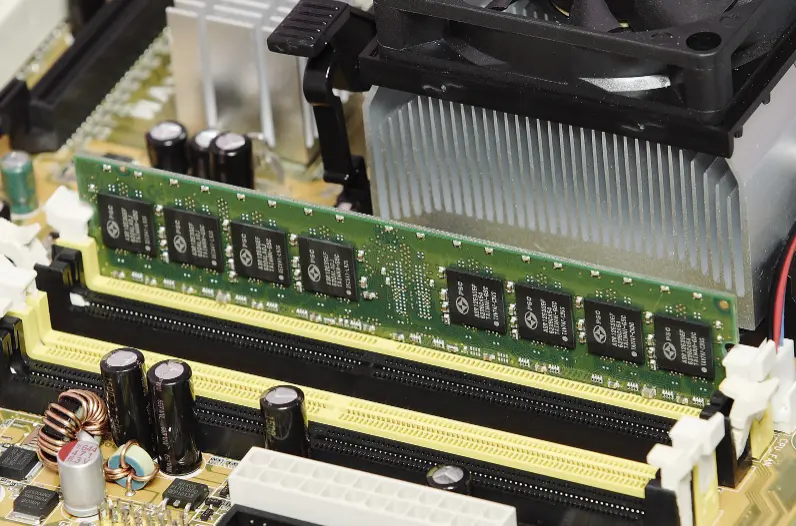
Computer data storage refers to the methods and devices used to hold digital information for use by a computer system. It encompasses a variety of technologies, including primary storage like random access memory (RAM), which provides fast, temporary access to data during active processing, and secondary storage such as hard disk drives (HDDs), solid-state drives (SSDs), and optical discs, which offer long-term, non-volatile retention. Cloud storage extends this capability by storing data on remote servers accessible via the internet, enabling scalability and remote access. The evolution of storage technologies, from mechanical drives to flash-based solutions, has dramatically increased capacity, speed, and efficiency, making it essential for everything from personal computing to enterprise data management. Security features, like encryption and redundancy, protect stored data from loss or unauthorized access, ensuring reliability in an increasingly data-driven world.
Table of Contents
- Part 1: Create A Computer Data Storage Quiz in Minutes Using AI with OnlineExamMaker
- Part 2: 20 Computer Data Storage Quiz Questions & Answers
- Part 3: Save Time and Energy: Generate Quiz Questions with AI Technology
Part 1: Create A Computer Data Storage Quiz in Minutes Using AI with OnlineExamMaker
Are you looking for an online assessment to test the Computer Data Storage skills of your learners? OnlineExamMaker uses artificial intelligence to help quiz organizers to create, manage, and analyze exams or tests automatically. Apart from AI features, OnlineExamMaker advanced security features such as full-screen lockdown browser, online webcam proctoring, and face ID recognition.
Recommended features for you:
● Includes a safe exam browser (lockdown mode), webcam and screen recording, live monitoring, and chat oversight to prevent cheating.
● Enhances assessments with interactive experience by embedding video, audio, image into quizzes and multimedia feedback.
● Once the exam ends, the exam scores, question reports, ranking and other analytics data can be exported to your device in Excel file format.
● Offers question analysis to evaluate question performance and reliability, helping instructors optimize their training plan.
Automatically generate questions using AI
Part 2: 20 Computer Data Storage Quiz Questions & Answers
or
1. What is the basic unit of digital information storage?
A. Bit
B. Byte
C. Kilobyte
D. Megabyte
Answer: A
Explanation: A bit is the smallest unit of data in computing, representing a binary digit that can be either 0 or 1, forming the foundation for all digital storage.
2. Which type of memory loses its contents when the power is turned off?
A. ROM
B. Hard Disk Drive
C. Flash Drive
D. RAM
Answer: D
Explanation: RAM (Random Access Memory) is volatile memory, meaning it requires constant power to retain data, and it is erased when the device is powered off.
3. What does SSD stand for in the context of storage devices?
A. Solid State Drive
B. Secure Storage Device
C. Serial Storage Drive
D. System Storage Disk
Answer: A
Explanation: SSD refers to Solid State Drive, which uses flash memory to store data, offering faster access speeds compared to traditional hard drives.
4. Which storage device uses spinning disks to read and write data?
A. USB Flash Drive
B. Hard Disk Drive
C. Solid State Drive
D. Optical Drive
Answer: B
Explanation: A Hard Disk Drive (HDD) employs rotating magnetic platters to store and retrieve data, making it a mechanical storage solution.
5. What is the purpose of cache memory in a computer?
A. Long-term data storage
B. Temporary high-speed data access
C. Permanent boot instructions
D. External data backup
Answer: B
Explanation: Cache memory is a small, fast type of volatile memory that stores frequently used data for quick CPU access, improving overall system performance.
6. How many bits are in a byte?
A. 4
B. 8
C. 16
D. 32
Answer: B
Explanation: A byte consists of 8 bits, serving as the standard unit for measuring data storage and processing in computing.
7. Which of the following is an example of secondary storage?
A. CPU Register
B. RAM
C. Hard Disk
D. Cache Memory
Answer: C
Explanation: Secondary storage, like a hard disk, is non-volatile and used for long-term data storage, unlike primary storage which is volatile and temporary.
8. What technology is primarily used in USB flash drives?
A. Magnetic storage
B. Optical storage
C. Flash memory
D. Tape storage
Answer: C
Explanation: USB flash drives utilize flash memory, a type of EEPROM that allows for non-volatile storage without moving parts.
9. Which storage type is known for sequential access?
A. RAM
B. Magnetic Tape
C. SSD
D. CPU Cache
Answer: B
Explanation: Magnetic tape storage requires data to be accessed in a linear, sequential manner, making it suitable for archival purposes but slower for random access.
10. What is the difference between RAM and ROM?
A. RAM is read-only, ROM is read-write
B. RAM is volatile, ROM is non-volatile
C. RAM is slower, ROM is faster
D. RAM is for input, ROM is for output
Answer: B
Explanation: RAM is volatile and loses data when power is off, while ROM is non-volatile and retains data permanently, often used for firmware.
11. How much data can 1 terabyte (TB) hold?
A. 1,000 bytes
B. 1,000 gigabytes
C. 1,000 megabytes
D. 1,000 kilobytes
Answer: B
Explanation: 1 terabyte equals 1,000 gigabytes (or 1,000,000 megabytes), making it a common unit for large-scale data storage.
12. Which factor most affects the speed of a storage device?
A. Capacity
B. Read/write speed
C. Color
D. Weight
Answer: B
Explanation: Read/write speed determines how quickly data can be accessed or saved on a storage device, directly impacting performance.
13. What is cloud storage?
A. Physical hard drives in a computer
B. Online storage accessed via the internet
C. Internal memory in mobile devices
D. Temporary RAM storage
Answer: B
Explanation: Cloud storage involves storing data on remote servers accessed over the internet, allowing for scalability and accessibility from multiple devices.
14. Which storage device uses laser technology to read data?
A. Hard Disk Drive
B. SSD
C. CD-ROM
D. USB Drive
Answer: C
Explanation: CD-ROM (Compact Disc Read-Only Memory) uses a laser to read data from pits and lands on the disc’s surface.
15. What is virtual memory?
A. Physical RAM expansion
B. Using hard disk as an extension of RAM
C. Cloud-based storage
D. CPU processing memory
Answer: B
Explanation: Virtual memory is a technique that uses a portion of the hard disk to simulate additional RAM when physical memory is insufficient.
16. Which of the following is a non-volatile storage type?
A. DRAM
B. SRAM
C. EEPROM
D. Register Memory
Answer: C
Explanation: EEPROM (Electrically Erasable Programmable Read-Only Memory) retains data even when power is off, making it non-volatile.
17. What does RAID stand for in storage technology?
A. Random Access in Drives
B. Redundant Array of Independent Disks
C. Rapid Access for Independent Data
D. Remote Array of Internal Drives
Answer: B
Explanation: RAID is a technology that combines multiple physical disk drives into a single logical unit for improved performance, redundancy, or both.
18. How is data stored on an SSD?
A. Using magnetic platters
B. With flash memory cells
C. Through optical lasers
D. Via tape reels
Answer: B
Explanation: SSDs store data in flash memory cells, which are electronic and do not have moving parts, enabling faster and more durable storage.
19. What is the main advantage of external hard drives over internal ones?
A. Faster speed
B. Portability and ease of use
C. Lower cost
D. Built-in encryption
Answer: B
Explanation: External hard drives can be easily connected to and disconnected from different devices, providing portability for data backup and transfer.
20. Which unit is larger: a gigabyte or a megabyte?
A. Gigabyte
B. Megabyte
C. They are the same
D. It depends on the context
Answer: A
Explanation: A gigabyte (1,000 megabytes) is larger than a megabyte, as it represents a higher order of magnitude in data storage measurement.
or
Part 3: Save Time and Energy: Generate Quiz Questions with AI Technology
Automatically generate questions using AI