Google Forms offers nine main question formats, each with its own personality and purpose. Some auto-grade in seconds. Others require you to roll up your sleeves and evaluate responses manually. The trick isn’t knowing all nine types exist—it’s knowing when to use each one.
- Why Question Types Matter More Than You Think
- The Nine Question Types: Your Quiz-Building Toolkit
- Multiple Choice and Dropdown: Testing Factual Recall
- Checkbox Questions: When Multiple Answers Are All Correct
- Opinions or ratings: Gauging Opinions and Attitudes
- Short Responses: The Middle Ground
- Going Deep with Paragraph Questions
- Creating Quizzes with OnlineExamMaker: A Smarter Alternative
- Matching Question Types to Your Goals

Why Question Types Matter More Than You Think
Let’s start with a story. A colleague once created a quiz about European capitals using only paragraph questions. Students typed everything from “paris” to “Paris, France” to “The capital is Paris.” The auto-grader? Completely useless. She spent hours manually reviewing 120 responses, all because she picked the wrong question type.
The format you select shapes everything: how students respond, how quickly you get results, and whether your data actually tells you what you need to know. Cchoosing appropriate question types dramatically improves both assessment accuracy and grading efficiency.
Question types aren’t just formatting decisions—they’re pedagogical choices. They determine whether you’re testing recall or analysis, whether you want quick answers or thoughtful explanations, and whether your quiz feels like an interrogation or a conversation.
The Nine Question Types in Google Forms: Your Quiz-Building Toolkit
Google Forms gives you nine tools to work with. Think of them as instruments in an orchestra—each plays a different role, and knowing when to bring in the strings versus the brass makes all the difference.
The lineup includes multiple choice, checkboxes, dropdown menus, linear scales, multiple choice grids, checkbox grids, short answer, paragraph, and date/time questions. Some are workhorses you’ll use constantly. Others are specialists that shine in specific situations.
What matters most? Understanding that different question formats serve different purposes—from quick knowledge checks to in-depth opinion surveys.
Multiple Choice and Dropdown: Testing Factual Recall
When you need to know if students remember the basics—dates, definitions, names—multiple choice and dropdown questions are your best friends. They’re the quiz equivalent of a firm handshake: straightforward, professional, gets the job done.
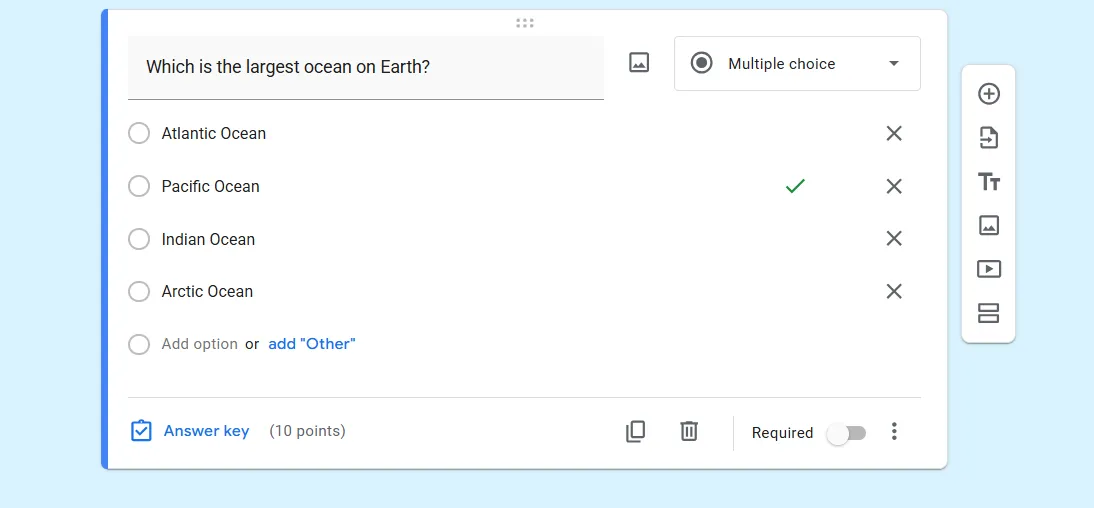
Why do these formats excel at factual recall? Simple: they limit options to one correct answer, making both the question clear and the grading automatic. No ambiguity, no surprises. These structured formats enable quick auto-grading and create clear knowledge checkpoints.
Pro tip: Keep your answer choices between four and five options. Three feels too easy (students can guess with 33% accuracy), while seven or more creates unnecessary cognitive load. Sweet spot? Four solid options with one clearly correct answer.
Multiple choice works brilliantly for questions like “What year did World War II end?” or “Which element has the symbol Fe?” The format practically begs for definitive answers. Dropdown questions do the same thing but save screen space—perfect when you’re asking ten similar questions in a row.
Checkbox Questions: When Multiple Answers Are All Correct
Real life rarely fits into neat single-answer boxes. Sometimes students need to identify all the causes of the Civil War or every symptom of a condition. That’s where checkboxes come in.
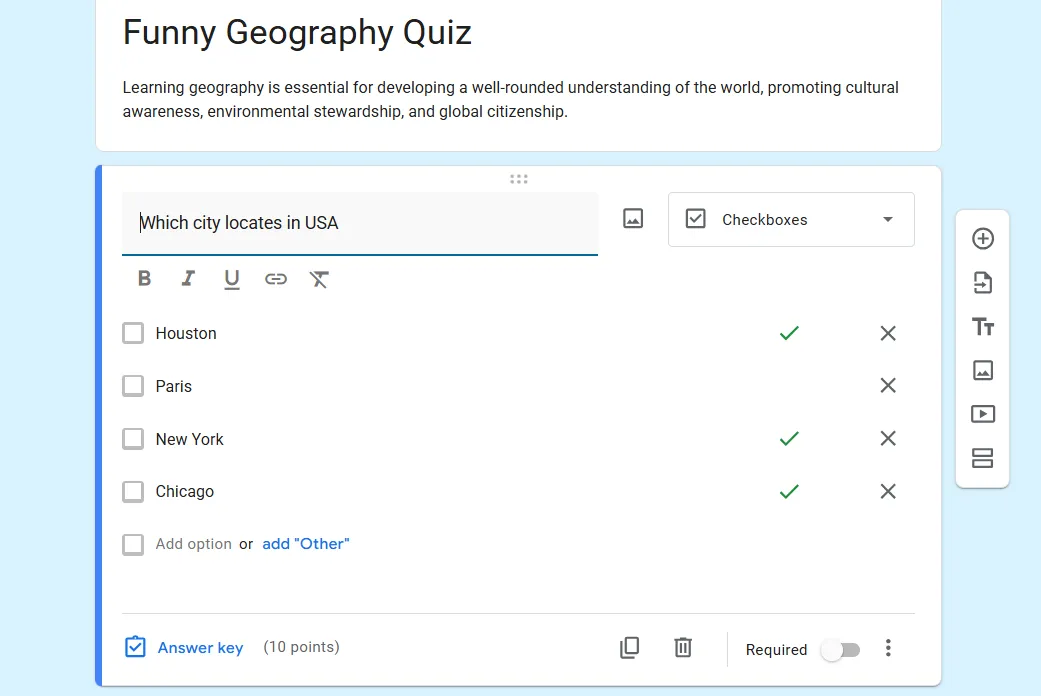
Checkbox questions allow multiple selections, making them ideal for scenarios where several options apply simultaneously. Need students to identify all the prime numbers in a list? Checkboxes. Want them to select every valid Python syntax example? Checkboxes again.
The beauty here is that checkboxes can auto-grade if you predefine correct answers, giving you the flexibility of multiple correct responses with the efficiency of automatic scoring. You can even assign partial credit for getting some answers right.
Checkbox grids take this further, letting students select multiple answers across different rows—useful for comparison questions or when you’re testing knowledge across categories. Think “Which of these foods contain: protein, carbohydrates, fats?” with food items as rows and nutrients as columns.
Opinions or ratings: Gauging Opinions and Attitudes
Not every quiz is about right or wrong. Sometimes you need to measure agreement, satisfaction, or preferences. That’s when linear scales and grid questions enter the chat.
Linear scale questions (typically 1-10 or 1-5) capture degrees of feeling. “How confident are you with quadratic equations?” with a scale from 1 (not confident) to 5 (very confident) gives you nuanced data that yes/no questions can’t touch.
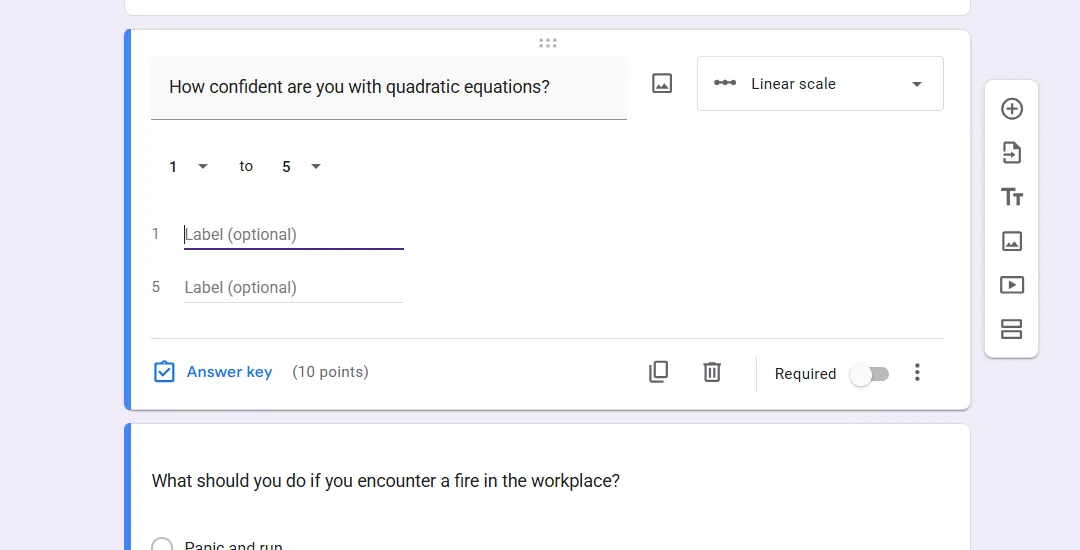
Multiple choice grids shine when you’re asking the same question across multiple items. These formats efficiently measure attitudes and comparisons, letting you ask students to rate several teaching methods on the same scale without repeating the question structure.
Want even more flexibility? Checkbox grids allow multiple selections per row, perfect for questions like “Which of these study strategies did you use for each chapter?”
Short Responses: The Middle Ground
Here’s where things get interesting. Short answer questions occupy a sweet spot between fully open-ended and completely structured formats.
They’re perfect for testing spelling, key terms, or brief explanations—anything where you want students to recall information without the crutch of multiple choice options. “What is the capital of Australia?” requires actual knowledge, not educated guessing.
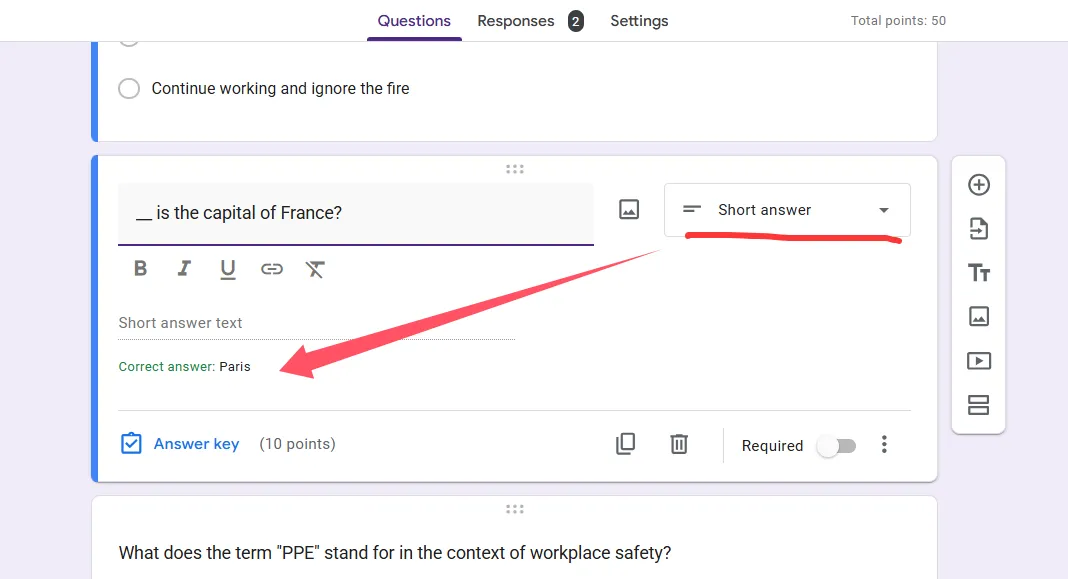
The catch? Short answers test open-ended recall without full grading automation. You can set up response validation (like requiring answers to contain specific words), but variations in spelling and phrasing mean you’ll probably need to review responses manually.
Going Deep with Paragraph Questions
When you need more than a word or phrase—when you want students to explain their thinking, analyze a scenario, or defend a position—paragraph questions are your only real option.
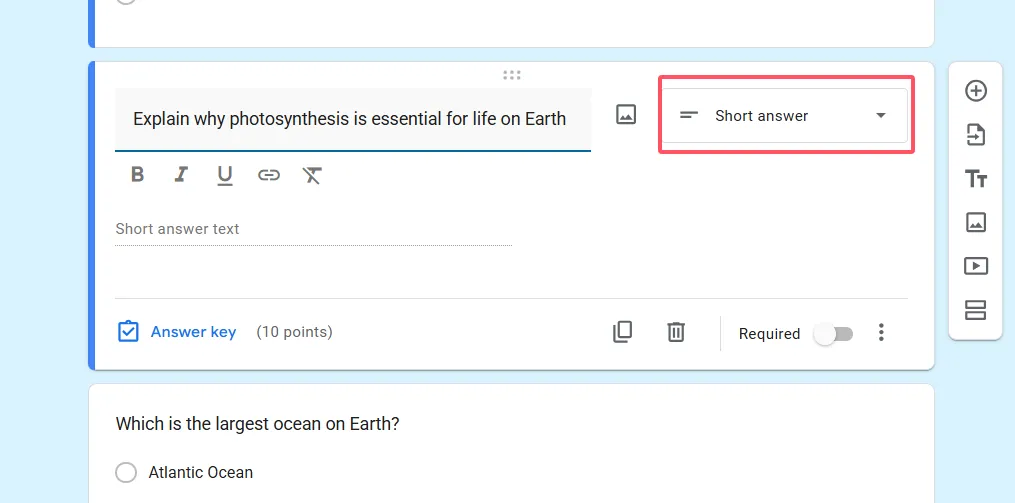
These are the essay questions of the digital age. They gather in-depth responses perfect for formative assessments where you’re checking understanding, not just recall. Paragraph formats enable detailed explanations and analysis, giving students room to demonstrate deeper comprehension.
The trade-off? They require manual review, which means they’re time-intensive to grade. Use them strategically—maybe one or two per quiz—paired with more automatically gradable question types to balance workload.
Paragraph questions work beautifully for: “Explain why photosynthesis is essential for life on Earth” or “Describe three factors that contributed to the Renaissance.” Questions that have multiple valid approaches and reward thoughtful analysis.
Creating Quizzes Questions with OnlineExamMaker AI: A Smarter Alternative
While Google Forms gets the job done, OnlineExamMaker takes quiz creation to the next level with AI-powered features that save hours of work.
This AI exam making software supports all the question types you’d expect—multiple choice, checkboxes, short answer, and essay questions—but adds intelligent features like automatic question generation from your content. Upload your course materials, and OnlineExamMaker can generate relevant quiz questions automatically.
OnlineExamMaker’s Supported Question Types:
- Multiple choice (single answer)
- Multiple responses (checkboxes)
- True/False
- Essay/Paragraph
- Fill in the blank
- Matching questions
- Ordering/Sequence questions
- Comprehension/package questions
- Cloze questions
Create Your Next Quiz/Exam Using AI in OnlineExamMaker
What sets OnlineExamMaker apart? The platform includes advanced features like question banks (create once, reuse forever), randomization to prevent cheating, and detailed analytics that show you exactly which concepts students struggle with. It’s like having a teaching assistant who handles all the administrative work.
For teachers managing multiple classes or trainers creating certification exams, the time savings alone make it worth exploring. Plus, the interface is intuitive enough that you don’t need a tech degree to build professional-looking assessments.
Matching Question Types to Your Goals
Let’s bring this all together with a practical framework. The question type you choose should flow naturally from what you’re trying to assess.
| Quiz Goal | Best Question Types | Why They Work |
|---|---|---|
| Quick objective tests | Multiple choice, Dropdown | Auto-grades single answers efficiently; scales well for large groups |
| Multi-select knowledge | Checkboxes, Checkbox grid | Handles several correct options; structured and clear |
| Surveys and feedback | Linear scale, Multiple choice grid | Measures degrees of agreement and satisfaction efficiently |
| Open recall testing | Short answer, Paragraph | Captures varied responses; tests deeper understanding |
Testing factual knowledge? Stick with multiple choice or dropdowns. They’re fast, clear, and auto-grade beautifully. Need students to identify multiple correct elements? Checkboxes are your answer. Measuring opinions or attitudes? Linear scales and grids give you the nuance you need.
Want to assess deeper understanding? Short answer and paragraph questions force students to demonstrate knowledge without prompts, though they require more of your time to evaluate.
The key insight? There’s no single “best” question type. The best type is the one that aligns with your specific learning objective for that particular question. Mix and match based on what you need to know, not what’s easiest to create.
Start your next quiz by asking yourself: “What do I actually want to measure here?” The answer will point you toward the right question format almost automatically. And remember—a well-designed quiz uses variety, combining several question types to keep students engaged while thoroughly assessing their knowledge.
Whether you’re using Google Forms or exploring more advanced platforms like OnlineExamMaker, understanding these question types transforms quiz creation from a chore into a strategic teaching tool. Choose wisely, and your assessments will tell you exactly what your students know—and what they still need to learn.
