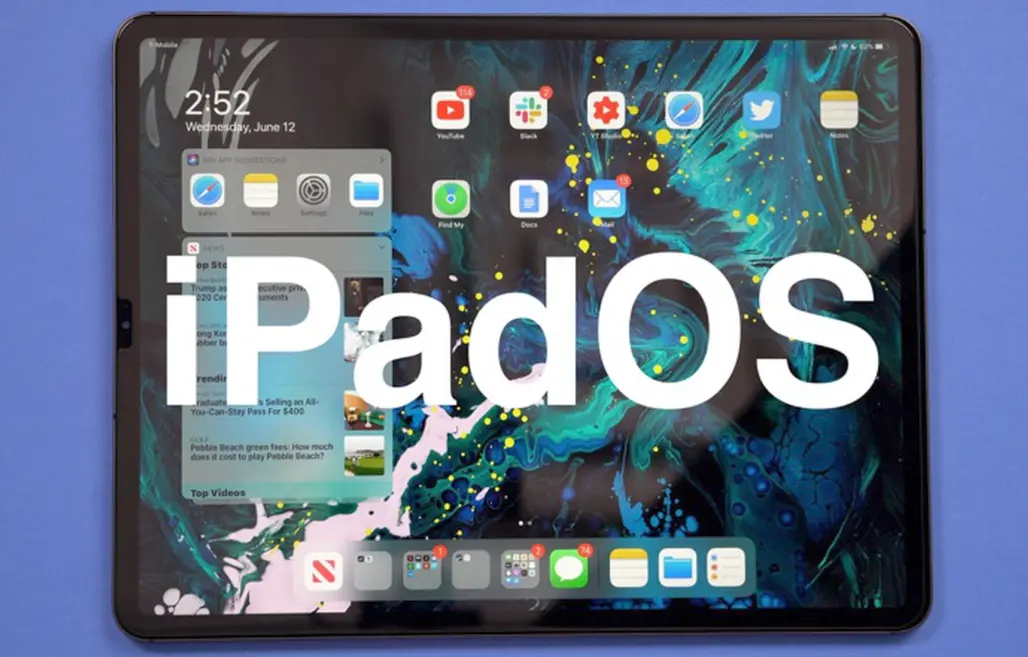
iPadOS is Apple’s mobile operating system specifically designed for iPad devices, evolving from iOS to optimize the larger screen and versatile hardware. First introduced in 2019 as a fork of iOS 13, it brings a more tablet-focused experience, emphasizing productivity, creativity, and multitasking.
Key Features
– Multitasking Enhancements: Slide Over, Split View, and Stage Manager (available on M1 and later chips) allow users to run multiple apps side by side, resize windows, and switch tasks seamlessly, turning the iPad into a powerful workstation.
– Apple Pencil Integration: Native support for the Apple Pencil enables precise drawing, note-taking, and markup tools in apps like Notes and Freeform, with features like Scribble for handwriting-to-text conversion.
– Home Screen and Widgets: A customizable home screen with resizable widgets provides at-a-glance information, similar to iOS, but optimized for the iPad’s display, including a dedicated App Library for better organization.
– Universal Control and Handover: Seamless integration with macOS allows users to control their iPad with a Mac’s keyboard and trackpad, or hand off tasks between devices for a fluid cross-device workflow.
– File Management and External Storage: The Files app offers robust file organization, with support for external drives, cloud services like iCloud, and ZIP file handling, making it easier to manage documents and media.
– Privacy and Security: Built-in features like App Tracking Transparency, Face ID, and Touch ID ensure strong data protection, while regular updates address vulnerabilities and enhance performance.
Evolution and Differences from iOS
iPadOS branched from iOS to address the unique needs of tablets, introducing a more desktop-like interface while retaining iOS’s simplicity. Unlike iOS, which is primarily phone-oriented, iPadOS supports external displays, keyboards, and mice, making it ideal for professional tasks. Major updates, such as iPadOS 16 and 17, have added features like enhanced Safari capabilities, improved dictation, and better AR/VR support through RealityKit.
Ecosystem and Performance
iPadOS integrates deeply with Apple’s ecosystem, syncing seamlessly with iPhone, Mac, and Apple Watch via iCloud. Powered by the same A-series and M-series chips as iPhones and Macs, it delivers smooth performance for demanding apps, including professional software like Adobe Photoshop and Final Cut Pro.
Benefits and Use Cases
iPadOS excels in education, creative work, and everyday computing, offering a balance of touch and keyboard inputs. It’s particularly suited for artists, students, and remote workers, with its long battery life and portable design. Future updates are expected to further blur the lines between tablet and computer, potentially incorporating more AI-driven features.
For the latest details, refer to Apple’s official resources, as iPadOS continues to evolve with each release.
Table of Contents
- Part 1: Create An Amazing iPadOS Quiz Using AI Instantly in OnlineExamMaker
- Part 2: 20 iPadOS Quiz Questions & Answers
- Part 3: Save Time and Energy: Generate Quiz Questions with AI Technology
Part 1: Create An Amazing iPadOS Quiz Using AI Instantly in OnlineExamMaker
Nowadays more and more people create iPadOS quizzes using AI technologies, OnlineExamMaker a powerful AI-based quiz making tool that can save you time and efforts. The software makes it simple to design and launch interactive quizzes, assessments, and surveys. With the Question Editor, you can create multiple-choice, open-ended, matching, sequencing and many other types of questions for your tests, exams and inventories. You are allowed to enhance quizzes with multimedia elements like images, audio, and video to make them more interactive and visually appealing.
Recommended features for you:
● Prevent cheating by randomizing questions or changing the order of questions, so learners don’t get the same set of questions each time.
● Automatically generates detailed reports—individual scores, question report, and group performance.
● Simply copy a few lines of codes, and add them to a web page, you can present your online quiz in your website, blog, or landing page.
● Offers question analysis to evaluate question performance and reliability, helping instructors optimize their training plan.
Automatically generate questions using AI
Part 2: 20 iPadOS Quiz Questions & Answers
or
1. Question: What is the primary interface element used for navigation in iPadOS?
A) Home button
B) Dock
C) Control Center
D) Notification Center
Answer: B
Explanation: The Dock in iPadOS provides quick access to frequently used apps and allows for easy navigation between them, serving as a central hub similar to the macOS Dock.
2. Question: Which gesture can you use to switch between apps in iPadOS?
A) Pinch to zoom
B) Swipe up from the bottom and pause
C) Double-tap the Home button
D) Rotate the iPad
Answer: B
Explanation: Swiping up from the bottom and pausing brings up the App Switcher, allowing users to view and switch between recently used apps efficiently.
3. Question: What does the Files app in iPadOS allow users to do?
A) Edit photos only
B) Manage and organize files across devices
C) Play music exclusively
D) Send emails
Answer: B
Explanation: The Files app provides a centralized location to manage, organize, and access files from iCloud, local storage, and external drives, enhancing file handling capabilities.
4. Question: How can you enable Dark Mode in iPadOS?
A) Go to Settings > Display & Brightness and select Dark
B) Shake the iPad three times
C) Open the Camera app and switch modes
D) Restart the device
Answer: A
Explanation: In Settings > Display & Brightness, users can toggle between Light and Dark modes to reduce eye strain in low-light conditions.
5. Question: What is Slide Over in iPadOS?
A) A full-screen app mode
B) A way to run two apps side by side
C) A floating window for a secondary app
D) A notification overlay
Answer: C
Explanation: Slide Over allows a secondary app to float over the primary app in a slim window, enabling quick access without leaving the main task.
6. Question: Which feature allows multiple windows of the same app in iPadOS?
A) Split View
B) Stage Manager
C) Multitasking Lock
D) App Cloner
Answer: B
Explanation: Stage Manager, introduced in later iPadOS versions, lets users open multiple windows of the same app for better productivity and organization.
7. Question: How do you take a screenshot on an iPad with iPadOS?
A) Press the Volume Up and Power buttons simultaneously
B) Swipe down from the top
C) Double-click the Home button
D) Shake the device
Answer: A
Explanation: Pressing the Volume Up and Power buttons at the same time captures the screen, with the screenshot saved to the Photos app for easy access.
8. Question: What is the purpose of the Scribble feature in iPadOS?
A) To draw freehand art
B) To convert handwritten notes to text
C) To edit videos
D) To organize photos
Answer: B
Explanation: Scribble uses the Apple Pencil to recognize and convert handwriting into typed text in supported apps, improving note-taking efficiency.
9. Question: In iPadOS, how can you connect an external keyboard?
A) Via Bluetooth or the Smart Connector
B) Only through a wired connection
C) Using the Lightning port exclusively
D) It requires a special app
Answer: A
Explanation: iPadOS supports Bluetooth keyboards and those with the Smart Connector for seamless integration, enhancing typing productivity.
10. Question: What does Handoff allow in iPadOS?
A) Transferring calls between devices
B) Continuing a task from one Apple device to another
C) Sharing files via email
D) Customizing home screen icons
Answer: B
Explanation: Handoff enables seamless continuation of activities, like editing a document, from an iPhone or Mac to the iPad, as long as devices are signed into the same iCloud account.
11. Question: Which app store is used for downloading apps on iPadOS?
A) Google Play Store
B) App Store
C) Microsoft Store
D) Amazon Appstore
Answer: B
Explanation: The App Store is the official platform for downloading and updating apps optimized for iPadOS, ensuring security and compatibility.
12. Question: How can you update apps in iPadOS?
A) Through the Settings app only
B) Via the App Store’s Updates tab
C) By restarting the iPad
D) Using Safari
Answer: B
Explanation: The App Store has a dedicated Updates section where users can see and install available updates for their apps, keeping them current.
13. Question: What is the role of the Universal Clipboard in iPadOS?
A) Copying text across Apple devices
B) Editing clipboard history
C) Storing photos only
D) Managing notifications
Answer: A
Explanation: Universal Clipboard allows copied content, such as text or images, to be pasted between nearby Apple devices logged into the same iCloud account.
14. Question: In iPadOS, what does the Center Stage feature do?
A) Centers widgets on the home screen
B) Automatically adjusts the camera frame during video calls
C) Organizes files in the center
D) Balances audio output
Answer: B
Explanation: Center Stage uses the Ultra Wide camera to keep participants in frame during video calls, making conversations more dynamic.
15. Question: How do you access the Quick Note feature in iPadOS?
A) Swipe up from the bottom corner
B) Open the Notes app directly
C) Go to Settings > Notes
D) Shake the iPad
Answer: A
Explanation: Swiping inward from the bottom corner with an Apple Pencil or finger brings up Quick Note for fast jotting without opening the full app.
16. Question: What security feature protects iPadOS devices?
A) Face ID or Touch ID
B) Password only
C) Bluetooth locking
D) Wi-Fi encryption
Answer: A
Explanation: Face ID and Touch ID provide biometric authentication for unlocking the device and authorizing purchases, enhancing security.
17. Question: How can you back up an iPad running iPadOS?
A) Using iCloud or a computer with Finder/iTunes
B) Only through email
C) Via third-party apps
D) By screenshotting data
Answer: A
Explanation: iPadOS allows backups to iCloud for wireless storage or to a computer via Finder (on macOS) or iTunes (on Windows), ensuring data safety.
18. Question: What is the function of the Shortcut app in iPadOS?
A) To create custom automation workflows
B) To edit photos
C) To play games
D) To manage contacts
Answer: A
Explanation: The Shortcuts app lets users automate tasks by creating sequences of actions, improving efficiency for repetitive activities.
19. Question: In iPadOS, how do you enable Low Power Mode?
A) Go to Settings > Battery and toggle it on
B) Restart the device
C) Use the Control Center
D) Open the Camera app
Answer: A
Explanation: Settings > Battery contains the option to enable Low Power Mode, which extends battery life by reducing background activity and performance.
20. Question: What does the iPadOS widget system allow?
A) Interactive elements on the home screen
B) Only static images
C) App icons only
D) Wallpaper changes
Answer: A
Explanation: Widgets in iPadOS provide interactive, dynamic information on the home screen, such as weather updates or calendar events, for quick access.
or
Part 3: Save Time and Energy: Generate Quiz Questions with AI Technology
Automatically generate questions using AI