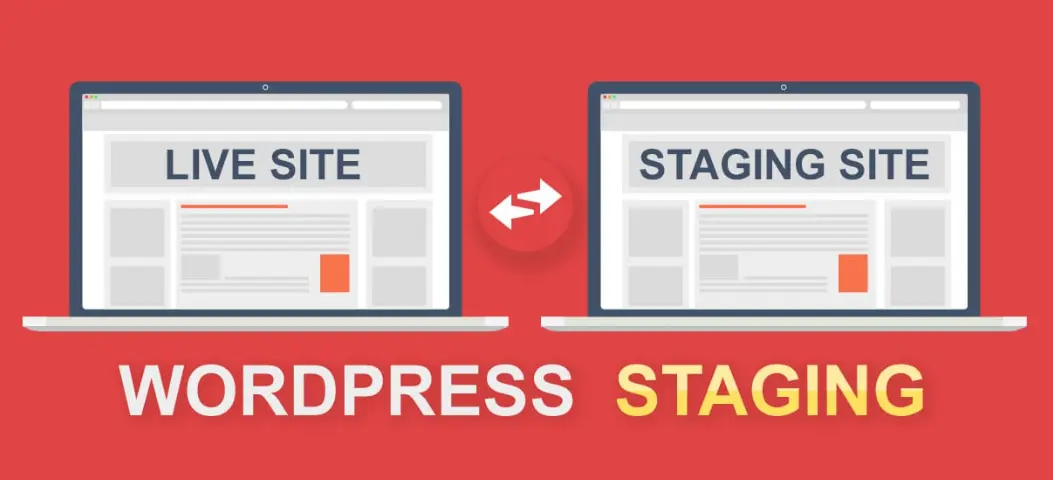
WordPress Staging is a powerful feature that allows website owners and developers to create a duplicate of their live site for testing purposes. This isolated environment enables safe experimentation with new themes, plugins, code changes, or updates without risking the stability or functionality of the production site. By mirroring the live site’s content, settings, and database, staging sites help identify potential issues, ensure compatibility, and streamline the deployment process. Once tests are complete, changes can be seamlessly merged back to the live site, minimizing downtime and errors. This tool is especially valuable for businesses, bloggers, and developers seeking to maintain site reliability while innovating.
Table of Contents
- Part 1: OnlineExamMaker AI Quiz Generator – Save Time and Efforts
- Part 2: 20 WordPress Staging Quiz Questions & Answers
- Part 3: Try OnlineExamMaker AI Question Generator to Create Quiz Questions
Part 1: OnlineExamMaker AI Quiz Generator – Save Time and Efforts
Still spend a lot of time in editing questions for your next WordPress Staging assessment? OnlineExamMaker is an AI quiz maker that leverages artificial intelligence to help users create quizzes, tests, and assessments quickly and efficiently. You can start by inputting a topic or specific details into the OnlineExamMaker AI Question Generator, and the AI will generate a set of questions almost instantly. It also offers the option to include answer explanations, which can be short or detailed, helping learners understand their mistakes.
What you may like:
● Automatic grading and insightful reports. Real-time results and interactive feedback for quiz-takers.
● The exams are automatically graded with the results instantly, so that teachers can save time and effort in grading.
● LockDown Browser to restrict browser activity during quizzes to prevent students searching answers on search engines or other software.
● OnlineExamMaker API offers private access for developers to extract your exam data back into your system automatically.
Automatically generate questions using AI
Part 2: 20 WordPress Staging Quiz Questions & Answers
or
1. Question: What is the primary purpose of WordPress Staging?
Options:
A) To host the live website permanently
B) To test updates and changes before applying them to the live site
C) To increase website traffic
D) To manage user accounts
Answer: B
Explanation: WordPress Staging creates a duplicate environment for safe testing, preventing potential issues on the live site.
2. Question: Which of the following is a popular WordPress plugin for creating a staging site?
Options:
A) Yoast SEO
B) WP Staging
C) Contact Form 7
D) WooCommerce
Answer: B
Explanation: WP Staging is specifically designed to clone and manage staging sites for WordPress, allowing easy duplication and testing.
3. Question: What should you do before pushing changes from a staging site to the live site?
Options:
A) Delete the staging site
B) Thoroughly test the changes on the staging site
C) Ignore any errors
D) Disable all plugins
Answer: B
Explanation: Testing changes on the staging site ensures that they work correctly and do not cause issues on the live site.
4. Question: How does WordPress Staging help in development?
Options:
A) By slowing down the website
B) By providing a risk-free environment for experiments
C) By automatically updating the live site
D) By reducing server costs
Answer: B
Explanation: Staging allows developers to experiment with code, themes, and plugins without affecting the live site’s performance or data.
5. Question: What is a key difference between a staging site and a live site?
Options:
A) Staging sites are always public
B) Live sites are used for testing only
C) Staging sites are typically not accessible to the public
D) They have the same URL
Answer: C
Explanation: Staging sites are private to prevent unauthorized access, while live sites are public and handle real traffic.
6. Question: Which file in WordPress might need to be modified for staging configurations?
Options:
A) index.php
B) wp-config.php
C) style.css
D) functions.php
Answer: B
Explanation: The wp-config.php file can be edited to define database settings, debug modes, and other configurations specific to the staging environment.
7. Question: Why is it important to keep staging and live sites in sync?
Options:
A) To confuse users
B) To ensure changes made on staging reflect accurately on live
C) To increase website downtime
D) To add unnecessary plugins
Answer: B
Explanation: Syncing ensures that the staging site mirrors the live site, making tests more reliable and reducing errors during deployment.
8. Question: What could happen if you skip using a staging site for major updates?
Options:
A) Faster website performance
B) Potential downtime or errors on the live site
C) Improved security
D) Automatic backups
Answer: B
Explanation: Without staging, updates could introduce bugs or conflicts directly to the live site, causing disruptions for visitors.
9. Question: Which of the following is a best practice for WordPress Staging?
Options:
A) Use the same plugins as the live site
B) Make the staging site publicly accessible
C) Regularly backup the staging site
D) Avoid testing themes
Answer: C
Explanation: Regular backups of the staging site protect against data loss during testing and allow for easy restoration.
10. Question: How can you access a WordPress staging site?
Options:
A) Only through the live site’s dashboard
B) Via a subdomain, subdirectory, or a separate URL
C) By disabling the live site
D) Through email links
Answer: B
Explanation: Staging sites are often set up on a subdomain (e.g., staging.example.com) or subdirectory for isolated access.
11. Question: What role does a staging site play in plugin testing?
Options:
A) It prevents plugin installation
B) It allows safe testing of plugin compatibility and functionality
C) It automatically activates plugins on live
D) It reduces plugin options
Answer: B
Explanation: Staging enables testing plugins without risking the live site’s stability or security.
12. Question: Which database aspect is crucial when setting up WordPress Staging?
Options:
A) Using the same database as live
B) Creating a separate database for staging
C) Deleting the live database
D) Sharing login credentials
Answer: B
Explanation: A separate database for staging prevents conflicts and ensures that tests do not affect live data.
13. Question: What is the main advantage of using cloud-based WordPress Staging?
Options:
A) It requires more hardware
B) It offers easy scalability and accessibility
C) It slows down development
D) It limits collaboration
Answer: B
Explanation: Cloud-based staging provides flexible resources and remote access, making it ideal for team collaborations.
14. Question: How does WordPress Staging impact website security?
Options:
A) It exposes the live site to risks
B) It allows testing security updates without live exposure
C) It disables all security plugins
D) It increases public access
Answer: B
Explanation: Staging helps identify and fix security vulnerabilities in a controlled environment before they affect the live site.
15. Question: What should you check after syncing a staging site to live?
Options:
A) Ignore any changes
B) Verify that all elements like links and media work correctly
C) Delete the staging site immediately
D) Restart the server
Answer: B
Explanation: Post-sync verification ensures that the transfer was successful and the live site functions as expected.
16. Question: Which WordPress feature is often used alongside staging for version control?
Options:
A) Git integration
B) Default themes only
C) Plugin auto-updates
D) Comment moderation
Answer: A
Explanation: Git helps track changes made on staging, making it easier to manage and deploy code to the live site.
17. Question: Why might a staging site load slower than the live site?
Options:
A) It uses the same resources
B) It runs on shared or limited server resources
C) It has no content
D) It auto-optimizes speed
Answer: B
Explanation: Staging sites often use less powerful resources, which can result in slower performance compared to optimized live sites.
18. Question: What is a common mistake when using WordPress Staging?
Options:
A) Testing thoroughly
B) Forgetting to update the staging site’s plugins
C) Pushing untested changes to live
D) Regularly backing up
Answer: C
Explanation: Pushing untested changes can lead to errors on the live site, undermining the purpose of staging.
19. Question: How can you duplicate a WordPress site for staging?
Options:
A) Manually copy files and database
B) Use plugins like WP Staging or export/import tools
C) Delete the original site
D) Only through hosting providers
Answer: B
Explanation: Plugins simplify the duplication process, ensuring an accurate copy without manual errors.
20. Question: What happens if you make changes directly on the live site instead of staging?
Options:
A) It improves site speed
B) It could cause immediate downtime or data loss
C) It automatically creates a backup
D) It enhances user experience
Answer: B
Explanation: Direct changes on the live site risk breaking functionality, which is why staging is recommended for all modifications.
or
Part 3: Try OnlineExamMaker AI Question Generator to Create Quiz Questions
Automatically generate questions using AI