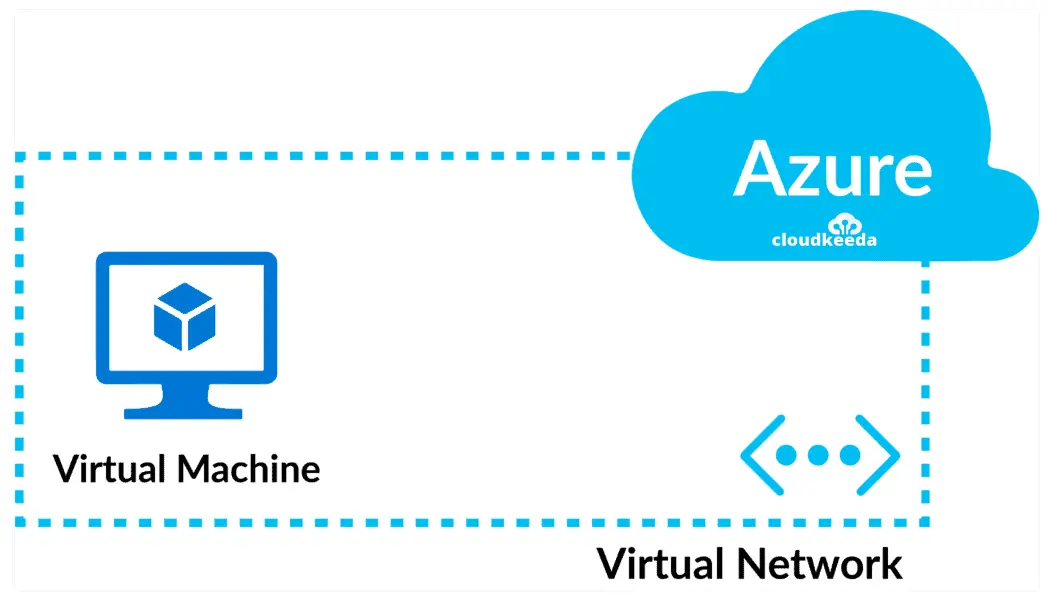
Azure Virtual Network (VNet) is a core networking service in Microsoft Azure that allows you to create and manage a private, isolated network environment in the cloud. It functions as a logical representation of your network, enabling secure communication between Azure resources and on-premises infrastructures.
Key Features:
– Address Spaces and Subnets: Define custom IP address ranges and divide them into subnets for better organization and security. This helps in segmenting resources and controlling traffic flow.
– Connectivity Options: Connect VNets to each other via VNet peering, or link them to on-premises networks using site-to-site VPN, point-to-site VPN, or Azure ExpressRoute for high-bandwidth, low-latency connections.
– Security and Access Control: Implement Network Security Groups (NSGs) and Application Security Groups (ASGs) to filter network traffic based on rules. Azure Firewall and DDoS Protection can be integrated for advanced threat defense.
– Integration with Azure Services: VNets seamlessly integrate with services like Azure Virtual Machines, Azure Kubernetes Service (AKS), and Azure App Service, allowing resources to communicate privately without exposing them to the internet.
Benefits:
– Isolation and Security: Provides a dedicated network space that isolates your applications and data from other Azure tenants, reducing exposure to external threats.
– Scalability: Easily scale your network as your workload grows by adding subnets or adjusting address spaces without downtime.
– Hybrid Cloud Support: Facilitates hybrid scenarios by extending your on-premises network to Azure, enabling a consistent IT environment across locations.
– Cost-Effective: Pay only for the resources you use, with no upfront costs for the VNet itself, making it an efficient choice for cloud networking.
In summary, Azure Virtual Network forms the foundation for building secure, scalable, and interconnected cloud architectures, supporting everything from simple web apps to complex enterprise solutions. For detailed setup, refer to Azure documentation.
Table of Contents
- Part 1: OnlineExamMaker – Generate and Share Azure Virtual Network Quiz with AI Automatically
- Part 2: 20 Azure Virtual Network Quiz Questions & Answers
- Part 3: Try OnlineExamMaker AI Question Generator to Create Quiz Questions
Part 1: OnlineExamMaker – Generate and Share Azure Virtual Network Quiz with AI Automatically
The quickest way to assess the Azure Virtual Network knowledge of candidates is using an AI assessment platform like OnlineExamMaker. With OnlineExamMaker AI Question Generator, you are able to input content—like text, documents, or topics—and then automatically generate questions in various formats (multiple-choice, true/false, short answer). Its AI Exam Grader can automatically grade the exam and generate insightful reports after your candidate submit the assessment.
What you will like:
● Create a question pool through the question bank and specify how many questions you want to be randomly selected among these questions.
● Allow the quiz taker to answer by uploading video or a Word document, adding an image, and recording an audio file.
● Display the feedback for correct or incorrect answers instantly after a question is answered.
● Create a lead generation form to collect an exam taker’s information, such as email, mobile phone, work title, company profile and so on.
Automatically generate questions using AI
Part 2: 20 Azure Virtual Network Quiz Questions & Answers
or
1. Question: What is the primary purpose of Azure Virtual Network (VNet)?
Options:
A. To provide public internet access to Azure resources
B. To create a private network in Azure for secure resource communication
C. To manage Azure storage accounts
D. To handle Azure Active Directory authentication
Answer: B
Explanation: Azure Virtual Network allows you to create a private network in the cloud, enabling secure communication between Azure resources, much like a traditional network you would operate in your own data center.
2. Question: Which component of Azure VNet defines a range of IP addresses that can be used by resources?
Options:
A. Subnet
B. Address space
C. Network Security Group
D. Virtual Network Gateway
Answer: B
Explanation: The address space in Azure VNet is defined as a range of IP addresses (e.g., 10.0.0.0/16) that can be subdivided into subnets, allowing for organized IP management.
3. Question: How can you connect two Azure VNets in different regions?
Options:
A. Using Azure ExpressRoute
B. By implementing VNet peering
C. Through Azure Firewall
D. Via Azure Load Balancer
Answer: B
Explanation: VNet peering enables direct, low-latency connections between VNets in the same or different regions, allowing resources to communicate as if they were on the same network.
4. Question: What is the maximum number of IP addresses in a /24 subnet?
Options:
A. 64
B. 128
C. 256
D. 512
Answer: C
Explanation: A /24 subnet has 256 IP addresses (2^8 = 256), though typically two are reserved for network and broadcast, leaving 254 usable addresses.
5. Question: Which feature in Azure VNet helps filter network traffic to and from resources?
Options:
A. Azure Application Gateway
B. Network Security Group (NSG)
C. Azure Bastion
D. Virtual Network Service Endpoints
Answer: B
Explanation: NSGs act as a virtual firewall for Azure resources, using security rules to allow or deny traffic based on criteria like IP address, port, and protocol.
6. Question: Can Azure VNets span multiple Azure regions by default?
Options:
A. Yes, automatically
B. No, but they can be connected via peering
C. Yes, with ExpressRoute only
D. No, VNets are region-specific
Answer: D
Explanation: Azure VNets are created within a specific Azure region and cannot span regions by default; however, you can connect them using global VNet peering.
7. Question: What does Azure VNet peering allow?
Options:
A. Sharing of storage accounts between subscriptions
B. Direct communication between resources in different VNets
C. Automatic scaling of virtual machines
D. Encryption of data at rest
Answer: B
Explanation: VNet peering connects VNets, enabling resources in one VNet to communicate with resources in another as if they were in the same network, with transitive routing.
8. Question: Which Azure service is used to connect an on-premises network to Azure VNet?
Options:
A. Azure VPN Gateway
B. Azure Content Delivery Network
C. Azure Monitor
D. Azure Key Vault
Answer: A
Explanation: Azure VPN Gateway provides a secure connection between your on-premises network and Azure VNet using site-to-site VPN, allowing hybrid cloud setups.
9. Question: What is the default outbound access for resources in an Azure VNet?
Options:
A. Internet access is blocked
B. Resources can access the internet directly
C. Outbound access requires a public IP
D. It depends on the subscription type
Answer: B
Explanation: By default, resources in an Azure VNet can access the internet outbound, but inbound access requires configuration like a public IP or load balancer.
10. Question: How are subnets created in Azure VNet?
Options:
A. As separate virtual networks
B. Within the address space of a VNet
C. Using Azure Functions
D. Through Azure Policy
Answer: B
Explanation: Subnets are subdivisions of a VNet’s address space, allowing you to segment the network for better organization and security.
11. Question: What is required to enable communication between subnets in the same VNet?
Options:
A. NSG rules
B. Routing tables
C. Nothing, as it’s enabled by default
D. VNet peering
Answer: C
Explanation: Resources in the same VNet can communicate with each other by default, as long as they are in the same address space, without additional configuration.
12. Question: Which protocol is commonly used for secure connections in Azure VNet?
Options:
A. HTTP
B. IPSec
C. FTP
D. SMTP
Answer: B
Explanation: IPSec is used in Azure for encrypting traffic, especially in VPN gateways, to ensure secure communication between networks.
13. Question: What is Azure Private Link?
Options:
A. A way to expose VNets to the public internet
B. A service to privately access Azure services over the VNet
C. A type of subnet for public IPs
D. A firewall for VNet traffic
Answer: B
Explanation: Azure Private Link allows you to access Azure services privately from your VNet, keeping traffic within the Microsoft network for enhanced security.
14. Question: Can you apply an NSG to a subnet or a network interface?
Options:
A. Only to a subnet
B. Only to a network interface
C. To both a subnet and a network interface
D. Neither, NSGs are applied at the VNet level
Answer: C
Explanation: NSGs can be associated with either a subnet or a specific network interface on a virtual machine, providing flexible traffic control.
15. Question: What is the role of User Defined Routes (UDR) in Azure VNet?
Options:
A. To define default security rules
B. To override Azure’s default routing
C. To manage IP address assignments
D. To enable VNet peering
Answer: B
Explanation: UDRs allow you to create custom routes in a subnet’s route table, overriding the default system routes in Azure for more control over traffic flow.
16. Question: How does Azure ExpressRoute differ from a VPN Gateway?
Options:
A. ExpressRoute is for public internet connections
B. VPN Gateway uses the internet, while ExpressRoute uses a private connection
C. They are the same service
D. ExpressRoute is only for on-premises networks
Answer: B
Explanation: ExpressRoute provides a dedicated, private connection from your on-premises network to Azure, bypassing the public internet, whereas VPN Gateway uses encrypted tunnels over the internet.
17. Question: What is the maximum size of an Azure VNet address space?
Options:
A. /8 (16,777,216 addresses)
B. /16 (65,536 addresses)
C. There is no fixed limit
D. /24 (256 addresses)
Answer: C
Explanation: Azure VNets can have address spaces up to /8 or larger, but the practical limit depends on the resources and design; there isn’t a strict maximum enforced.
18. Question: Which Azure feature allows you to connect VNets across different subscriptions?
Options:
A. VNet peering only within the same subscription
B. Global VNet peering
C. Azure Relay
D. Service Endpoints
Answer: B
Explanation: Global VNet peering supports connections between VNets in different subscriptions and regions, as long as the subscriptions are under the same Azure Active Directory tenant.
19. Question: What happens if two subnets in the same VNet have overlapping IP ranges?
Options:
A. It is allowed for redundancy
B. Azure prevents it during creation
C. It causes network conflicts
D. Subnets cannot overlap by design
Answer: B
Explanation: Azure does not allow overlapping IP ranges within the same VNet to prevent routing conflicts and ensure proper network functionality.
20. Question: How can you monitor traffic in an Azure VNet?
Options:
A. Using Azure Monitor and Network Watcher
B. Through Azure Storage Explorer
C. Via Azure Backup
D. With Azure Advisor
Answer: A
Explanation: Azure Monitor and Network Watcher provide tools to capture, diagnose, and visualize network traffic and performance within VNets for troubleshooting and optimization.
or
Part 3: Try OnlineExamMaker AI Question Generator to Create Quiz Questions
Automatically generate questions using AI