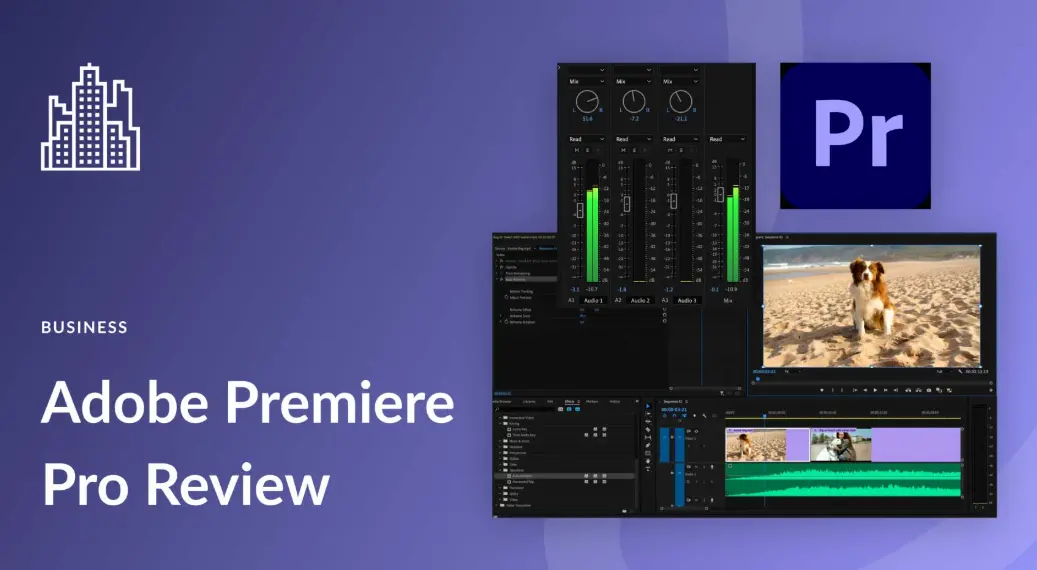
Adobe Premiere Pro is a professional-grade video editing software developed by Adobe Inc., designed for filmmakers, content creators, and editors to bring their visions to life. With its intuitive timeline-based interface, users can seamlessly import, edit, and enhance footage from various sources, including high-resolution videos, audio tracks, and graphics. Key features include advanced color grading tools, multi-cam editing, audio mixing with VST support, motion graphics integration via Essential Graphics panel, and robust performance with GPU acceleration. It supports a wide range of formats and integrates smoothly with other Adobe Creative Cloud applications like After Effects, Photoshop, and Audition, enabling a streamlined workflow for projects from social media clips to feature films. Whether you’re a beginner or an expert, Premiere Pro offers customizable workspaces, automation scripts, and collaboration tools to deliver polished, high-quality content efficiently.
Table of Contents
- Part 1: Create An Amazing Adobe Premiere Pro Quiz Using AI Instantly in OnlineExamMaker
- Part 2: 20 Adobe Premiere Pro Quiz Questions & Answers
- Part 3: Try OnlineExamMaker AI Question Generator to Create Quiz Questions
Part 1: Create An Amazing Adobe Premiere Pro Quiz Using AI Instantly in OnlineExamMaker
Nowadays more and more people create Adobe Premiere Pro quizzes using AI technologies, OnlineExamMaker a powerful AI-based quiz making tool that can save you time and efforts. The software makes it simple to design and launch interactive quizzes, assessments, and surveys. With the Question Editor, you can create multiple-choice, open-ended, matching, sequencing and many other types of questions for your tests, exams and inventories. You are allowed to enhance quizzes with multimedia elements like images, audio, and video to make them more interactive and visually appealing.
Recommended features for you:
● Prevent cheating by randomizing questions or changing the order of questions, so learners don’t get the same set of questions each time.
● Automatically generates detailed reports—individual scores, question report, and group performance.
● Simply copy a few lines of codes, and add them to a web page, you can present your online quiz in your website, blog, or landing page.
● Offers question analysis to evaluate question performance and reliability, helping instructors optimize their training plan.
Automatically generate questions using AI
Part 2: 20 Adobe Premiere Pro Quiz Questions & Answers
or
1. What is the primary function of the Timeline panel in Adobe Premiere Pro?
A) To import media files
B) To edit and arrange clips
C) To apply color corrections
D) To manage project assets
Answer: B
Explanation: The Timeline panel is where users assemble and edit video sequences by placing and manipulating clips in a timeline.
2. Which keyboard shortcut is used to create a new sequence in Adobe Premiere Pro?
A) Ctrl + N
B) Ctrl + S
C) Ctrl + M
D) Ctrl + E
Answer: A
Explanation: Ctrl + N opens the New Sequence dialog, allowing users to set up a new editing timeline based on project needs.
3. What does the Razor Tool do in Adobe Premiere Pro?
A) Adds transitions between clips
B) Cuts clips at specific points
C) Adjusts audio levels
D) Applies keyframe animations
Answer: B
Explanation: The Razor Tool slices clips into segments on the Timeline, enabling precise editing without altering the original media.
4. In Adobe Premiere Pro, how can you import media files into a project?
A) Using the File > Export menu
B) Using the File > Import menu
C) Using the Edit > Preferences menu
D) Using the Window > Workspaces menu
Answer: B
Explanation: The File > Import menu allows users to bring in various media types like videos, images, and audio into the Project panel.
5. What is the purpose of the Lumetri Color panel in Adobe Premiere Pro?
A) To edit audio waveforms
B) To apply color grading and corrections
C) To manage project effects
D) To create titles and graphics
Answer: B
Explanation: The Lumetri Color panel provides tools for adjusting color balance, exposure, and creative looks to enhance video footage.
6. Which format is commonly used for exporting final videos from Adobe Premiere Pro?
A) .PSD
B) .MP4
C) .AI
D) .RAW
Answer: B
Explanation: .MP4 is a widely compatible format for video export, allowing high-quality delivery across various platforms and devices.
7. How do you add a keyframe in Adobe Premiere Pro for effect properties?
A) Right-click and select “Add Keyframe”
B) Use the Ctrl + K shortcut
C) Double-click the effect in the Effect Controls panel
D) Go to File > Keyframes
Answer: A
Explanation: Right-clicking on a property in the Effect Controls panel and selecting “Add Keyframe” sets a point for animation changes over time.
8. What is the role of the Essential Graphics panel in Adobe Premiere Pro?
A) To edit raw footage
B) To create and edit titles and graphics
C) To mix audio tracks
D) To render previews
Answer: B
Explanation: The Essential Graphics panel offers tools for designing and animating text, shapes, and other graphical elements for videos.
9. In Adobe Premiere Pro, what does the Multi-Camera feature allow?
A) Syncing multiple audio tracks
B) Editing footage from multiple camera angles simultaneously
C) Applying the same effect to all clips
D) Exporting in multiple formats at once
Answer: B
Explanation: The Multi-Camera feature lets users switch between synchronized camera feeds in the Timeline for efficient editing of live events.
10. Which panel is used to adjust audio levels and effects in Adobe Premiere Pro?
A) Effects panel
B) Audio Mixer panel
C) Timeline panel
D) Project panel
Answer: B
Explanation: The Audio Mixer panel provides faders and controls to balance, equalize, and apply effects to audio tracks in real-time.
11. How can you undo an action in Adobe Premiere Pro?
A) Press Ctrl + Z
B) Press Ctrl + Y
C) Go to Edit > Redo
D) Go to File > Undo
Answer: A
Explanation: Ctrl + Z is the standard shortcut to revert the last action, allowing users to correct mistakes during editing.
12. What is the function of the Warp Stabilizer effect in Adobe Premiere Pro?
A) To speed up or slow down clips
B) To stabilize shaky footage
C) To add blur to videos
D) To create 3D effects
Answer: B
Explanation: Warp Stabilizer analyzes and smooths out camera shake in clips, making handheld footage appear more professional.
13. In Adobe Premiere Pro, where can you find the Speed/Duration command?
A) In the Effects panel
B) In the Clip menu
C) In the File menu
D) In the Window menu
Answer: B
Explanation: The Clip menu contains the Speed/Duration option, which allows users to adjust the playback speed of selected clips.
14. What does the Proxy workflow in Adobe Premiere Pro optimize?
A) Audio quality
B) Editing performance with large files
C) Export speed
D) Color accuracy
Answer: B
Explanation: The Proxy workflow creates lower-resolution versions of media for faster editing on less powerful computers without losing original quality.
15. How do you apply a transition between two clips in Adobe Premiere Pro?
A) Drag a transition from the Effects panel to the Timeline
B) Use the File > Transition menu
C) Right-click the clip and select “Add Transition”
D) Go to Edit > Effects
Answer: A
Explanation: Dragging a transition effect from the Effects panel onto the edit point between clips creates a smooth visual link.
16. What is the purpose of the History panel in Adobe Premiere Pro?
A) To view project assets
B) To track and revert editing steps
C) To apply filters
D) To export timelines
Answer: B
Explanation: The History panel records all actions taken in the session, enabling users to undo multiple steps or jump back to previous states.
17. In Adobe Premiere Pro, which tool is used for selecting and moving multiple clips?
A) Selection Tool
B) Pen Tool
C) Hand Tool
D) Type Tool
Answer: A
Explanation: The Selection Tool allows users to click, drag, and manipulate multiple clips or items on the Timeline efficiently.
18. What format is best for importing high-resolution photos into Adobe Premiere Pro?
A) .TXT
B) .JPEG or .PNG
C) .EXE
D) .DOC
Answer: B
Explanation: .JPEG and .PNG formats are widely supported for images, ensuring high quality and easy integration into video projects.
19. How can you create a freeze frame in Adobe Premiere Pro?
A) Use the Speed/Duration command and set to 0%
B) Right-click a clip and select “Frame Hold”
C) Apply the Freeze effect from the Effects panel
D) Go to File > Freeze
Answer: B
Explanation: Right-clicking a clip and choosing “Frame Hold” creates a still image at a specific frame, useful for pauses in video.
20. What is the main benefit of using the Media Browser in Adobe Premiere Pro?
A) To edit audio files only
B) To preview and import media from various sources
C) To apply transitions automatically
D) To render videos faster
Answer: B
Explanation: The Media Browser panel helps users navigate, preview, and import media files from folders, streamlining the workflow.
or
Part 3: Try OnlineExamMaker AI Question Generator to Create Quiz Questions
Automatically generate questions using AI