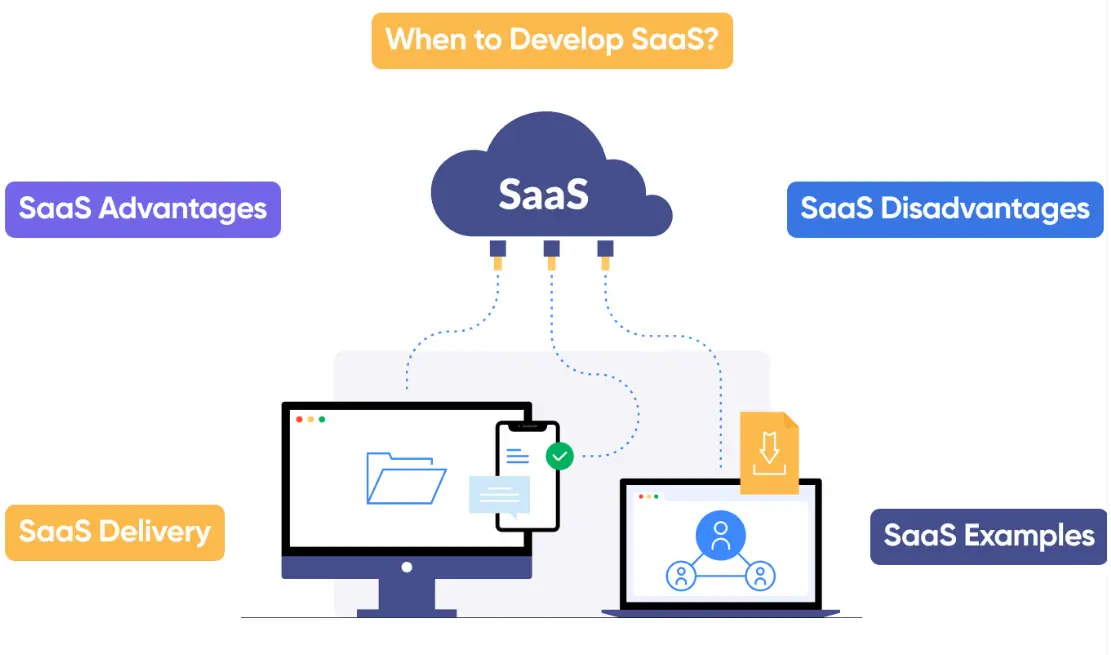
Software as a Service (SaaS) is a cloud-based delivery model for software applications, where providers host and manage the applications on their servers, making them accessible to users over the internet via a subscription fee. This approach eliminates the need for users to install, maintain, or update software locally, allowing for seamless access from any device with an internet connection.
Key features of SaaS include:
– Scalability: Resources can be easily adjusted to meet changing demands without significant upfront investments.
– Cost Efficiency: Users pay only for what they use, often through monthly or annual subscriptions, reducing hardware and licensing costs.
– Automatic Updates: Providers handle software enhancements, security patches, and bug fixes, ensuring users always have the latest version.
– Accessibility and Collaboration: Multi-user access enables real-time collaboration, making it ideal for remote teams and global operations.
SaaS has revolutionized industries by democratizing access to advanced tools. Common examples include customer relationship management (CRM) platforms like Salesforce, productivity suites such as Google Workspace, and project management tools like Asana.
Benefits of SaaS extend to businesses of all sizes, including faster deployment, reduced IT overhead, and enhanced data security through centralized management. However, potential drawbacks include reliance on stable internet connectivity, data privacy concerns, and limited customization options compared to on-premise solutions.
As technology evolves, SaaS continues to integrate with emerging trends like artificial intelligence, machine learning, and edge computing, further expanding its applications and driving innovation across sectors.
Table of Contents
- Part 1: OnlineExamMaker AI Quiz Generator – Save Time and Efforts
- Part 2: 20 Software As A Service Quiz Questions & Answers
- Part 3: Try OnlineExamMaker AI Question Generator to Create Quiz Questions
Part 1: OnlineExamMaker AI Quiz Generator – Save Time and Efforts
What’s the best way to create a Software As A Service quiz online? OnlineExamMaker is the best AI quiz making software for you. No coding, and no design skills required. If you don’t have the time to create your online quiz from scratch, you are able to use OnlineExamMaker AI Question Generator to create question automatically, then add them into your online assessment. What is more, the platform leverages AI proctoring and AI grading features to streamline the process while ensuring exam integrity.
Key features of OnlineExamMaker:
● Combines AI webcam monitoring to capture cheating activities during online exam.
● Allow the quiz taker to answer by uploading video or a Word document, adding an image, and recording an audio file.
● Automatically scores multiple-choice, true/false, and even open-ended/audio responses using AI, reducing manual work.
● OnlineExamMaker API offers private access for developers to extract your exam data back into your system automatically.
Automatically generate questions using AI
Part 2: 20 Software As A Service Quiz Questions & Answers
or
1. What is Software as a Service (SaaS)?
A. A model where users manage their own infrastructure
B. A cloud-based service where software is licensed on a subscription basis
C. Hardware delivered over the internet
D. A physical software installation on local servers
Answer: B
Explanation: SaaS is a software delivery model where applications are hosted by a provider and accessed via the internet, typically through a subscription, eliminating the need for users to install and maintain software.
2. Which of the following is a key advantage of SaaS?
A. High customization options for hardware
B. Automatic updates and maintenance handled by the provider
C. Complete control over the underlying infrastructure
D. No internet dependency
Answer: B
Explanation: SaaS providers manage updates, security patches, and maintenance, allowing users to focus on their core activities without handling technical upkeep.
3. How does SaaS differ from Infrastructure as a Service (IaaS)?
A. IaaS provides raw computing resources, while SaaS offers fully managed applications
B. SaaS and IaaS are essentially the same
C. IaaS includes software licensing, which SaaS does not
D. SaaS requires users to manage operating systems
Answer: A
Explanation: IaaS gives users virtualized computing resources like servers and storage, whereas SaaS delivers ready-to-use applications over the internet.
4. What is a common pricing model for SaaS applications?
A. One-time purchase fee
B. Subscription-based, such as monthly or annual fees
C. Pay-per-use hardware rental
D. Free with unlimited access
Answer: B
Explanation: Most SaaS products use a subscription model to provide ongoing access, making it scalable and predictable for both providers and users.
5. Which company is a prominent example of a SaaS provider?
A. Amazon Web Services
B. Salesforce
C. Microsoft Azure
D. Google Cloud Platform
Answer: B
Explanation: Salesforce offers customer relationship management (CRM) software as a fully managed SaaS solution, accessible via the web.
6. In SaaS, who typically handles data security?
A. The end-user organization
B. The SaaS provider, with shared responsibility
C. It is not a concern in SaaS
D. Third-party vendors only
Answer: B
Explanation: While the SaaS provider secures the infrastructure and platform, users share responsibility for aspects like data encryption and access controls.
7. What does multi-tenancy mean in the context of SaaS?
A. Multiple users sharing the same server resources
B. Each user having a dedicated server
C. Software installed on multiple devices
D. A single tenant managing all data
Answer: A
Explanation: Multi-tenancy allows multiple customers to use the same application instance while keeping their data separate and secure, enabling cost efficiency.
8. Which of the following is a potential disadvantage of SaaS?
A. Unlimited storage options
B. Dependency on internet connectivity
C. Full control over code customization
D. No need for software updates
Answer: B
Explanation: SaaS requires a stable internet connection for access, which can lead to downtime if connectivity issues arise.
9. What role does scalability play in SaaS?
A. It limits the number of users
B. It allows resources to be adjusted based on demand without downtime
C. It requires manual hardware upgrades
D. It is not applicable to cloud services
Answer: B
Explanation: SaaS platforms are designed for easy scaling, enabling providers to handle increased users or data loads dynamically.
10. How is data typically stored in SaaS applications?
A. On the user’s local devices
B. In cloud-based databases managed by the provider
C. On physical tapes in data centers
D. In hybrid on-premise servers
Answer: B
Explanation: SaaS relies on centralized cloud storage, which the provider manages for accessibility, redundancy, and security.
11. What is the primary benefit of using SaaS for small businesses?
A. High initial investment costs
B. Reduced IT overhead and quick deployment
C. Need for in-house technical experts
D. Limited access to updates
Answer: B
Explanation: SaaS lowers barriers for small businesses by providing affordable, ready-to-use tools without the need for extensive IT infrastructure.
12. In SaaS, what does “vendor lock-in” refer to?
A. The ability to switch providers easily
B. Difficulty in migrating data or applications to another provider
C. Free access to multiple vendors
D. Custom code ownership
Answer: B
Explanation: Vendor lock-in occurs when proprietary formats or dependencies make it challenging for users to transition to a different SaaS provider.
13. Which protocol is commonly used for secure SaaS access?
A. HTTP
B. FTP
C. HTTPS
D. SMTP
Answer: C
Explanation: HTTPS ensures encrypted communication between the user and the SaaS application, protecting data in transit.
14. What is a key feature of SaaS integration?
A. Isolation from other applications
B. APIs for connecting with third-party tools
C. Manual data entry requirements
D. No compatibility with external systems
Answer: B
Explanation: SaaS applications often include APIs that allow seamless integration with other software, enhancing functionality and workflow.
15. How does SaaS support remote work?
A. By requiring physical office presence
B. Through web-based access from any device
C. Limiting access to company networks only
D. Disabling mobile compatibility
Answer: B
Explanation: SaaS enables employees to access applications from anywhere with an internet connection, facilitating remote and flexible work environments.
16. What is the typical deployment time for a SaaS application?
A. Several months for setup
B. Minutes to hours via cloud provisioning
C. Years with custom development
D. Immediate upon hardware purchase
Answer: B
Explanation: SaaS applications are pre-built and hosted in the cloud, allowing for rapid deployment without extensive configuration.
17. Which factor is crucial for SaaS compliance?
A. Ignoring regional data laws
B. Adhering to standards like GDPR or HIPAA
C. Avoiding encryption entirely
D. Storing data locally only
Answer: B
Explanation: SaaS providers must comply with data protection regulations to ensure user privacy and avoid legal issues.
18. What does “SaaS uptime” measure?
A. The speed of data processing
B. The percentage of time the service is available
C. The cost of subscriptions
D. The number of users online
Answer: B
Explanation: Uptime refers to the reliability of the SaaS service, often measured as a percentage, such as 99.9%, to indicate availability.
19. How can users customize SaaS applications?
A. By modifying the source code directly
B. Through configuration options, plugins, or APIs
C. Replacing the entire platform
D. Only via provider approval
Answer: B
Explanation: Customization in SaaS is typically done through user-friendly interfaces, settings, or integrations, without altering the core code.
20. What is the future trend for SaaS?
A. Decline in usage due to on-premise alternatives
B. Integration with AI and machine learning for enhanced features
C. Elimination of subscription models
D. Focus on hardware sales
Answer: B
Explanation: SaaS is evolving with AI integration to provide smarter, predictive tools, improving user experiences and automation.
or
Part 3: Try OnlineExamMaker AI Question Generator to Create Quiz Questions
Automatically generate questions using AI