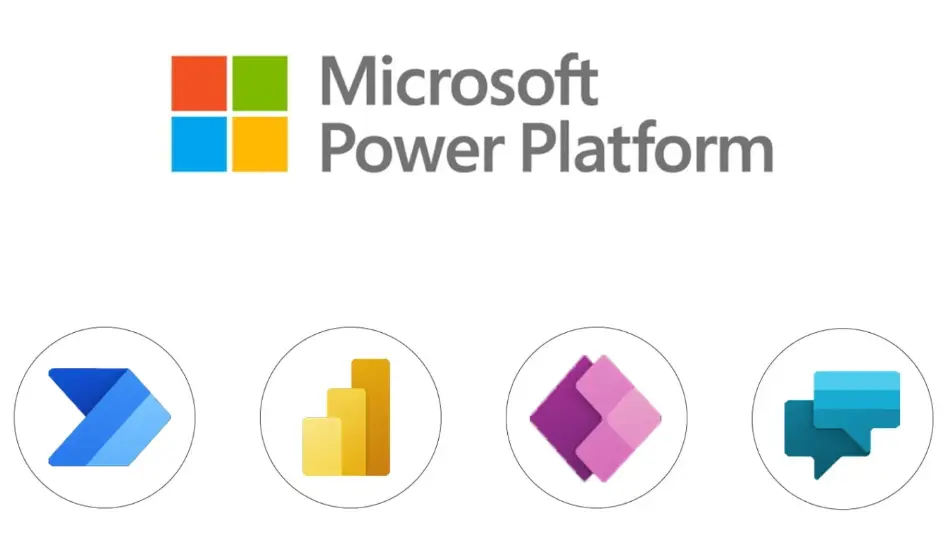
Microsoft Power Platform is a low-code/no-code suite of tools from Microsoft designed to empower users to build custom applications, automate workflows, analyze data, and create intelligent chatbots. It integrates seamlessly with Microsoft 365, Dynamics 365, and Azure, enabling organizations to innovate faster and drive digital transformation.
Key Components:
– Power Apps: Allows users to create custom business applications without extensive coding. It supports mobile and web apps, connecting to various data sources like SharePoint, Excel, and SQL databases for rapid prototyping and deployment.
– Power Automate: Automates repetitive tasks and workflows across applications. It enables users to design flows that integrate services such as email, file storage, and third-party apps, improving efficiency and reducing manual errors.
– Power BI: A business analytics tool for visualizing and sharing insights from data. It transforms raw data into interactive dashboards and reports, supporting real-time analytics and AI-driven predictions to inform decision-making.
– Power Virtual Agents: Empowers users to build AI-powered chatbots for customer service and internal support. These bots can handle conversations in natural language, integrate with backend systems, and escalate complex queries to human agents.
Core Features:
– Low-Code/No-Code Development: Democratizes app building by providing drag-and-drop interfaces, pre-built templates, and connectors, making it accessible to non-technical users.
– Integration Capabilities: Seamlessly connects with Microsoft ecosystems and external services via APIs, ensuring data flows smoothly across platforms.
– Security and Governance: Includes built-in features for data protection, compliance, and environment management, with role-based access controls.
– AI and Automation Enhancements: Leverages Microsoft AI for advanced capabilities like predictive analytics, process mining, and conversational AI.
Benefits:
– Increased Productivity: Streamlines operations by automating routine tasks and providing actionable insights, allowing employees to focus on higher-value activities.
– Cost Savings: Reduces development time and resources through citizen development, minimizing the need for specialized IT expertise.
– Scalability and Flexibility: Supports growth from small projects to enterprise-wide solutions, with cloud-based scalability and easy updates.
– Innovation Acceleration: Fosters a culture of innovation by enabling quick prototyping and iteration, helping businesses respond to market changes.
Use Cases:
– Businesses use Power Apps to develop field service apps for mobile workers.
– HR departments automate approval processes with Power Automate for leave requests or onboarding.
– Sales teams leverage Power BI for real-time sales dashboards to track performance metrics.
– Customer support centers deploy Power Virtual Agents to handle common inquiries 24/7.
Overall, Microsoft Power Platform simplifies technology adoption, enabling organizations to build powerful solutions that drive efficiency and growth.
Table of Contents
- Part 1: OnlineExamMaker AI Quiz Generator – Save Time and Efforts
- Part 2: 20 Microsoft Power Platform Quiz Questions & Answers
- Part 3: OnlineExamMaker AI Question Generator: Generate Questions for Any Topic
Part 1: OnlineExamMaker AI Quiz Generator – Save Time and Efforts
What’s the best way to create a Microsoft Power Platform quiz online? OnlineExamMaker is the best AI quiz making software for you. No coding, and no design skills required. If you don’t have the time to create your online quiz from scratch, you are able to use OnlineExamMaker AI Question Generator to create question automatically, then add them into your online assessment. What is more, the platform leverages AI proctoring and AI grading features to streamline the process while ensuring exam integrity.
Key features of OnlineExamMaker:
● Combines AI webcam monitoring to capture cheating activities during online exam.
● Allow the quiz taker to answer by uploading video or a Word document, adding an image, and recording an audio file.
● Automatically scores multiple-choice, true/false, and even open-ended/audio responses using AI, reducing manual work.
● OnlineExamMaker API offers private access for developers to extract your exam data back into your system automatically.
Automatically generate questions using AI
Part 2: 20 Microsoft Power Platform Quiz Questions & Answers
or
1. Question: What is the primary purpose of Microsoft Power Apps?
A. To create automated workflows
B. To build custom business applications
C. To visualize data through reports
D. To develop virtual agents for chatbots
Correct Answer: B
Explanation: Power Apps is designed for low-code/no-code development of custom applications that can connect to various data sources, enabling users to build apps quickly without extensive coding.
2. Question: Which component of Power Platform is used for automating repetitive tasks?
A. Power BI
B. Power Apps
C. Power Automate
D. Power Virtual Agents
Correct Answer: C
Explanation: Power Automate allows users to create workflows that automate processes across applications and services, such as sending emails or approving documents.
3. Question: What does Power BI primarily focus on?
A. Building chatbots
B. Data analysis and visualization
C. Workflow automation
D. Application development
Correct Answer: B
Explanation: Power BI is a business analytics tool that enables users to visualize and share insights from their data through interactive dashboards and reports.
4. Question: In Power Platform, what is Dataverse used for?
A. Storing and managing data across applications
B. Creating automated flows
C. Designing user interfaces
D. Generating reports
Correct Answer: A
Explanation: Dataverse is a cloud-based data service that provides a secure and scalable way to store and manage data for Power Apps, Power Automate, and other components.
5. Question: Which of the following is a type of app in Power Apps?
A. Scripted app
B. Canvas app
C. Automated app
D. Virtual app
Correct Answer: B
Explanation: Canvas apps in Power Apps allow users to design apps from a blank canvas, offering flexibility to create responsive and mobile-friendly applications.
6. Question: What is a flow in Power Automate?
A. A visual representation of data
B. A sequence of actions to automate a process
C. A custom connector for apps
D. A chatbot interaction script
Correct Answer: B
Explanation: A flow in Power Automate is a set of steps that define how tasks are automated, such as triggering an action based on an event.
7. Question: How does Power Virtual Agents integrate with Power Platform?
A. By creating data visualizations
B. By building chatbots that connect to other Power tools
C. By automating app development
D. By managing workflows directly
Correct Answer: B
Explanation: Power Virtual Agents allows users to create AI-powered chatbots that can integrate with Power Apps, Power Automate, and other services for enhanced customer interactions.
8. Question: What is the role of connectors in Power Platform?
A. To secure data access
B. To connect apps and services to external data sources
C. To design user interfaces
D. To generate reports
Correct Answer: B
Explanation: Connectors in Power Platform act as bridges that enable apps, flows, and bots to interact with various services like Microsoft 365, Salesforce, or SQL databases.
9. Question: Which Power Platform tool is best for creating interactive dashboards?
A. Power Apps
B. Power Automate
C. Power BI
D. Power Virtual Agents
Correct Answer: C
Explanation: Power BI specializes in creating interactive dashboards and reports that help users analyze data trends and make informed decisions.
10. Question: What is AI Builder in Power Platform?
A. A tool for building physical robots
B. A feature for adding AI capabilities to apps and flows
C. A data storage solution
D. A workflow automation engine
Correct Answer: B
Explanation: AI Builder is a Power Platform add-on that allows users to add AI models, such as image recognition or form processing, to their apps and automations without custom coding.
11. Question: In Power Apps, what distinguishes model-driven apps from canvas apps?
A. Model-driven apps are for mobile only
B. Model-driven apps are based on data models and components
C. Canvas apps use AI exclusively
D. Model-driven apps require full coding
Correct Answer: B
Explanation: Model-driven apps in Power Apps are built around predefined data models and components, making them ideal for structured business processes.
12. Question: How can Power Automate handle approvals?
A. By generating reports
B. Through approval flows that route requests to users
C. By creating chatbots
D. By visualizing data
Correct Answer: B
Explanation: Power Automate includes templates for approval flows, which automate the process of sending, reviewing, and approving requests via email or apps.
13. Question: What is a gateway in Power BI?
A. A tool for creating apps
B. A connection to on-premises data sources
C. An automated workflow
D. A chatbot interface
Correct Answer: B
Explanation: A gateway in Power BI allows secure connections to on-premises data sources, enabling seamless integration with cloud-based reports.
14. Question: Which license is required to use advanced features in Power Platform?
A. Free license only
B. Per-app or per-user licensing
C. Basic Office license
D. No license needed
Correct Answer: B
Explanation: Power Platform requires per-app or per-user licensing for advanced features, depending on the components used, to ensure proper access and compliance.
15. Question: In Power BI, what is a dataset?
A. A visual chart
B. A collection of data used for reports
C. An automated flow
D. A user interface element
Correct Answer: B
Explanation: A dataset in Power BI is a structured collection of data that serves as the foundation for creating reports, dashboards, and visualizations.
16. Question: How does Power Platform support low-code development?
A. By requiring extensive programming
B. Through drag-and-drop interfaces and pre-built components
C. By focusing only on high-code solutions
D. By eliminating all coding
Correct Answer: B
Explanation: Power Platform emphasizes low-code development with tools like drag-and-drop builders in Power Apps and Power Automate, making it accessible to non-developers.
17. Question: What is the benefit of using environments in Power Platform?
A. To limit data sharing
B. To organize and isolate resources for development and testing
C. To automate all processes
D. To create visualizations
Correct Answer: B
Explanation: Environments in Power Platform help segregate apps, flows, and data for different purposes, such as development, testing, and production.
18. Question: In Power Virtual Agents, what are topics?
A. Data sources
B. Conversational paths for user interactions
C. Automated reports
D. App components
Correct Answer: B
Explanation: Topics in Power Virtual Agents define the structure of conversations, allowing bots to handle specific user queries or intents effectively.
19. Question: How can Power Apps integrate with Microsoft Teams?
A. By creating separate workflows
B. Through embedding apps directly into Teams for collaboration
C. By generating BI reports
D. By building chatbots only
Correct Answer: B
Explanation: Power Apps can be embedded into Microsoft Teams, enabling users to access and interact with custom apps within the Teams interface.
20. Question: What is a common use case for Power Automate with SharePoint?
A. To visualize SharePoint data
B. To automate file approvals and notifications in SharePoint libraries
C. To build apps from SharePoint
D. To create chatbots for SharePoint
Correct Answer: B
Explanation: Power Automate can trigger flows based on SharePoint events, such as automating approvals for documents or sending notifications when files are uploaded.
or
Part 3: OnlineExamMaker AI Question Generator: Generate Questions for Any Topic
Automatically generate questions using AI