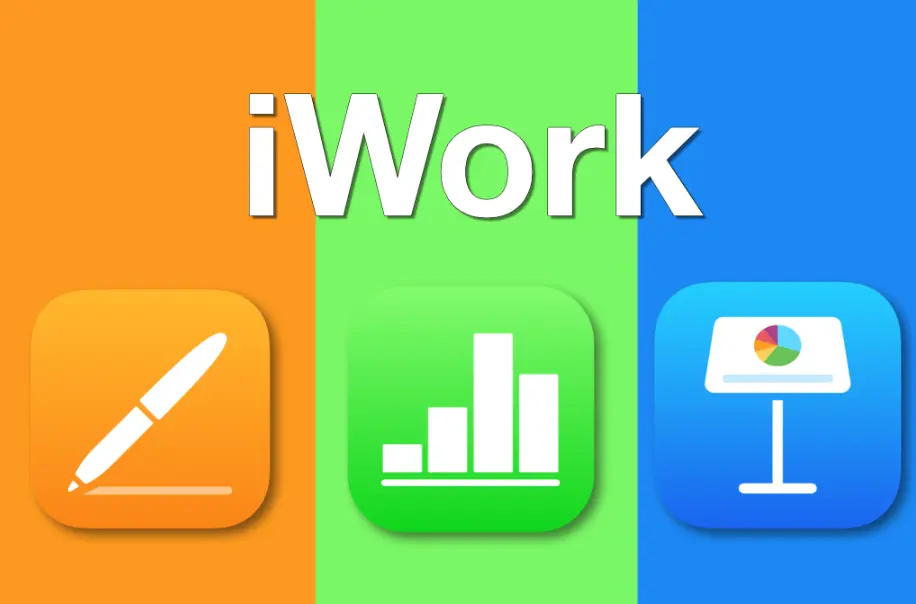
iWork is Apple’s suite of productivity applications designed for creating, editing, and collaborating on documents, spreadsheets, and presentations. It includes three main apps: Pages for word processing, Numbers for spreadsheets, and Keynote for slideshows.
Pages allows users to create professional documents with templates, advanced formatting tools, and seamless integration with photos, charts, and shapes. It supports real-time collaboration, track changes, and exports to formats like PDF and Microsoft Word.
Numbers enables efficient data management through intuitive spreadsheets, featuring dynamic formulas, interactive charts, and customizable templates. It supports importing and exporting Excel files, making it easy to work with large datasets and visualize trends.
Keynote is a powerful presentation tool that lets users design stunning slideshows with themes, animations, and cinematic transitions. It includes tools for building interactive elements and delivers polished presentations with AirPlay or export options to PowerPoint.
iWork is optimized for Apple devices, offering a user-friendly interface across macOS, iOS, and iPadOS. It integrates with iCloud for automatic syncing and storage, and supports collaboration via the web. Available for free on the App Store, iWork emphasizes simplicity, creativity, and seamless performance within the Apple ecosystem.
Table of Contents
- Part 1: Create An Amazing iWork Quiz Using AI Instantly in OnlineExamMaker
- Part 2: 20 iWork Quiz Questions & Answers
- Part 3: Save Time and Energy: Generate Quiz Questions with AI Technology
Part 1: Create An Amazing iWork Quiz Using AI Instantly in OnlineExamMaker
The quickest way to assess the iWork knowledge of candidates is using an AI assessment platform like OnlineExamMaker. With OnlineExamMaker AI Question Generator, you are able to input content—like text, documents, or topics—and then automatically generate questions in various formats (multiple-choice, true/false, short answer). Its AI Exam Grader can automatically grade the exam and generate insightful reports after your candidate submit the assessment.
Overview of its key assessment-related features:
● Create up to 10 question types, including multiple-choice, true/false, fill-in-the-blank, matching, short answer, and essay questions.
● Automatically generates detailed reports—individual scores, question report, and group performance.
● Instantly scores objective questions and subjective answers use rubric-based scoring for consistency.
● API and SSO help trainers integrate OnlineExamMaker with Google Classroom, Microsoft Teams, CRM and more.
Automatically generate questions using AI
Part 2: 20 iWork Quiz Questions & Answers
or
1. What is the primary function of Pages in iWork?
A. Creating spreadsheets
B. Word processing and document creation
C. Designing presentations
D. Video editing
Answer: B
Explanation: Pages is designed for creating and editing documents, similar to word processors like Microsoft Word.
2. In Numbers, what does the “Tables” feature allow users to do?
A. Organize slides
B. Create and manipulate data in rows and columns
C. Edit images
D. Record audio
Answer: B
Explanation: Tables in Numbers enable users to structure and analyze data using rows, columns, and formulas.
3. Which iWork app is best for creating slideshows?
A. Pages
B. Numbers
C. Keynote
D. GarageBand
Answer: C
Explanation: Keynote is specifically for designing and delivering presentations with slides, transitions, and animations.
4. How can you collaborate on a document in iWork?
A. Only through email
B. Using iCloud for real-time editing with others
C. Via USB drive sharing
D. Through third-party apps only
Answer: B
Explanation: iCloud integration allows multiple users to edit iWork documents simultaneously with changes syncing in real time.
5. In Keynote, what is the purpose of the “Master Slides”?
A. To add music to presentations
B. To create reusable slide layouts
C. To insert charts
D. To export files
Answer: B
Explanation: Master Slides provide templates for consistent formatting across all slides in a presentation.
6. Which format is commonly used for exporting Pages documents?
A. .xls
B. .ppt
C. .pdf
D. .mp4
Answer: C
Explanation: Pages allows exporting to PDF for sharing documents that maintain their layout and formatting.
7. In Numbers, what is a “Formula” used for?
A. To change font styles
B. To perform calculations on data
C. To add images
D. To create animations
Answer: B
Explanation: Formulas in Numbers enable automatic calculations, such as summing values or averaging data.
8. How do you add a chart in Keynote?
A. By inserting a table from Pages
B. Using the “Charts” menu in the toolbar
C. Only through external imports
D. By recording a video
Answer: B
Explanation: The Charts menu in Keynote allows users to add visual representations of data directly to slides.
9. What is iCloud’s role in iWork?
A. It provides storage for photos only
B. It syncs and backs up iWork files across devices
C. It edits videos
D. It manages email
Answer: B
Explanation: iCloud ensures that iWork documents are accessible and synchronized across Apple devices.
10. In Pages, how can you insert a page break?
A. By using the “Insert” menu and selecting “Page Break”
B. By dragging a slide from Keynote
C. By adding a formula in Numbers
D. By exporting to PDF
Answer: A
Explanation: The Insert menu in Pages includes options for adding page breaks to control document layout.
11. What does the “Magic Move” feature in Keynote do?
A. It animates transitions between similar slides
B. It adds background music
C. It creates spreadsheets
D. It edits text
Answer: A
Explanation: Magic Move automatically animates objects moving from one slide to another for smooth transitions.
12. In Numbers, how can you filter data in a table?
A. By using the “Sort & Filter” option
B. By adding a chart
C. By inserting a page break
D. By exporting to video
Answer: A
Explanation: The Sort & Filter feature in Numbers allows users to display specific data subsets based on criteria.
13. Which iWork app supports the use of “Shapes” for diagrams?
A. Numbers
B. Pages
C. Both Pages and Keynote
D. Only Keynote
Answer: C
Explanation: Both Pages and Keynote have tools for inserting and customizing shapes to enhance documents and presentations.
14. How do you share a Numbers spreadsheet via iCloud?
A. By emailing it as an attachment
B. By inviting collaborators through the Share menu
C. By printing it directly
D. By converting it to a video
Answer: B
Explanation: The Share menu in Numbers allows users to invite others to view or edit via iCloud links.
15. In Keynote, what is the “Rehearse” mode for?
A. To practice timings and delivery of a presentation
B. To edit document text
C. To create formulas
D. To add images
Answer: A
Explanation: Rehearse mode helps users time their slides and notes for effective presentation practice.
16. What file extension is typically used for Keynote files?
A. .pages
B. .numbers
C. .key
D. .doc
Answer: C
Explanation: Keynote files are saved with the .key extension, which is specific to Apple’s presentation format.
17. In Pages, how can you track changes in a document?
A. By using the “Comments” feature
B. Through the “Track Changes” tool in the editing menu
C. By exporting to PDF
D. By adding animations
Answer: B
Explanation: The Track Changes feature in Pages records edits, allowing collaborators to see and accept or reject modifications.
18. What is the “Categories” function in Numbers?
A. To group data for better organization
B. To add slides
C. To insert text boxes
D. To create videos
Answer: A
Explanation: Categories in Numbers help organize and summarize data, such as grouping expenses by type.
19. In iWork, how can you import data from another app?
A. Only through copy and paste
B. By using the “Import” option for compatible files like CSV or Excel
C. By recording audio
D. By adding a presentation
Answer: B
Explanation: iWork apps like Numbers support importing data from external files, such as CSV, for seamless integration.
20. Which iWork app features “Interactive Widgets”?
A. Pages
B. Numbers
C. Keynote
D. All of them
Answer: D
Explanation: Interactive Widgets, like sliders or checkboxes, can be used in Pages, Numbers, and Keynote to make documents and presentations more dynamic.
or
Part 3: Save Time and Energy: Generate Quiz Questions with AI Technology
Automatically generate questions using AI