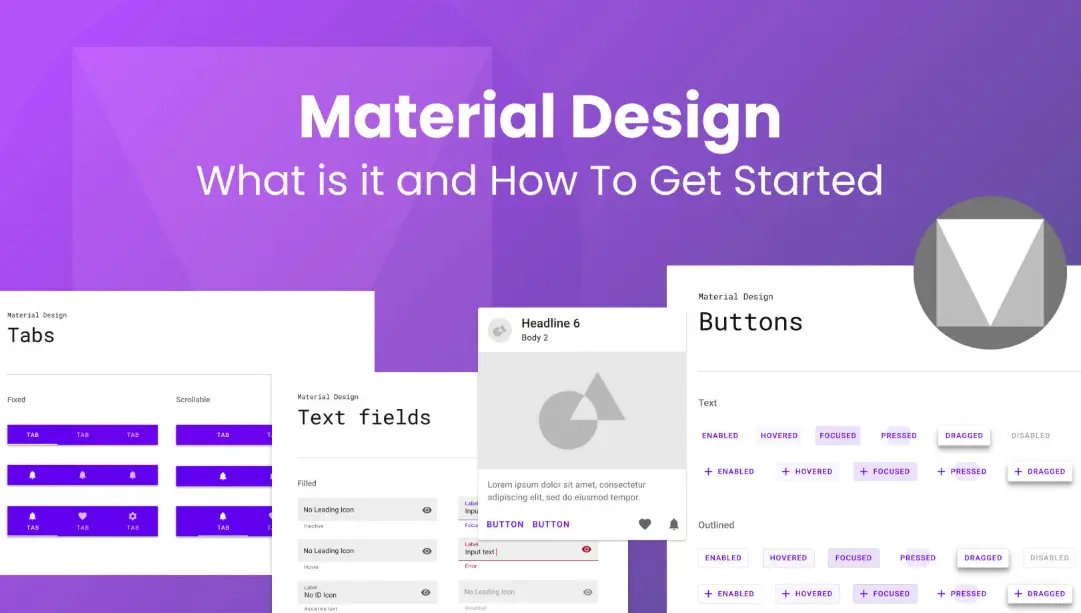
Material Design is a comprehensive design system developed by Google, introduced in 2014, to create intuitive, consistent, and visually appealing user interfaces across platforms like Android, web, and iOS. It draws inspiration from the physical world, using metaphors such as paper and ink to guide digital interactions.
Key Principles:
– Material is the Metaphor: Interfaces mimic real-world materials with elements like elevation, shadows, and responsive surfaces to make interactions feel tangible.
– Bold, Graphic, and Intentional: Emphasizes clear typography, vibrant colors, and purposeful imagery to enhance readability and focus.
– Motion Provides Meaning: Smooth animations and transitions help users understand actions, provide feedback, and create a seamless experience.
Core Components:
– Surfaces and Layouts: Cards, grids, and lists organize content for easy navigation.
– Interactive Elements: Buttons, switches, sliders, and navigation drawers enable intuitive user input.
– Visual Elements: Icons, typography, and color palettes ensure accessibility and brand consistency.
Benefits:
– Consistency Across Devices: Adapts seamlessly to different screen sizes and operating systems.
– Improved Usability: Reduces cognitive load with predictable patterns, making apps more accessible.
– Efficiency for Developers: Offers reusable components and guidelines, speeding up design and development processes.
Material Design is widely used in Google’s ecosystem and beyond, influencing apps like Gmail and YouTube, and is supported by tools such as Material Components for Android and Material-UI for web development. It evolves with updates to incorporate new technologies and user needs.
Table of Contents
- Part 1: OnlineExamMaker – Generate and Share Google Material Design Quiz with AI Automatically
- Part 2: 20 Google Material Design Quiz Questions & Answers
- Part 3: Try OnlineExamMaker AI Question Generator to Create Quiz Questions
Part 1: OnlineExamMaker – Generate and Share Google Material Design Quiz with AI Automatically
The quickest way to assess the Google Material Design knowledge of candidates is using an AI assessment platform like OnlineExamMaker. With OnlineExamMaker AI Question Generator, you are able to input content—like text, documents, or topics—and then automatically generate questions in various formats (multiple-choice, true/false, short answer). Its AI Exam Grader can automatically grade the exam and generate insightful reports after your candidate submit the assessment.
What you will like:
● Create a question pool through the question bank and specify how many questions you want to be randomly selected among these questions.
● Allow the quiz taker to answer by uploading video or a Word document, adding an image, and recording an audio file.
● Display the feedback for correct or incorrect answers instantly after a question is answered.
● Create a lead generation form to collect an exam taker’s information, such as email, mobile phone, work title, company profile and so on.
Automatically generate questions using AI
Part 2: 20 Google Material Design Quiz Questions & Answers
or
Question 1:
What is the primary purpose of Google Material Design?
A) To create physical materials for product design
B) To provide a unified system of visual, motion, and interaction design for digital interfaces
C) To focus solely on color palettes for web development
D) To replace all existing design systems in software
Answer: B
Explanation: Material Design is a design system introduced by Google to ensure consistent and intuitive user experiences across platforms by defining guidelines for visuals, interactions, and animations.
Question 2:
Which of the following is a core principle of Material Design?
A) Minimalism and flat design only
B) Bold colors and 3D effects
C) Meaningful transitions and purposeful animation
D) Ignoring mobile responsiveness
Answer: C
Explanation: Material Design emphasizes meaningful transitions to guide users and make interactions feel natural, enhancing usability and engagement.
Question 3:
In Material Design, what is the role of the primary color?
A) It is used only for backgrounds
B) It defines the main theme and is applied to key elements like buttons and headers
C) It is restricted to error messages
D) It has no specific role
Answer: B
Explanation: The primary color in Material Design sets the overall theme, appearing on interactive elements to create a cohesive and brand-aligned interface.
Question 4:
What type of grid system does Material Design recommend?
A) A fixed 12-column grid
B) A flexible 8-point grid for scalability
C) A random pixel-based layout
D) No grid system
Answer: B
Explanation: Material Design uses an 8-point grid to ensure layouts are responsive and adaptable across different screen sizes and devices.
Question 5:
Which component in Material Design is typically used for the main navigation on mobile apps?
A) Top App Bar
B) Bottom Navigation
C) Floating Action Button
D) Card
Answer: B
Explanation: Bottom Navigation provides quick access to the main sections of an app, making it ideal for mobile interfaces with limited screen space.
Question 6:
In Material Design, what does “elevation” refer to?
A) The height of text on the screen
B) A visual effect that simulates depth using shadows
C) The speed of animations
D) The color intensity of elements
Answer: B
Explanation: Elevation in Material Design uses shadows to indicate the z-axis position of elements, helping users understand hierarchy and focus.
Question 7:
Which typography scale does Material Design primarily use?
A) A custom 16px base with modular increments
B) Only sans-serif fonts
C) Variable font sizes without a system
D) A 12-point scale
Answer: A
Explanation: Material Design’s typography is based on a 16dp (density-independent pixels) baseline with increments of 4dp or 8dp for harmony and readability.
Question 8:
What is a key feature of Material Design icons?
A) They are raster-based for better quality
B) They are vector-based and scalable
C) They include only colored icons
D) They are limited to Google’s apps
Answer: B
Explanation: Material Design icons are vector graphics, allowing them to scale without losing quality and adapt to various sizes and resolutions.
Question 9:
How does Material Design handle responsiveness?
A) It ignores different screen sizes
B) It uses flexible layouts and breakpoints based on material units
C) It only supports desktop views
D) It relies on fixed pixel widths
Answer: B
Explanation: Material Design incorporates responsive design through adaptable grids and components that adjust to different screen sizes using material units.
Question 10:
What is the Floating Action Button (FAB) in Material Design?
A) A button at the bottom of the screen for secondary actions
B) A prominent button for the primary action, usually circular and floating
C) A navigation element
D) A dialog box opener
Answer: B
Explanation: The FAB is designed to highlight the most important action on a screen, positioned for easy access and emphasizing key interactions.
Question 11:
In Material Design, what is theming?
A) Applying random colors to elements
B) Customizing colors, typography, and shapes while following core guidelines
C) Removing all animations
D) Limiting designs to black and white
Answer: B
Explanation: Theming in Material Design allows for personalization of the interface by overriding default colors and styles, maintaining consistency.
Question 12:
Which motion principle is emphasized in Material Design?
A) Fast, abrupt transitions
B) Natural, meaningful animations that respond to user input
C) No animations at all
D) Random effects
Answer: B
Explanation: Material Design uses motion to create a sense of physicality and responsiveness, making interactions feel intuitive and connected.
Question 13:
What is a Card in Material Design?
A) A full-screen element
B) A container for related information, with optional elevation
C) A navigation drawer
D) A button style
Answer: B
Explanation: Cards group content into a single unit, using elevation to separate it from the background and improve scannability.
Question 14:
How does Material Design promote accessibility?
A) By ignoring color contrast
B) Through high contrast ratios, semantic elements, and scalable text
C) By using only images
D) By disabling keyboard navigation
Answer: B
Explanation: Material Design includes guidelines for accessibility, such as ensuring sufficient color contrast and supporting screen readers for inclusive design.
Question 15:
What is the App Bar in Material Design?
A) A footer element
B) A toolbar at the top that provides actions and context
C) A side panel
D) A popup dialog
Answer: B
Explanation: The App Bar serves as the primary header, displaying the app’s title, actions, and navigation, helping users orient themselves.
Question 16:
In Material Design, what are Material Symbols?
A) Physical icons for products
B) A set of customizable icons and symbols for interfaces
C) Only text-based elements
D) Animated backgrounds
Answer: B
Explanation: Material Symbols are a flexible icon system that can be customized in weight, fill, and optical size to fit various design needs.
Question 17:
Which layout technique is recommended for lists in Material Design?
A) Overlapping elements
B) Using RecyclerView or similar for efficient, scrollable lists
C) Fixed-width columns only
D) No specific technique
Answer: B
Explanation: Material Design suggests using components like RecyclerView to handle lists efficiently, ensuring smooth performance and adaptability.
Question 18:
What distinguishes dialogs in Material Design?
A) They are full-screen overlays
B) They are modal windows that interrupt the user flow for important decisions
C) They are always non-interactive
D) They use no shadows
Answer: B
Explanation: Dialogs in Material Design are designed to focus user attention on critical information or actions, with elevation to indicate modality.
Question 19:
How does Material Design handle error states?
A) By ignoring them
B) Using specific colors like red for errors and providing clear feedback
C) Hiding errors from users
D) Only through animations
Answer: B
Explanation: Material Design guidelines recommend using error colors and explicit messaging to help users identify and correct issues effectively.
Question 20:
What is the key difference between Material Design and traditional design systems?
A) Material Design is not adaptable
B) It incorporates real-world physics like light and material properties into digital interfaces
C) It focuses only on web design
D) It avoids using colors
Answer: B
Explanation: Unlike traditional systems, Material Design draws from tangible materials to create a more intuitive and realistic digital experience through elements like shadows and motion.
or
Part 3: Try OnlineExamMaker AI Question Generator to Create Quiz Questions
Automatically generate questions using AI