Headline: Discover Amazing Deals Today!
Description: Shop our exclusive collection and save up to 50% on top brands. Limited time offer—don’t miss out!
Call to Action: Shop Now
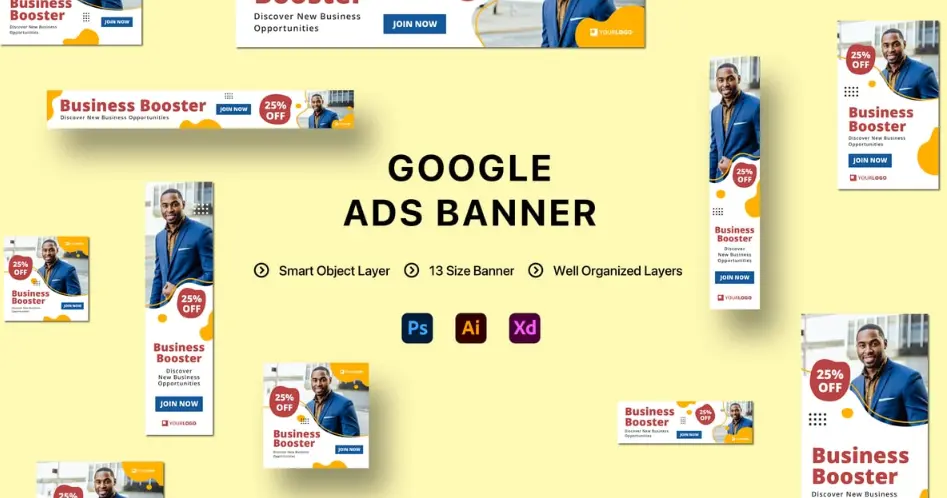
Image Alt Text: Vibrant banner showcasing products with a bold discount badge.
Ad Extensions: Site link: [YourWebsite.com/Deals]
Table of Contents
- Part 1: OnlineExamMaker – Generate and Share Google Ads Banner Ad Quiz with AI Automatically
- Part 2: 20 Google Ads Banner Ad Quiz Questions & Answers
- Part 3: AI Question Generator – Automatically Create Questions for Your Next Assessment
Part 1: OnlineExamMaker – Generate and Share Google Ads Banner Ad Quiz with AI Automatically
The quickest way to assess the Google Ads Banner Ad knowledge of candidates is using an AI assessment platform like OnlineExamMaker. With OnlineExamMaker AI Question Generator, you are able to input content—like text, documents, or topics—and then automatically generate questions in various formats (multiple-choice, true/false, short answer). Its AI Exam Grader can automatically grade the exam and generate insightful reports after your candidate submit the assessment.
What you will like:
● Create a question pool through the question bank and specify how many questions you want to be randomly selected among these questions.
● Allow the quiz taker to answer by uploading video or a Word document, adding an image, and recording an audio file.
● Display the feedback for correct or incorrect answers instantly after a question is answered.
● Create a lead generation form to collect an exam taker’s information, such as email, mobile phone, work title, company profile and so on.
Automatically generate questions using AI
Part 2: 20 Google Ads Banner Ad Quiz Questions & Answers
or
1. What is a banner ad in Google Ads?
A) A text-only advertisement
B) A graphical image or animation displayed on websites
C) A video ad played on YouTube
D) An audio ad on podcasts
Answer: B
Explanation: Banner ads are visual elements like images or animations used in display advertising to catch users’ attention on partner websites.
2. Which file format is commonly recommended for Google Ads banner ads?
A) DOCX
B) PNG or JPEG
C) MP3
D) PDF
Answer: B
Explanation: PNG and JPEG formats are ideal for banner ads as they support high-quality images with transparency and compression, ensuring fast loading times.
3. What is the primary goal of A/B testing for banner ads?
A) To increase website traffic
B) To compare different ad versions and identify the best performer
C) To reduce ad costs
D) To block competitor ads
Answer: B
Explanation: A/B testing allows advertisers to experiment with variations in design, copy, or placement to optimize click-through rates and conversions.
4. In Google Ads, what does CPM stand for in the context of banner ads?
A) Cost Per Minute
B) Cost Per Million impressions
C) Clicks Per Month
D) Campaigns Per Manager
Answer: B
Explanation: CPM, or Cost Per Mille, is a bidding strategy where advertisers pay for every 1,000 impressions of their banner ad, regardless of clicks.
5. Which element of a banner ad is most important for encouraging user interaction?
A) Background color
B) Call-to-action button
C) Font size
D) Border style
Answer: B
Explanation: A clear call-to-action (CTA) button, like “Shop Now,” prompts users to take a specific action, increasing engagement and conversions.
6. What is the maximum file size for a static banner ad in Google Ads?
A) 50 KB
B) 150 KB
C) 1 MB
D) 5 MB
Answer: B
Explanation: Google Ads recommends keeping static banner ads under 150 KB to ensure quick loading and better performance across devices.
7. Which targeting option is useful for showing banner ads to users based on their interests?
A) Demographic targeting
B) Affinity audiences
C) Remarketing
D) Location targeting
Answer: B
Explanation: Affinity audiences allow advertisers to target users with specific interests, such as sports or travel, making banner ads more relevant.
8. What should you avoid when designing a banner ad to prevent user distraction?
A) Bright colors
B) Auto-playing animations
C) Simple layouts
D) High-resolution images
Answer: B
Explanation: Auto-playing animations can overwhelm users and lead to ad fatigue, so static or user-initiated elements are often preferred.
9. In Google Ads, how can you track the performance of banner ads?
A) Using Google Analytics integration
B) Checking email reports
C) Reviewing social media likes
D) Monitoring website visitors manually
Answer: A
Explanation: Integrating Google Ads with Google Analytics helps track metrics like clicks, impressions, and conversions for banner ads accurately.
10. What is the ideal aspect ratio for a leaderboard banner ad?
A) 1:1
B) 728:90
C) 300:250
D) 320:50
Answer: B
Explanation: The 728:90 aspect ratio is standard for leaderboard banners, ensuring they fit well on desktop websites for maximum visibility.
11. Why might Google reject a banner ad submission?
A) If it uses copyrighted images
B) If the ad is too small
C) If it loads quickly
D) If it has a clear headline
Answer: A
Explanation: Google rejects ads that violate policies, such as using unauthorized copyrighted material, to maintain platform integrity.
12. Which bidding strategy is best for banner ads focused on brand awareness?
A) Maximize clicks
B) Target CPA
C) Target impression share
D) Manual CPC
Answer: C
Explanation: Target impression share bidding prioritizes getting your ad seen, which is ideal for building brand awareness rather than immediate conversions.
13. What role does ad frequency play in banner advertising?
A) It determines how often an ad is shown to the same user
B) It sets the ad’s display time
C) It controls the ad’s color scheme
D) It measures the ad’s file size
Answer: A
Explanation: Managing ad frequency prevents overexposure, reducing ad fatigue and improving user experience while maintaining effectiveness.
14. How does responsive display ads differ from standard banner ads?
A) They automatically adjust to fit different screen sizes
B) They only work on mobile devices
C) They require manual design for each format
D) They are always animated
Answer: A
Explanation: Responsive display ads in Google Ads adapt to various formats and devices, making them more flexible than fixed-size banner ads.
15. What metric indicates the percentage of times your ad was displayed compared to the total eligible impressions?
A) Click-through rate
B) Impression share
C) Conversion rate
D) Quality score
Answer: B
Explanation: Impression share measures how often your banner ad appears in auctions, helping assess competition and ad visibility.
16. Which best practice improves the click-through rate of banner ads?
A) Using small text
B) Incorporating relevant keywords
C) Adding multiple CTAs
D) Making the ad blend with the webpage
Answer: B
Explanation: Including relevant keywords in ad copy ensures the banner ad matches user search intent, boosting engagement and CTR.
17. In Google Ads, what is the purpose of ad extensions for banner ads?
A) To extend the ad’s duration
B) To add extra information like site links or calls
C) To increase the ad’s file size
D) To change the ad’s color
Answer: B
Explanation: Ad extensions enhance banner ads by providing additional details, such as promotions or contact info, to improve user interaction.
18. Why is it important to use alt text in banner ads?
A) To improve accessibility for visually impaired users
B) To hide the ad from search engines
C) To reduce loading time
D) To add more colors
Answer: A
Explanation: Alt text describes the image for screen readers, making banner ads accessible and compliant with web standards.
19. What factor can negatively affect the Quality Score of a banner ad?
A) High landing page relevance
B) Low expected click-through rate
C) Fast loading speed
D) Clear visual design
Answer: B
Explanation: A low expected CTR, due to poor ad relevance or design, lowers the Quality Score, increasing costs and reducing ad performance.
20. How can you optimize banner ads for mobile devices?
A) Use large file sizes for better quality
B) Ensure touch-friendly elements and quick load times
C) Avoid responsive design
D) Focus only on desktop versions
Answer: B
Explanation: Optimizing for mobile involves creating touch-responsive elements and fast-loading ads to accommodate smaller screens and user behavior.
or
Part 3: AI Question Generator – Automatically Create Questions for Your Next Assessment
Automatically generate questions using AI