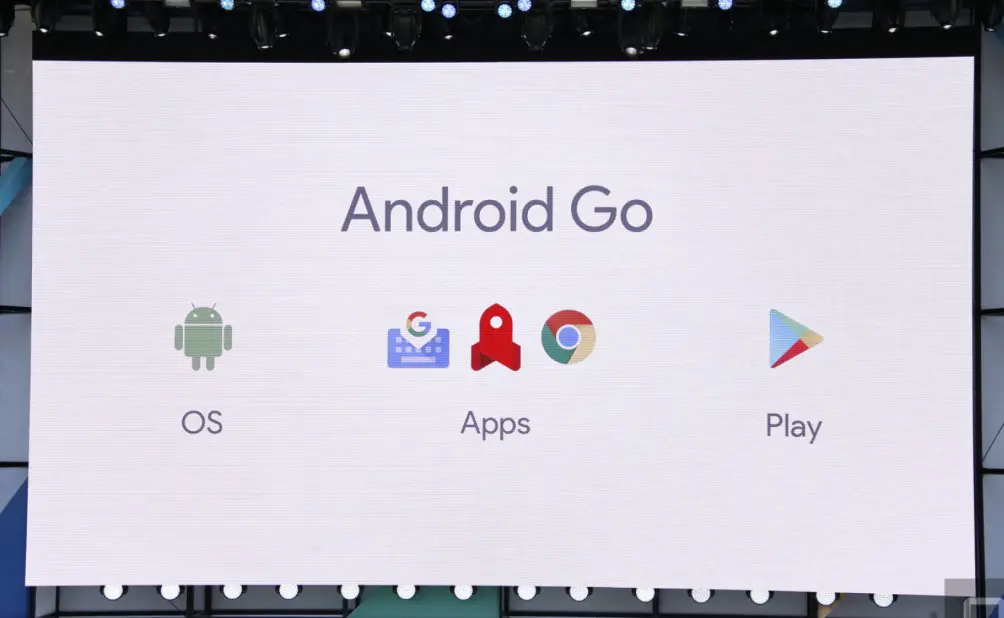
Android Go is a lightweight and efficient version of the Android operating system, designed specifically for entry-level smartphones and tablets with limited resources, such as low RAM and storage. It optimizes performance on devices with as little as 512 MB of RAM, ensuring faster boot times, smoother app launches, and better battery life. Key features include streamlined versions of popular Google apps like Google Go for quick searches, YouTube Go for data-saving video streaming, and Gmail Go for essential email management, all tailored to use less data and storage. Android Go emphasizes data conservation, security, and accessibility, making advanced mobile technology available to users in emerging markets without compromising on core functionality. This edition helps bridge the digital divide by delivering a seamless experience on budget-friendly devices.
Table of Contents
- Part 1: Create A Android Go Quiz in Minutes Using AI with OnlineExamMaker
- Part 2: 20 Android Go Quiz Questions & Answers
- Part 3: Automatically Generate Quiz Questions Using AI Question Generator
Part 1: Create A Android Go Quiz in Minutes Using AI with OnlineExamMaker
Are you looking for an online assessment to test the Android Go skills of your learners? OnlineExamMaker uses artificial intelligence to help quiz organizers to create, manage, and analyze exams or tests automatically. Apart from AI features, OnlineExamMaker advanced security features such as full-screen lockdown browser, online webcam proctoring, and face ID recognition.
Recommended features for you:
● Includes a safe exam browser (lockdown mode), webcam and screen recording, live monitoring, and chat oversight to prevent cheating.
● Enhances assessments with interactive experience by embedding video, audio, image into quizzes and multimedia feedback.
● Once the exam ends, the exam scores, question reports, ranking and other analytics data can be exported to your device in Excel file format.
● Offers question analysis to evaluate question performance and reliability, helping instructors optimize their training plan.
Automatically generate questions using AI
Part 2: 20 Android Go Quiz Questions & Answers
or
1. Question: What is Android Go primarily designed for?
A) High-end smartphones with advanced features
B) Entry-level devices with limited RAM and storage
C) Gaming consoles
D) Laptops and desktops
Answer: B
Explanation: Android Go is a lightweight version of Android optimized for devices with 512MB to 1GB of RAM, focusing on efficiency and performance on low-end hardware.
2. Question: Which of the following is a key feature of Android Go?
A) Support for high-resolution displays only
B) Data-saving mode in apps like YouTube Go
C) Integration with virtual reality
D) Advanced multitasking capabilities
Answer: B
Explanation: Android Go includes optimized apps like YouTube Go, which have built-in data-saving features to help users manage data usage on budget devices.
3. Question: How does Android Go differ from standard Android in terms of app size?
A) Apps are larger for better graphics
B) Apps are smaller and more efficient
C) Apps are the same size but faster
D) Apps are not available
Answer: B
Explanation: Android Go features streamlined versions of Google apps, such as Gmail Go, which are lighter and take up less storage space compared to their full versions.
4. Question: What is the minimum RAM requirement for devices running Android Go?
A) 4GB
B) 2GB
C) 1GB or less
D) 8GB
Answer: C
Explanation: Android Go is intended for devices with 512MB to 1GB of RAM, making it suitable for affordable smartphones that can’t handle resource-intensive versions of Android.
5. Question: Which Google app is specifically optimized for Android Go?
A) Google Photos
B) Google Maps Go
C) Google Assistant
D) Google Drive
Answer: B
Explanation: Google Maps Go is a lighter version designed for Android Go, offering essential features with reduced data usage and faster performance on low-memory devices.
6. Question: What benefit does Android Go provide for users in areas with limited internet?
A) Unlimited data access
B) Offline app functionality and data compression
C) High-speed downloads
D) Ad-free browsing
Answer: B
Explanation: Android Go includes features like data compression in apps and the ability to use certain functions offline, which is ideal for users with slow or metered connections.
7. Question: In Android Go, how are system updates typically handled?
A) Manual updates only
B) Automatic updates with minimal storage needs
C) No updates available
D) Updates require high-speed internet
Answer: B
Explanation: Android Go devices receive streamlined updates that are smaller in size, ensuring they can be installed easily on devices with limited storage and bandwidth.
8. Question: What is the main goal of the Files Go app in Android Go?
A) Video editing
B) File management and cleaning up storage
C) Social media integration
D) Gaming optimization
Answer: B
Explanation: Files Go helps users free up space by identifying and removing unnecessary files, which is crucial for maintaining performance on Android Go devices with limited storage.
9. Question: Which of the following is true about battery life in Android Go?
A) It consumes more battery than standard Android
B) It is optimized for longer battery life on low-power devices
C) Battery life is not a focus
D) It requires frequent charging
Answer: B
Explanation: Android Go is designed with efficiency in mind, including background process optimizations that help extend battery life on entry-level devices.
10. Question: How does Android Go handle app permissions compared to regular Android?
A) It has no permissions
B) Permissions are stricter to enhance security and privacy
C) Permissions are more relaxed
D) Permissions are the same but slower
Answer: B
Explanation: Android Go emphasizes security by enforcing stricter permission controls, reducing the risk of malware on devices that may lack advanced security features.
11. Question: What type of users is Android Go most targeted towards?
A) Professional gamers
B) Users in emerging markets with budget devices
C) Enterprise professionals
D) Developers only
Answer: B
Explanation: Android Go is aimed at users in developing regions who need affordable, reliable smartphones with optimized performance for everyday tasks.
12. Question: Which component of Android Go helps in reducing data usage?
A) High-definition streaming
B) Lite versions of apps with data-saver modes
C) Unlimited background data
D) Full web browsing
Answer: B
Explanation: Apps in Android Go, like Chrome with data reduction, are built to minimize data consumption, making it easier for users with limited data plans.
13. Question: What is the role of the Google Play Store in Android Go?
A) It is not available
B) It offers only paid apps
C) It curates lightweight apps suitable for low-end devices
D) It focuses on premium games
Answer: C
Explanation: The Google Play Store on Android Go highlights optimized, lightweight apps to ensure compatibility and smooth performance on devices with limited resources.
14. Question: How does Android Go improve performance on older hardware?
A) By adding more features
B) Through simplified interfaces and reduced animations
C) By increasing RAM virtually
D) By disabling all apps
Answer: B
Explanation: Android Go uses a streamlined user interface with fewer animations and background processes, which enhances speed and responsiveness on older or low-spec hardware.
15. Question: What is a common limitation of Android Go devices?
A) Support for multiple user accounts
B) High-quality camera features
C) Advanced AI capabilities
D) Basic functionality only
Answer: C
Explanation: Android Go prioritizes essential features over advanced ones like full AI integration, due to hardware constraints, to maintain efficiency.
16. Question: Which year was Android Go officially launched?
A) 2015
B) 2017
C) 2020
D) 2010
Answer: B
Explanation: Android Go was introduced in 2017 as part of Android Oreo, targeting the growing market for affordable smartphones.
17. Question: In Android Go, how are notifications managed?
A) They are disabled by default
B) They are optimized to be less intrusive and use less battery
C) All notifications are prioritized equally
D) Notifications require user approval each time
Answer: B
Explanation: Android Go includes notification channels that are designed to be more efficient, helping to conserve battery and reduce distractions on low-resource devices.
18. Question: What makes the YouTube Go app different from the regular YouTube app?
A) It has more ads
B) It allows offline video downloads and data estimates
C) It supports 4K video
D) It is only for premium users
Answer: B
Explanation: YouTube Go in Android Go enables users to download videos for offline viewing and shows data usage estimates, which is helpful for managing limited data.
19. Question: How does Android Go support language accessibility?
A) It supports only English
B) It includes support for multiple languages with lightweight packs
C) Languages are not a focus
D) It requires additional hardware
Answer: B
Explanation: Android Go provides language packs that are optimized to be smaller, allowing users in diverse regions to access the OS in their preferred languages without overwhelming device resources.
20. Question: What is the primary advantage of using Android Go for developers?
A) Creating complex apps
B) Building lightweight apps that run smoothly on low-end devices
C) Unlimited API access
D) High-end graphics support
Answer: B
Explanation: Developers can create or optimize apps for Android Go to ensure they perform well on budget devices, expanding their reach to users with limited hardware.
or
Part 3: Automatically generate quiz questions using OnlineExamMaker AI Question Generator
Automatically generate questions using AI