Adobe ActionScript is a powerful object-oriented programming language developed by Adobe, primarily designed for creating interactive and dynamic content for the web. Originally introduced as part of Macromedia Flash in the late 1990s and later integrated into Adobe’s ecosystem, it is based on the ECMAScript standard, making it similar to JavaScript in syntax. ActionScript enables developers to build rich internet applications, animations, games, and multimedia experiences by scripting behaviors, handling user interactions, and managing assets within the Flash Player environment. Its key features include event-driven programming, support for classes and objects, and integration with graphics and sound APIs, allowing for smooth animations and complex logic. Although Adobe has shifted focus away from Flash due to security and performance concerns, ActionScript remains a foundational language for legacy projects and continues to influence modern web development tools.
Table of Contents
- Part 1: Best AI Quiz Making Software for Creating A Adobe Actionscript Quiz
- Part 2: 20 Adobe Actionscript Quiz Questions & Answers
- Part 3: Try OnlineExamMaker AI Question Generator to Create Quiz Questions
Part 1: Best AI Quiz Making Software for Creating A Adobe Actionscript Quiz
OnlineExamMaker is a powerful AI-powered assessment platform to create auto-grading Adobe Actionscript skills assessments. It’s designed for educators, trainers, businesses, and anyone looking to generate engaging quizzes without spending hours crafting questions manually. The AI Question Generator feature allows you to input a topic or specific details, and it generates a variety of question types automatically.
Top features for assessment organizers:
● Combines AI webcam monitoring to capture cheating activities during online exam.
● Enhances assessments with interactive experience by embedding video, audio, image into quizzes and multimedia feedback.
● Once the exam ends, the exam scores, question reports, ranking and other analytics data can be exported to your device in Excel file format.
● API and SSO help trainers integrate OnlineExamMaker with Google Classroom, Microsoft Teams, CRM and more.
Automatically generate questions using AI
Part 2: 20 Adobe Actionscript Quiz Questions & Answers
or
1. Question: What is the correct way to declare a variable in ActionScript that can hold a string value?
A) var myString: String = “Hello”;
B) string myString = “Hello”;
C) var myString = String(“Hello”);
D) declare myString as String = “Hello”;
Answer: A
Explanation: In ActionScript, variables are declared using the ‘var’ keyword followed by the variable name, data type, and initial value, making A the correct syntax.
2. Question: Which keyword is used to define a class in ActionScript?
A) class
B) function
C) define
D) public
Answer: A
Explanation: The ‘class’ keyword is used to define a new class in ActionScript, which serves as a blueprint for objects.
3. Question: How do you create an array in ActionScript?
A) var myArray:Array = new Array();
B) var myArray = array();
C) var myArray = [1, 2, 3];
D) Both A and C
Answer: D
Explanation: ActionScript allows arrays to be created using the Array constructor or literal syntax, so both options are valid.
4. Question: What does the ‘trace’ function do in ActionScript?
A) Outputs text to the console
B) Draws a line on the stage
C) Creates a trace route for events
D) Imports external files
Answer: A
Explanation: The ‘trace’ function is used for debugging by outputting messages to the Output panel in the Flash IDE.
5. Question: Which event is triggered when a button is clicked in ActionScript?
A) MouseEvent.CLICK
B) Event.CLICK
C) ButtonEvent.CLICK
D) Both A and B
Answer: D
Explanation: MouseEvent.CLICK and Event.CLICK can both be used, but MouseEvent.CLICK is more specific for mouse interactions.
6. Question: What is the purpose of the ‘super’ keyword in ActionScript?
A) Calls the parent class’s constructor or method
B) Defines a subclass
C) Imports super classes
D) Loops through arrays
Answer: A
Explanation: ‘super’ is used to access and call functions or properties from the parent class in inheritance.
7. Question: How do you add an event listener in ActionScript?
A) object.addEventListener(Event.TYPE, handlerFunction);
B) object.listenFor(Event.TYPE, handlerFunction);
C) object.onEvent(Event.TYPE, handlerFunction);
D) object.eventAdd(Event.TYPE, handlerFunction);
Answer: A
Explanation: The ‘addEventListener’ method is the standard way to attach an event handler to an object.
8. Question: What data type is used for boolean values in ActionScript?
A) Boolean
B) bool
C) TrueFalse
D) Bit
Answer: A
Explanation: ActionScript uses the ‘Boolean’ data type for values that are either true or false.
9. Question: Which loop is used to iterate over an array in ActionScript?
A) for loop
B) while loop
C) do-while loop
D) All of the above
Answer: D
Explanation: Any of these loops can be used to iterate over an array, depending on the context, but ‘for’ is most common.
10. Question: How do you import a package in ActionScript?
A) import flash.display.Sprite;
B) include flash.display.Sprite;
C) require flash.display.Sprite;
D) use flash.display.Sprite;
Answer: A
Explanation: The ‘import’ statement is used to bring in classes from packages for use in your code.
11. Question: What is the correct syntax for a function in ActionScript?
A) function myFunction(param:String):void { }
B) def myFunction(param:String):void { }
C) function myFunction(param:String) { }
D) Both A and C
Answer: D
Explanation: Functions can be defined with or without a return type specified, but A includes it explicitly.
12. Question: Which method is used to remove an event listener?
A) removeEventListener
B) deleteEventListener
C) stopListening
D) clearEvent
Answer: A
Explanation: ‘removeEventListener’ is the method to detach an event handler from an object.
13. Question: What does NaN stand for in ActionScript?
A) Not a Number
B) Null and Number
C) New Array Number
D) Numeric Array
Answer: A
Explanation: NaN represents an invalid or undefined numeric result, such as dividing a string by a number.
14. Question: How do you access an element in an array?
A) myArray[0]
B) myArray.get(0)
C) myArray.elementAt(0)
D) Both A and B
Answer: D
Explanation: Array elements can be accessed using bracket notation or the ‘get’ method in some contexts.
15. Question: What is the base class for all display objects in ActionScript?
A) DisplayObject
B) Sprite
C) MovieClip
D) Stage
Answer: A
Explanation: DisplayObject is the root class for all objects that can be displayed on the stage.
16. Question: Which operator is used for strict equality in ActionScript?
A) ===
B) ==
C) equals()
D) isEqual
Answer: A
Explanation: ‘===’ checks for both value and type equality, making it stricter than ‘==’.
17. Question: How do you handle errors in ActionScript?
A) try { } catch (e:Error) { }
B) errorHandle { } catch (e) { }
C) tryCatch { }
D) handleError { }
Answer: A
Explanation: The ‘try-catch’ block is used to manage exceptions and errors in code.
18. Question: What is the purpose of the ‘this’ keyword?
A) Refers to the current object
B) Imports the current class
C) Defines a new variable
D) Loops through properties
Answer: A
Explanation: ‘this’ is used to refer to the current instance of a class or object.
19. Question: Which is the correct way to create a new instance of a class?
A) var obj:MyClass = new MyClass();
B) var obj = create MyClass();
C) var obj = new instance of MyClass();
D) var obj = MyClass.new();
Answer: A
Explanation: The ‘new’ keyword is used with the class constructor to create an object instance.
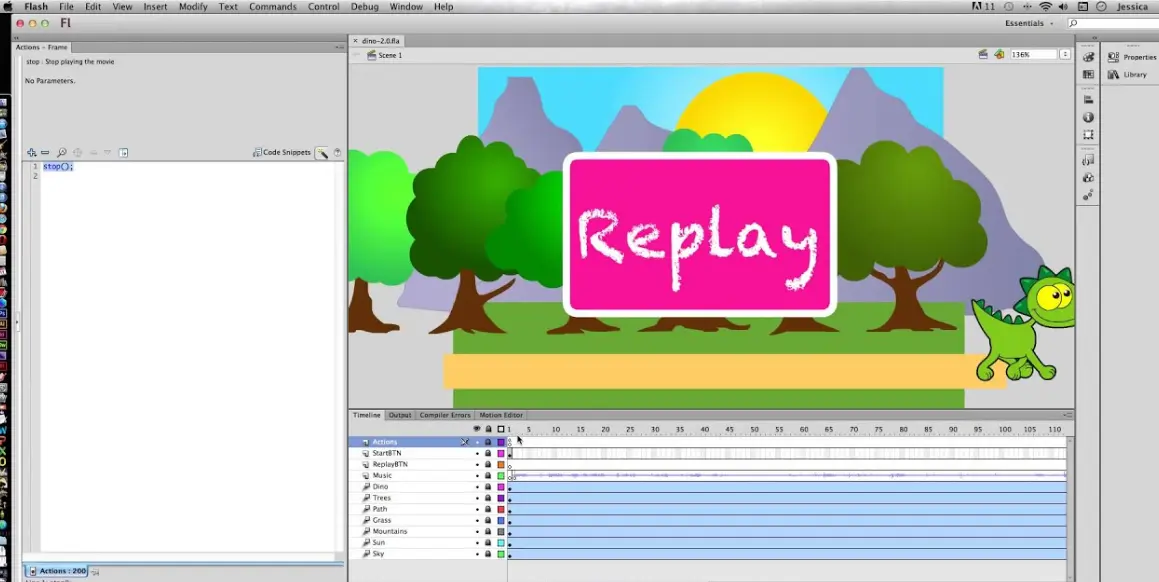
20. Question: How do you stop the main timeline in ActionScript?
A) stop();
B) timeline.stop();
C) main.stop();
D) pauseTimeline();
Answer: A
Explanation: The ‘stop()’ function halts the playback of the current timeline in a Flash movie.
or
Part 3: Try OnlineExamMaker AI Question Generator to Create Quiz Questions
Automatically generate questions using AI